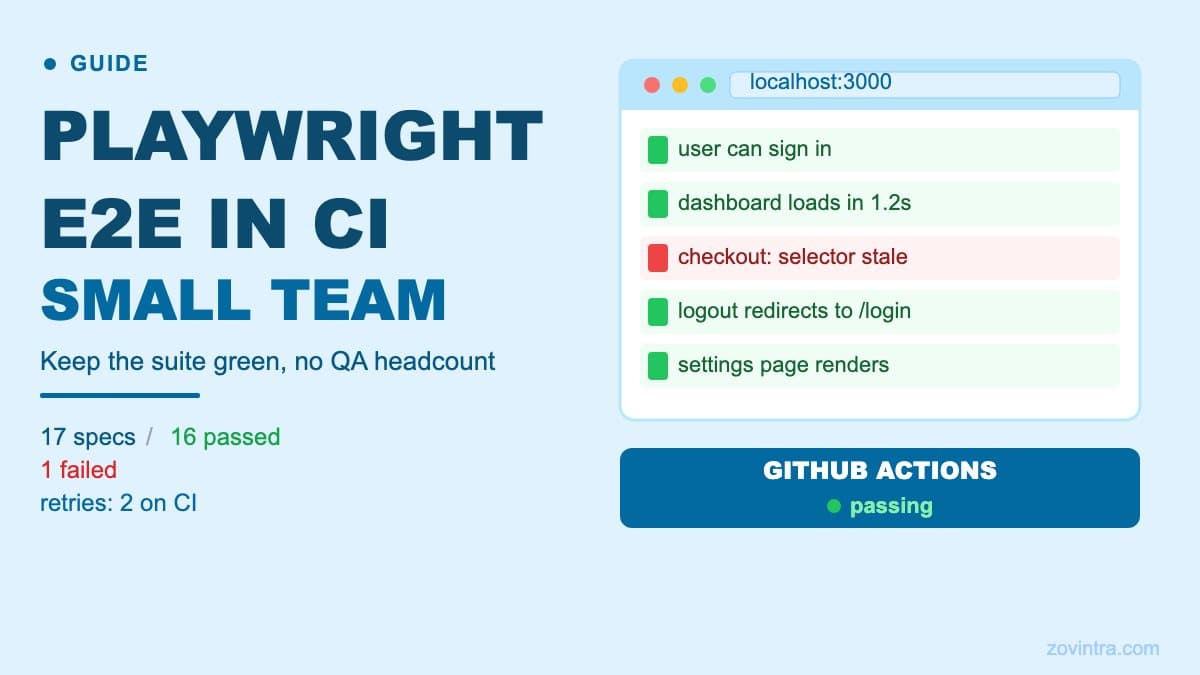
Playwright running in GitHub Actions gives a small team automated browser coverage without a QA headcount. The hard part is not the setup - it is keeping the suite stable once it is running.
Why End-to-End Tests Keep Failing in CI
A passing e2e test on a developer laptop that fails in CI is almost always one of three things: timing, isolation, or environment. Playwright's auto-waiting locators help with timing, but they cannot fix a test that relies on state left behind by a previous run, or a CI environment that is missing a seed fixture.
The second common cause is test order dependency. A test that creates a record and a later test that deletes it will fail when run in parallel or in a different order. The Playwright best practices say each test should be completely isolated, running independently with its own local storage, session storage, data and cookies, which is how Playwright Test works by default through fresh browser contexts.
The third cause is infrastructure. An e2e suite that hits a real staging database will fail whenever that environment is slow, seeded differently, or offline. For many small teams, a CI/CD pipeline that runs e2e against a shared staging branch is fine for catch-all regression, but a pipeline that runs e2e on every pull request needs a reset mechanism.
A Minimal Playwright Setup That Runs in GitHub Actions
Playwright's getting started guide offers to add a GitHub Actions workflow when you run `npm init playwright@latest`, and its CI guide documents the install step (`npx playwright install --with-deps`). The default config runs Chromium, Firefox and WebKit. For many SaaS apps, running Chromium only in CI is a reasonable trade-off because it is faster and cheaper; check your own analytics for which browsers your users run, and add Firefox or WebKit once the suite is stable.
The configuration that tends to work for teams of two to five developers:
- Run with `--workers=1` on CI until you have verified that tests are truly isolated. Playwright's CI guide recommends one worker in CI for stability and reproducibility, and parallel workers expose hidden ordering dependencies fast.
- Set `retries: process.env.CI ? 2 : 0`, which is what Playwright's generated config uses (the trace viewer guide shows it). Playwright's retries documentation describes flagging tests that pass only on a retry as flaky, and a test that needs a retry is a test worth investigating.
- Use `test.describe.configure({ mode: 'serial' })` only for flows that truly must run in order. Playwright's parallelism docs note that serial mode is not recommended and that making tests isolated is usually better; if one serial test fails, the rest are skipped.
- Capture traces and screenshots when tests fail. The generated config records a trace on the first retry (`trace: 'on-first-retry'`), and `screenshot: 'only-on-failure'` covers screenshots. Upload the report and test-results folders with `actions/upload-artifact`, so the files survive the job.
- Pin the Playwright version and update it deliberately. Each Playwright release can ship updated browser versions, so a version bump can change test behaviour; read the release notes before you update.
What to Test and What to Skip
End-to-end tests are expensive to write and maintain. They catch regressions a unit test cannot - a button that does not call the right API endpoint, a form that submits but silently swallows the error - but they are not a substitute for unit tests or a replacement for a security review.
A small team gets the best return from e2e tests on a small number of critical user flows: sign-up, the core paid action (whatever the user most needs the product to do), and payment or subscription changes if applicable. Every other path can be covered by a checklist-based definition of done and manual smoke testing before release.
Tests that tend to be flaky and low-value: animated transitions, date-picker interactions, third-party widgets, and any test that asserts on toast notification timing. These are candidates to cut rather than stabilise.
Sharding and Speed
Once the suite is slow enough that people stop waiting for it, shard it. Playwright's sharding guide shows how to split the suite across multiple GitHub Actions jobs using `--shard=1/4`, `--shard=2/4`, and so on, then merge the blob reports at the end with `npx playwright merge-reports`. This requires no changes to individual test files, and the docs note that four shards running in parallel complete the suite about four times faster, with the caveat that only tests that can run in parallel are sharded.
A smaller optimisation is to run only the tests affected by changed files. Playwright's command-line reference includes an `--only-changed` flag that runs only the test files changed between HEAD and a ref (Git only). Note that it selects changed test files, so it will not pick up a test whose application code changed; keep the full run on the main branch. You can also filter by title with `--grep`.
The Hidden Cost: Test Maintenance
A Playwright suite is a codebase. Selectors go stale when UI changes. An `aria-label` that is refactored in the component breaks the test. A page that adds a modal dialog before the target element changes the interaction flow.
Playwright's locator guide recommends prioritising user-facing locators such as `getByRole`, `getByLabel` and `getByText`, and its best practices warn that selecting by CSS classes breaks when a designer changes them. Locators tied to semantics rather than class names survive visual changes better. Tests using `page.locator('.btn-primary')` will break on any CSS refactor. Tests using `page.getByRole('button', { name: 'Submit' })` survive most redesigns.
The real maintenance cost shows up in teams that add tests faster than they fix them. A suite of 200 tests where 15 are marked `.skip` because "we will fix them later" is not a safety net - it is a false confidence machine. If you cannot get to zero skips, set a rule that no new test can be merged while there are open skips.
When a Shared Test Environment Is Not Enough
E2e tests that share a staging database with manual testers, product demos and preview deployments are prone to data collisions. A test that expects a user to be new will fail if someone ran the same test manually ten minutes earlier without cleaning up.
A common solution is per-run data isolation: each test run creates its own user accounts with unique email addresses (a UUID prefix works well), then deletes them in an `afterAll` hook. This works for most CRUD flows. It does not work well for tests that depend on aggregate data or historical records - those need a dedicated test database.
For teams on Supabase, resetting to a known state with a seeded migration is possible but requires careful coordination with staging versus production access. Getting this wrong can lead to tests that pass in CI but fail in review because they ran against production data.
Getting to a Useful Playwright Dashboard
Playwright's HTML reporter gives a test-by-test view of passes, failures and flakes. For a team running CI on every pull request, the most useful signal is the flake rate over time. A test that fails once every 20 runs is a test that will eventually block a release at the worst moment.
Hosted reporting services exist, but for a small team the GitHub Actions artifact approach is usually enough: upload the HTML report as an artifact on every run and link to it from the pull request check. The main thing is to have a policy: who investigates a failed run, and how quickly.
What This Does Not Replace
Playwright catches broken flows. It does not catch broken access control, exposed API keys, missing authentication on new routes, or SQL injection vulnerabilities. An e2e test that confirms a user can view their own dashboard will not notice that an unauthenticated request to the same endpoint returns data too.
Security testing requires a different layer. If your app has an e2e suite but no automated security scan or code review, you are catching the visible failures and missing the silent ones. The prototype-to-production checklist includes both layers as distinct steps.
If your current test setup is fragile, inconsistently run, or growing faster than you can maintain it, that is a signal to review the architecture before adding more coverage. A small focused suite that runs on every pull request and stays green is worth more than a large suite that everyone ignores because it is flaky. Talk to us about support and hosting if you want a second opinion on your CI setup.
Common questions
Why do my Playwright tests pass locally but fail in CI?
The post says it is almost always timing, isolation or environment: state left over from a previous run, tests that depend on order, or a CI environment that is slow, seeded differently or offline. Auto-waiting locators help with timing only.
How many Playwright workers should I use in GitHub Actions?
Start with one using --workers=1. Playwright's CI guide recommends one worker in CI for stability and reproducibility, and parallel workers expose hidden ordering dependencies fast. Shard the suite across jobs once it is slow enough that people stop waiting for it.
Can someone review my flaky CI test setup?
If your setup is fragile, inconsistently run or growing faster than you can maintain it, review the architecture before adding more coverage. A small suite that stays green beats a large flaky one. Zovintra offers a second opinion on CI setup through its support and hosting service.
Sources
- Continuous Integration - Playwright Docs, accessed 19 Oct 2026
- Installation - Playwright Docs, accessed 19 Oct 2026
- Trace viewer - Playwright Docs, accessed 19 Oct 2026
- Retries - Playwright Docs, accessed 19 Oct 2026
- Parallelism - Playwright Docs, accessed 19 Oct 2026
- Sharding - Playwright Docs, accessed 19 Oct 2026
- Command line - Playwright Docs, accessed 19 Oct 2026
- Locators - Playwright Docs, accessed 19 Oct 2026
- Best Practices - Playwright Docs, accessed 19 Oct 2026
- Reporters - Playwright Docs, accessed 19 Oct 2026