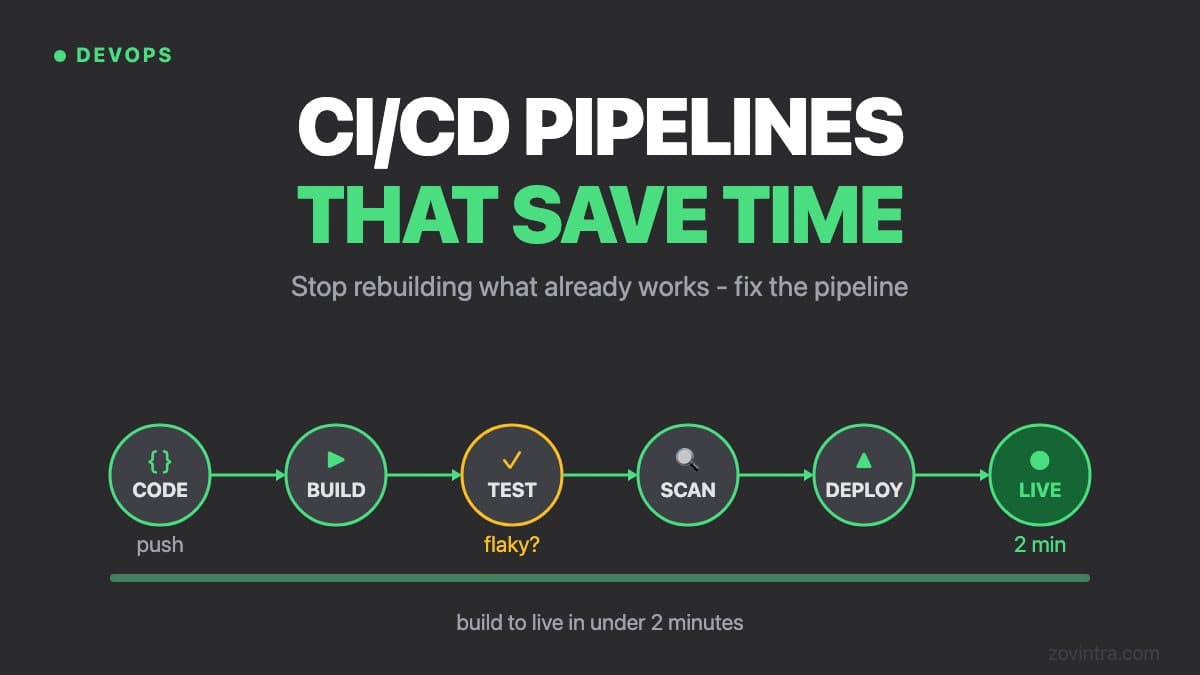
Most teams set up a CI/CD pipeline once during project setup and never revisit it. Six months later, builds take 15 minutes, tests are flaky, and deployments require a manual checklist that nobody follows. A pipeline that saves time when you build it but costs time to maintain isn't a good pipeline.
“If shipping is scary, you ship less. A good pipeline makes deploying boring - and boring is exactly what you want.”
The point of CI/CDEnvironment Strategy
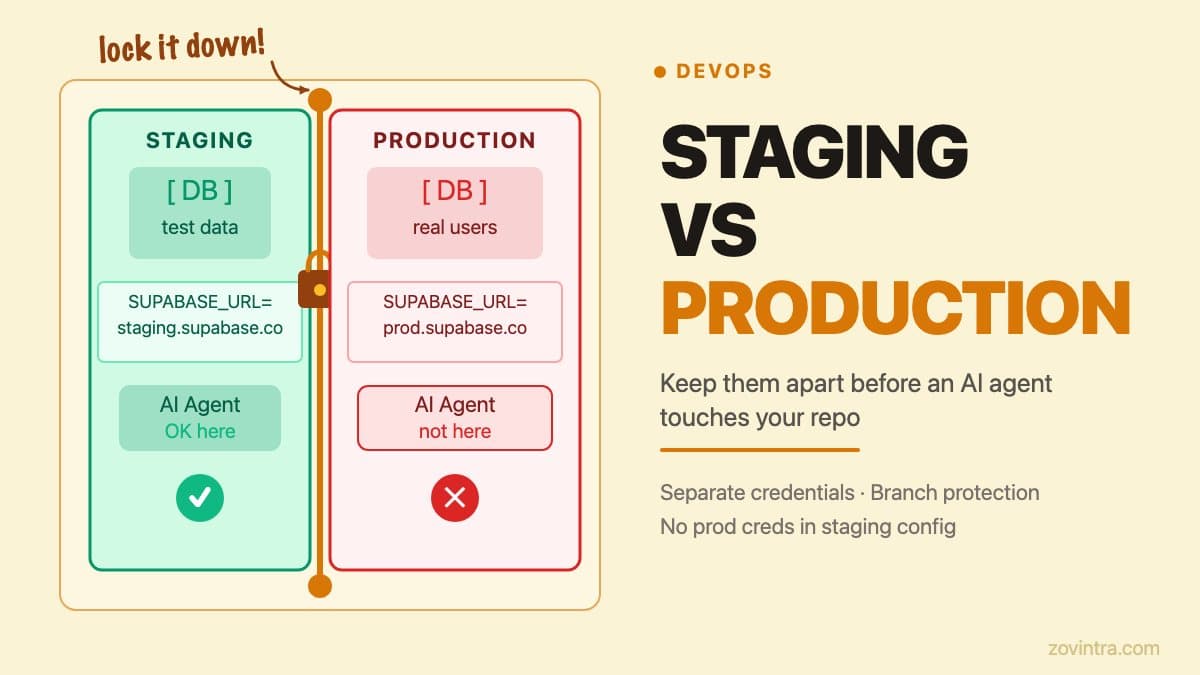
A production-grade pipeline uses at minimum three environments: development (local), staging (mirrors production), and production. Some teams add a QA environment for dedicated testing. The principle is that every environment matches production as closely as possible. Bugs that appear in production but not staging are almost always caused by environment differences.
Environment parity means the same Docker image, the same environment variable structure, and the same infrastructure configuration across staging and production. The only differences should be the values of those variables (database URLs, API keys, domain names) not the structure. Use infrastructure-as-code (Terraform, Pulumi, or AWS CDK) to guarantee this parity is maintainable.
CI/CD pipeline
- Every commit is built and tested automatically
- The same safe steps run the same way every time
- Anyone on the team can ship with confidence
- Rollback is one step when something slips through
A Pipeline That Actually Works
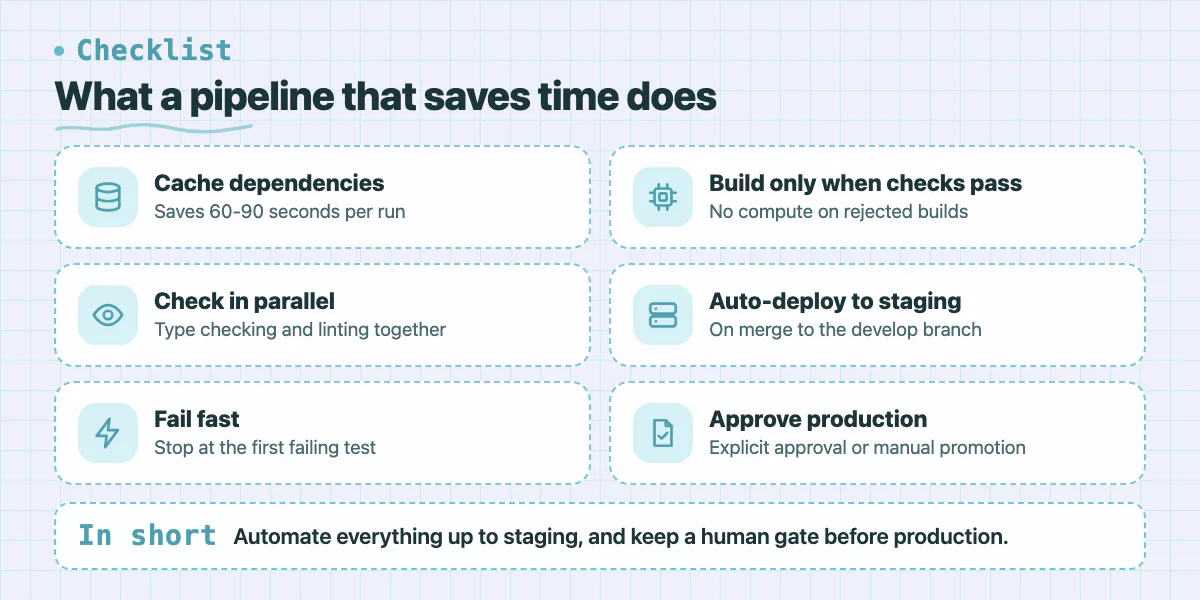
- Install dependencies using cached node_modules (saves 60-90 seconds per run)
- Run type checking and linting in parallel (not sequentially)
- Execute tests with fail-fast strategy so the pipeline stops at the first failure
- Build only when all checks pass - don't waste compute on builds that will be rejected
- Deploy to staging automatically on merge to the develop branch
- Require explicit approval or a manual promotion step to reach production
Secret Management Done Right
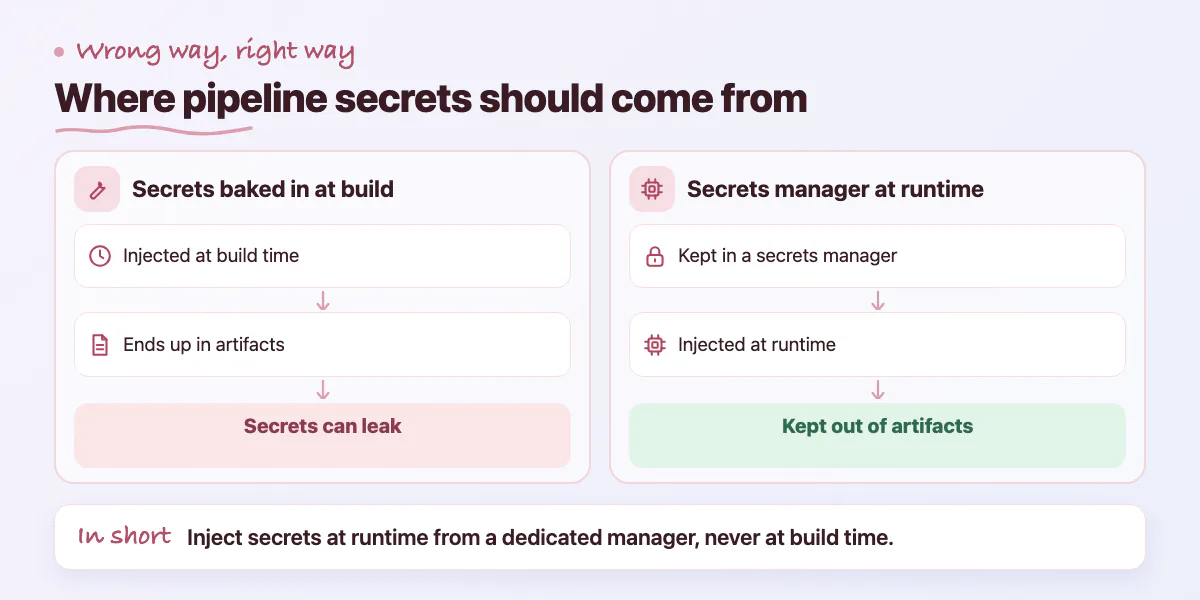
Secrets in CI/CD pipelines need to be handled carefully. Environment variables injected at build time can end up in build artifacts. Secrets logged during debugging can appear in CI output. The right approach is to use a dedicated secrets manager (AWS Secrets Manager, HashiCorp Vault, or GitHub Actions encrypted secrets) and inject secrets at runtime, not build time.
Rotate secrets regularly and automate the rotation where possible. Store different secrets for each environment and never use production database credentials in the staging environment. Audit which services and team members have access to production secrets quarterly. Secret sprawl - where the same credential is stored in 6 different places - is the most common source of credential compromise.
Deployment Strategies for Zero-Downtime Releases
The naive deployment approach (stop the old version, start the new one) creates downtime. For most applications, downtime is unacceptable. Blue-green deployment solves this by running two identical production environments. Traffic routes to 'blue' (current). You deploy the new version to 'green'. Once green is verified healthy, you switch traffic from blue to green. Rollback is instant - switch traffic back to blue.
Canary releases are a more gradual approach. You route 5% of traffic to the new version and monitor for errors and performance regressions. If metrics look good after a defined period, you gradually increase traffic (10%, 25%, 50%, 100%). If something goes wrong with 5% of traffic, the blast radius is small. Canary releases are particularly valuable for high-traffic applications where even a 0.1% error rate affects many users.
- Blue-green: best for complete version swaps where rollback needs to be instant
- Canary: best for gradual validation with real traffic before full rollout
- Rolling: replace instances one at a time, good balance of simplicity and safety
- Feature flags: separate deployment from release, features ship dark and get turned on independently
Ship to production
The new version goes out through the same automated steps every time, with a rollback ready.
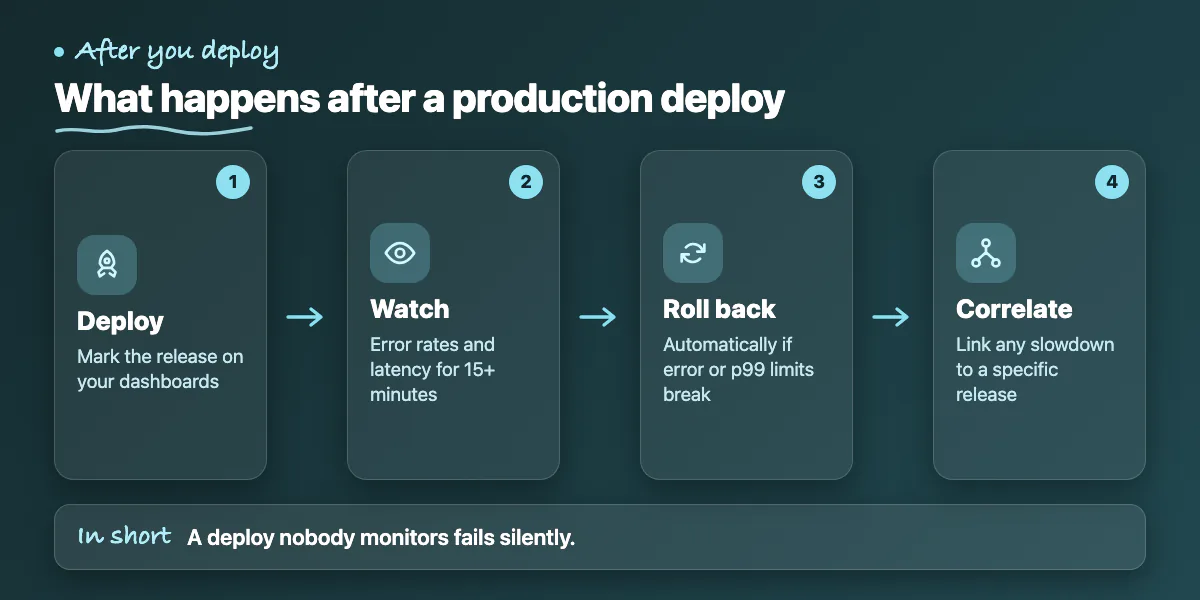
Watch for 15 minutes
Error rate and latency are tracked before the release is called done - not after a customer complains.
Auto-rollback on trouble
If errors cross 2% or p99 latency crosses 2 seconds within 10 minutes, traffic reverts automatically.
Annotate the dashboards
A deploy marker lets you tie any later regression to the exact release that caused it.
Monitoring Post-Deploy and Incident Response Integration
A deployment that nobody monitors is a deployment that fails silently. After every production deploy, monitor error rates and latency for at least 15 minutes before considering the release complete. Set up automated rollback triggers - if error rate exceeds 2% or p99 latency exceeds 2 seconds within 10 minutes of a deploy, roll back automatically.
Integrate deployment events into your incident management workflow. When a deploy goes out, your monitoring dashboards should show a deployment marker so you can correlate any performance degradation with a specific release. Tools like Datadog, New Relic, and Grafana all support deployment annotations.
Cost Optimization in CI/CD
CI/CD costs can creep up significantly as teams and codebases grow. The biggest savings come from aggressive caching and right-sizing your runners. Cache your dependency directories between runs - npm install with a full cache takes 15 seconds instead of 90 seconds. Cache build artifacts so unchanged packages don't rebuild.
Use matrix builds strategically. Running tests across 6 different Node versions on every pull request is expensive. Run the full matrix only on merges to main, and run only the current LTS version on feature branches. Run integration tests only when the relevant code changes, not on every push.
A good pipeline is one you don't think about. It runs in under 5 minutes, caches aggressively, deploys preview URLs for every pull request, and notifies the right people only when something needs attention. The team focuses on shipping product, not managing infrastructure.
Common questions
How many environments does a production CI/CD pipeline need?
At minimum three: development (local), staging that mirrors production, and production. Some teams add a QA environment. The post says bugs that appear in production but not staging are almost always caused by environment differences.
Where should CI/CD secrets be stored?
Use a dedicated secrets manager such as AWS Secrets Manager, HashiCorp Vault or GitHub Actions encrypted secrets, and inject secrets at runtime rather than build time. Use different secrets per environment and never use production database credentials in staging.
What does a pipeline need to look like to actually save time?
The post suggests caching dependencies, running type checking and linting in parallel, failing fast, building only when checks pass, and deploying to staging automatically. If builds take 15 minutes and deployments still need a manual checklist, the pipeline likely needs a revisit.
Building something similar?
Talk to our engineering team about your architecture, roadmap, and delivery timeline.
Request a Technical Review →
We design, engineer, and deploy high-performance web platforms, mobile applications, and intelligent cloud systems.