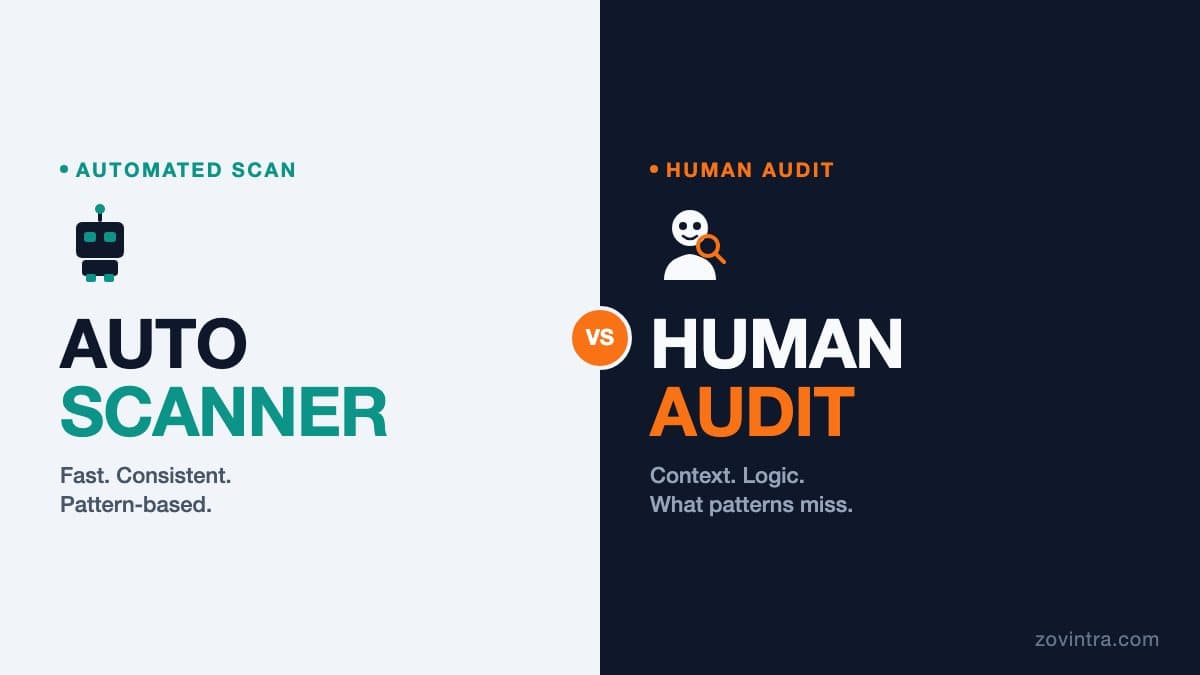
An automated code scanner and a human code audit are not competing tools - they catch different kinds of problems. Scanners are fast, consistent, and good at pattern-based issues: hardcoded secrets, known injection sinks, dependency vulnerabilities, and configuration mistakes. Human reviewers catch logic errors, ownership policy gaps, and context-dependent flaws that have no pattern to match. Most teams that skip security reviews entirely are skipping both, which is where the real risk lives.
How an Automated Scanner Works
A static analysis tool (SAST) reads your source files without running them. It builds a representation of the code - typically an abstract syntax tree - and then applies rules. Some rules are pattern-based: "does this string match the shape of an API key?" Some are data-flow-based: "does user-supplied input reach a database query without being parameterised?" The better tools add reachability analysis to reduce noise, asking not just whether a dangerous call exists but whether attacker-controlled data can actually reach it.
Our free code review tool works this way. It checks for hardcoded secrets, unsafe string concatenation in queries, eval of user input, open redirects, NoSQL operator injection, framework sanitisation disabled, and configuration mistakes specific to Firebase and Supabase. We test the engine against our own fixtures with planted defects and against known vulnerabilities in OWASP Juice Shop, a deliberately insecure training app. Because we wrote rules informed by studying those codebases, those results show the rules working, not a blind test on unseen code. A fresh unseen benchmark is the honest next step.
What Scanners Catch Reliably
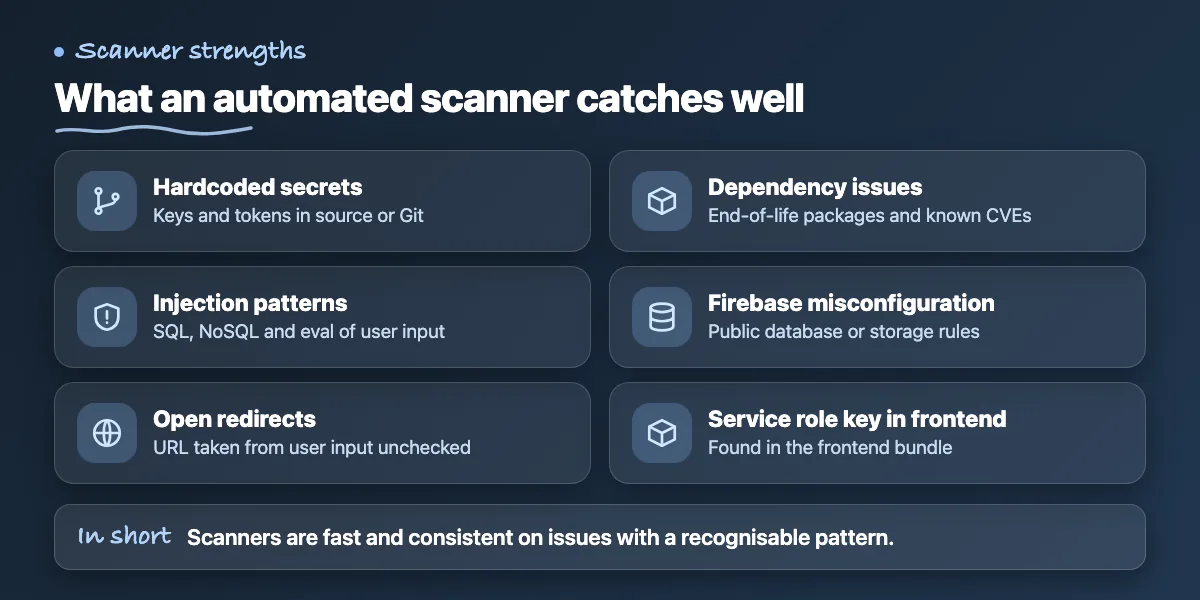
- Hardcoded secrets: API keys, tokens, private keys baked into source or committed to Git
- SQL and NoSQL injection via string concatenation or operator injection ($where, $where, eval)
- Eval and vm.runInContext of user-controlled input
- Open redirects: redirecting to a URL taken from user input without validation
- Framework sanitisation disabled: Angular bypassSecurityTrust*, template auto-escaping off
- Dependency issues: packages past end of life, CVEs via OSV advisories
- Firebase misconfiguration: public Realtime Database or Storage rules
- Supabase service_role key exposed in frontend bundles
- Missing authentication on API routes (with static analysis of route structure)
These are common weaknesses in AI-built apps (see the security checklist), because generated code optimises for the prompt, not for security context. The categories also map to the OWASP Top 10, the reference list of critical web application risks. A scanner finds them in seconds and produces a consistent, reproducible report regardless of who runs it.
Where Scanners Stop
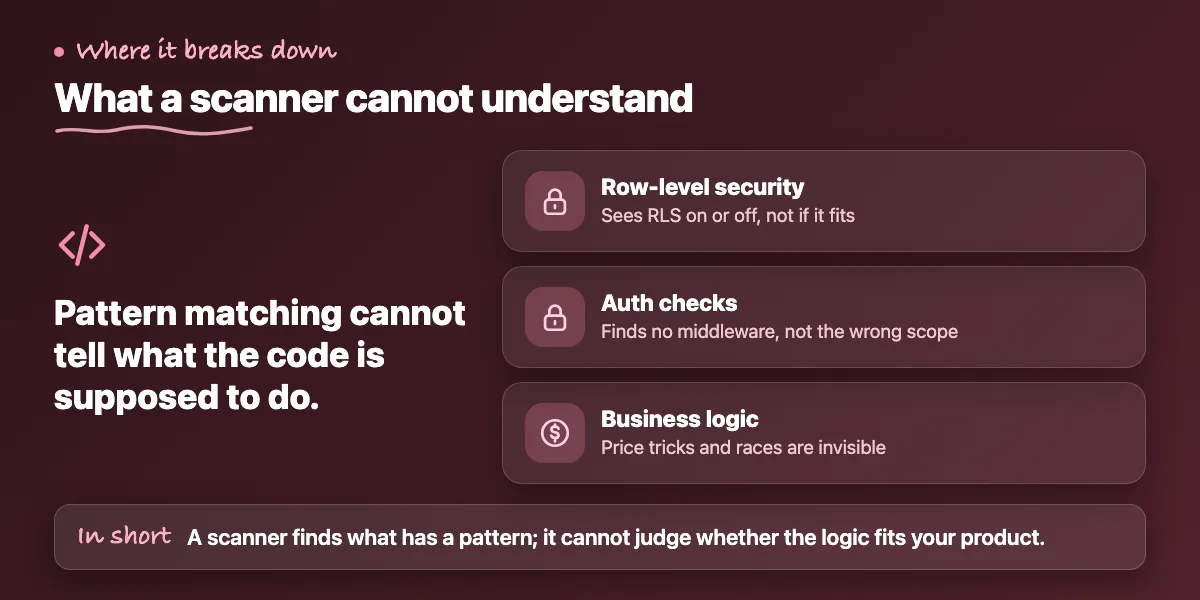
Pattern matching has a hard boundary: it cannot understand what the code is supposed to do. Consider a row-level security policy that checks whether the authenticated user owns a record. A scanner can tell you that RLS is enabled or disabled. It cannot tell you whether the policy is written correctly for your data model - whether a guest user can see only their own draft invoices, or whether a team member with an editor role should be blocked from billing records. The logic is correct in isolation and wrong for the product.
Authentication checks are the clearest example. A scanner can find a route with no auth middleware. It cannot find a route where the auth check is present but the permission scope is wrong - for instance, a check that verifies the user is logged in but not whether they own the resource they are modifying. In a codebase generated by AI tools, this pattern is common: the authentication boilerplate is correct, the authorisation logic is missing or misapplied.
Business logic vulnerabilities - price manipulation, coupon stacking, race conditions on inventory, invoice number collision under concurrent writes - are invisible to static analysis entirely. These require a reviewer who understands the product domain and can ask: what happens if someone sends two requests simultaneously? What happens if a user manipulates a hidden form field? What happens if the sequence of steps is reversed?
What a Human Audit Adds
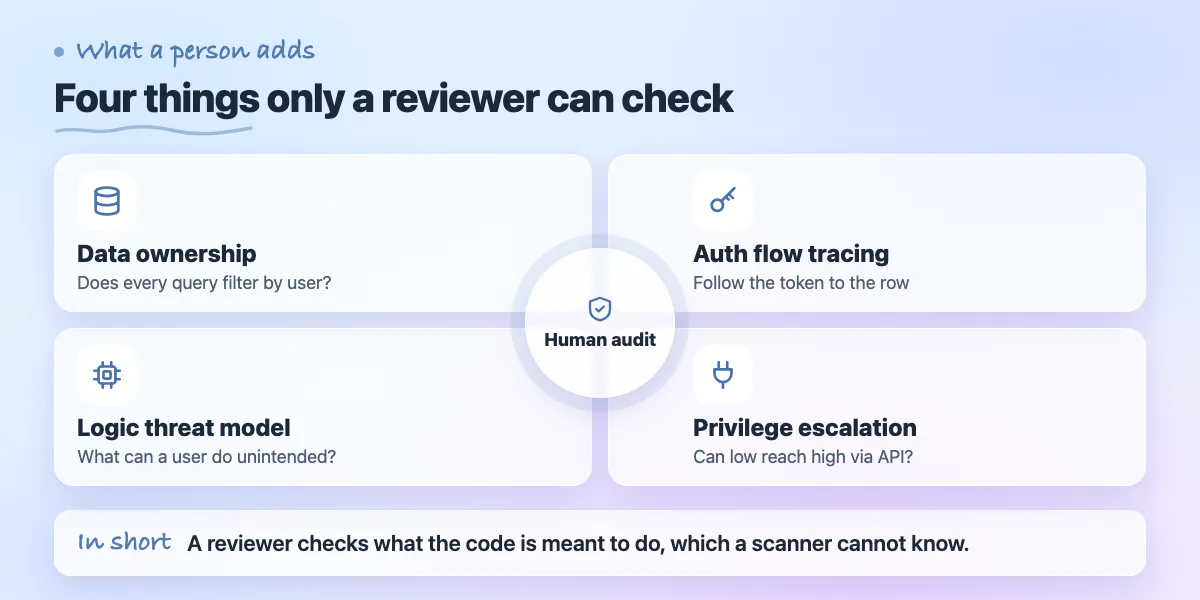
- Data ownership review: does every query that returns user data include a filter on the authenticated user's identity? Are there admin endpoints that bypass this?
- Auth flow tracing: follow the token from login to the database row, checking every step where the identity claim is used or ignored
- Business logic threat modelling: what can a user do that the product does not intend? What happens at edge cases the AI prompt never described?
- Privilege escalation paths: can a low-privilege user reach a higher-privilege function through an API or RPC that a scanner would see as valid?
- Remediation priority: a scanner outputs a list; a reviewer tells you which finding is actually exploitable in your specific deployment and what the blast radius is
- Architecture assessment: are the right things on the server, or has generated code moved secrets to the client because a prompt omitted the constraint?
The Gap Is Widest in AI-Built Code
AI coding tools generate code that matches the pattern of correct code. The formatting is clean, the variable names are reasonable, the standard library calls are used as documented. What the tool does not carry is your data model, your threat model, or an understanding of which users should be able to do what. This is why the most expensive mistakes in vibe-coded apps are not the ones a scanner catches. They are the auth policies that look fine in the file and fail in production when a second user account is created and tested against the first user's data.
The arXiv study Debt Behind the AI Boom analysed about 302,600 AI-authored commits and found 484,366 distinct issues, 89.3% of them code smells - structural patterns that make the code hard to read, test, or change. It also found 22.7% of the tracked issues were still present in the latest repository revision. Code smells are not vulnerabilities, but they increase the cost of a human review because the reviewer has to work through tangled logic to trace whether a data-flow issue is actually reachable. A codebase with high structural debt makes both tools less effective.
When to Use Each
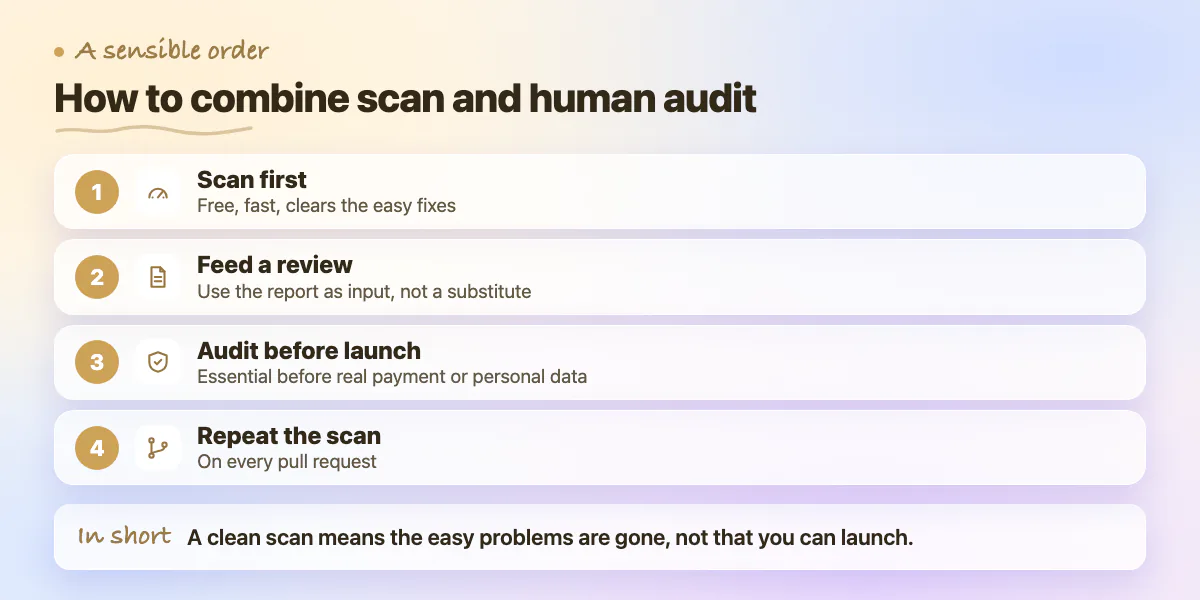
- Run the automated scan first: it is free, fast, and catches issues that are easy to fix before a reviewer spends time on them
- Use the scan report as an input to a human review, not as a substitute: the scanner surfaces the easy wins; the reviewer focuses on the hard ones
- If the scanner returns clean results, that is not a green light for launch - it means the low-hanging fruit is gone
- A human audit is essential before launch, before handling real payment or personal data, and after any significant refactor by an AI tool
- Repeat the scan on every pull request as a regression check; repeat the human audit annually or after major features
What a Missed Finding Costs
A leaked service_role key found by a scanner before launch is a short rotation job. The same key found by a researcher or attacker after launch costs the data it exposed plus the notification, incident response, and reputational fallout. A logic flaw in ownership policy - the kind only a human catches - costs a full access-control rework if it reaches production with real user data in the rows it should not expose. The gap between "caught in development" and "caught in production" is measured in remediation hours and, sometimes, in user trust.
If you have an app approaching launch and you have not done either, start with the free code review to see what the scanner finds. If you want a technical reviewer to go further - through the auth flows, the data ownership policies, and the business logic - ask us about a technical review. We describe exactly what each step covers so you know what you are getting before committing to it.
Common questions
What is the difference between an automated code scan and a human code audit?
They catch different problems. Scanners are fast and consistent on pattern-based issues such as hardcoded secrets, known injection sinks, dependency vulnerabilities and configuration mistakes. Human reviewers catch logic errors, ownership policy gaps and context-dependent flaws that have no pattern to match.
If my code scanner comes back clean, is my app safe to launch?
No. A clean scan means the low-hanging fruit is gone, not that the app is ready. Scanners cannot judge whether an access policy fits your data model or find business logic flaws, so use the report as an input to a human review.
Should I get a technical reviewer to go beyond a free code scan?
Start with the free code review to see what the scanner finds. If you want a reviewer to go further, through the auth flows, data ownership policies and business logic, Zovintra offers a technical review and describes what each step covers before you commit.
Sources
Building something similar?
Talk to our engineering team about your architecture, roadmap, and delivery timeline.
Request a Technical Review →
We design, engineer, and deploy high-performance web platforms, mobile applications, and intelligent cloud systems.