“Founders who confuse a website with a web app don't just use the wrong words - they often hire the wrong people, set the wrong timelines, and budget the wrong amounts.”
The question that shapes your entire buildWebsite vs Web App vs Mobile App: What's the Actual Difference?
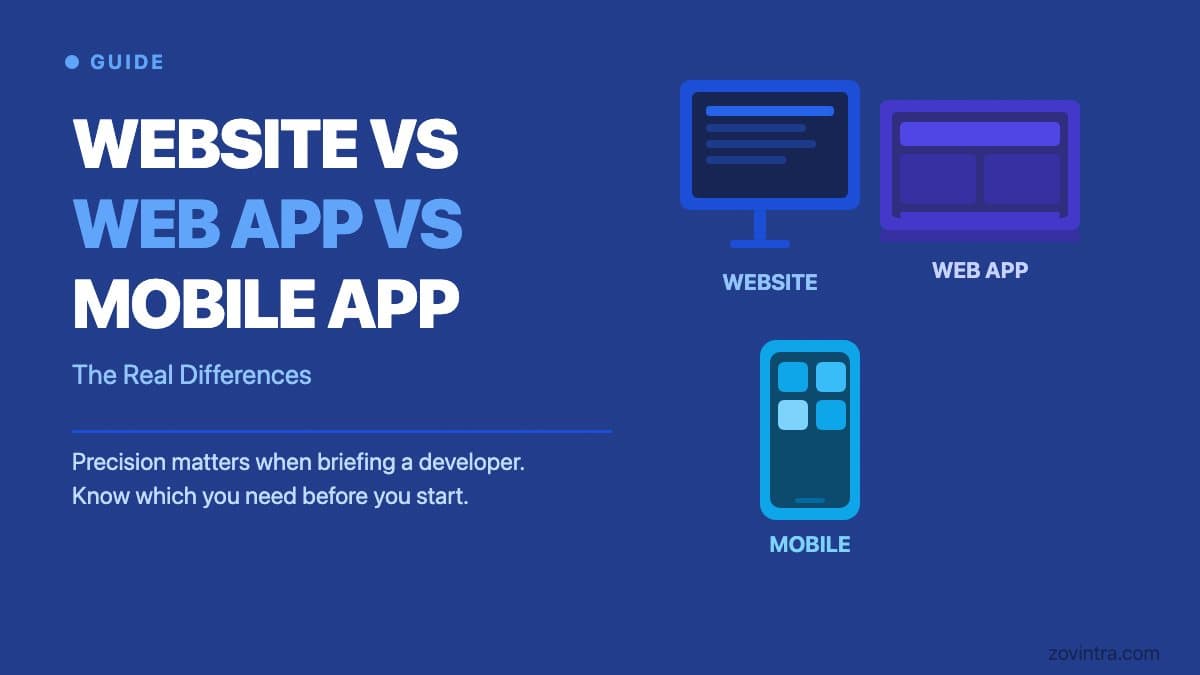
The terms website, web app, and mobile app get used interchangeably in a lot of conversations where precision matters. A founder who tells a developer "I need a website" when they actually need a web app with user accounts, data storage, and business logic will get the wrong proposal, the wrong timeline, and probably the wrong team. Understanding what each term means - and why the distinction matters - saves you from that confusion.
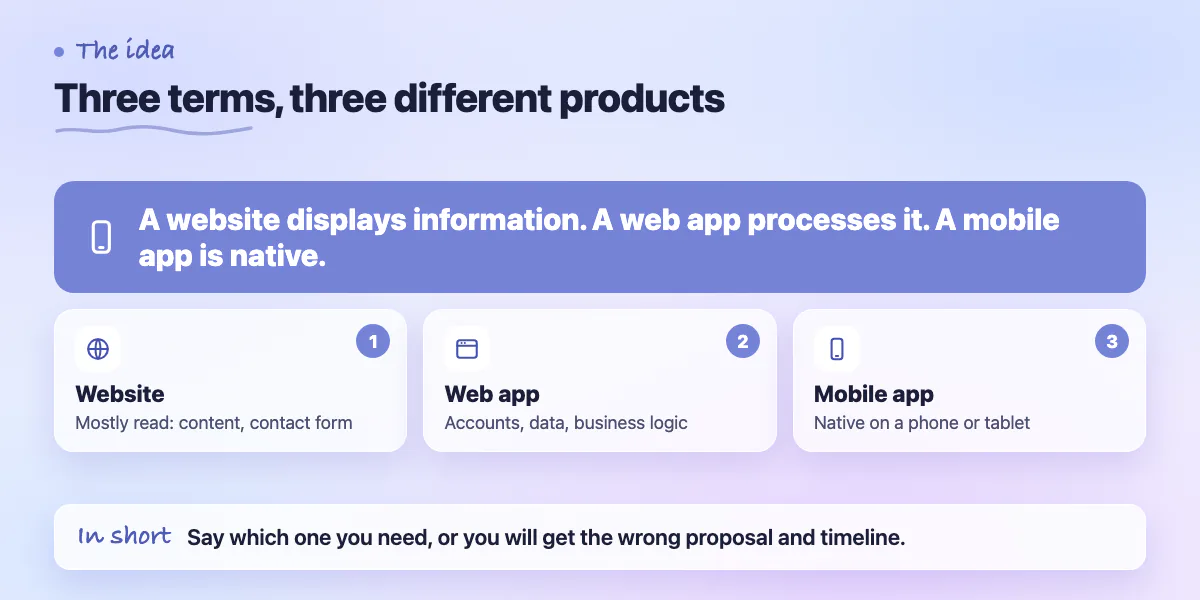
The short version: a website displays information. A web app processes it. A mobile app delivers a native experience on a phone or tablet. Each has a different build cost, a different skillset required, and a different set of tradeoffs. None is inherently better - the right choice depends entirely on what you're trying to accomplish and who you're trying to reach.
This guide gives you a clear definition of each, the typical use cases where each shines, the cost and timeline differences, and a decision framework for choosing the right format for your specific product or project.
What a Website Is
A website is a collection of pages accessible via a browser that primarily delivers information. A marketing site for a software company. A portfolio for a design studio. A blog. A news publication. The defining characteristic of a website is that it's primarily read - users consume content rather than interact with application logic.
Websites can have interactive elements - a contact form, a search bar, a newsletter signup - but these are thin interactions on top of what is fundamentally a content delivery system. When a visitor fills in your contact form, that's a simple data submission. It's not the same class of complexity as a user creating an account, triggering business logic, and seeing a personalised dashboard.
Modern websites are built with tools like Webflow, Framer, or WordPress for non-developers, and with Next.js or Astro for development teams that want performance and control. A well-built marketing website can be delivered in 2 to 6 weeks and costs significantly less than a web app because the technical complexity is lower.
What a Web App Is
A web app is a software application that runs in a browser. It has user accounts, stores and processes data, enforces business rules, and delivers a different experience to each user based on who they are and what they've done. Notion, Figma, Shopify, and Salesforce are all web apps. The fact that they run in a browser doesn't make them websites.
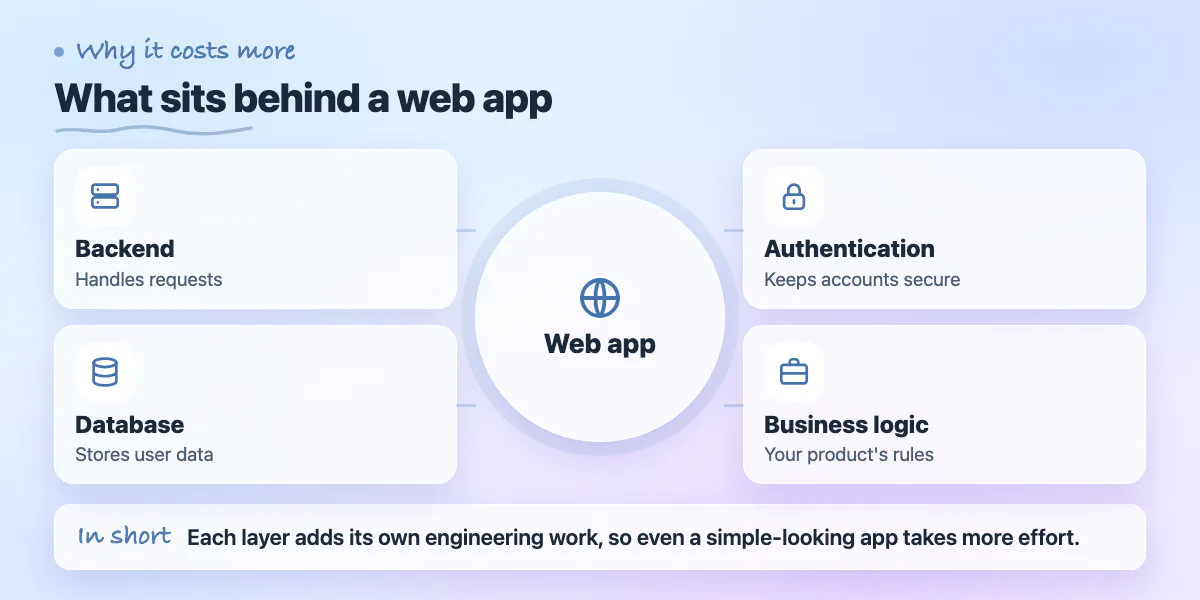
The technical complexity of a web app is categorically higher than a website. You need a backend that handles requests, a database that stores user data, authentication that keeps accounts secure, and business logic that implements your product's rules. Each of these layers introduces its own engineering requirements. A web app that looks simple on the surface - a to-do list, a booking system, a client portal - typically requires 2 to 5 times the development effort of a comparable website.
Web apps are delivered through a browser, which means users don't need to install anything and they work on any device with a browser. This is a significant distribution advantage over native mobile apps - no app store approval, no install friction, and one codebase that works everywhere. For most business software and SaaS products, a web app is the right default.
What a Mobile App Is
A mobile app is software installed on a phone or tablet, distributed through the Apple App Store or Google Play Store. Native mobile apps are built specifically for iOS (using Swift) or Android (using Kotlin), or built cross-platform using React Native or Flutter, which lets a single codebase deploy to both platforms.
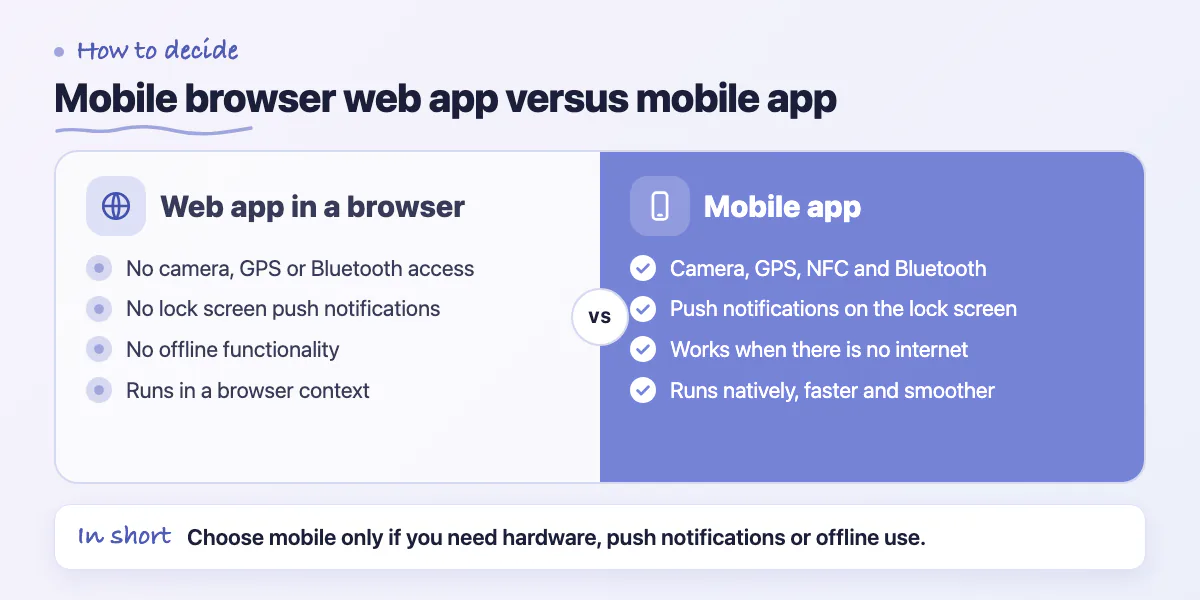
Mobile apps have specific advantages that web apps delivered in a mobile browser don't. Access to device hardware - the camera, GPS, accelerometer, NFC, Bluetooth. Push notifications that appear on the lock screen. Offline functionality when there's no internet connection. Faster, smoother interactions because the app runs natively rather than in a browser context. These advantages are meaningful in specific product categories.
The tradeoff is distribution and maintenance overhead. You need App Store and Play Store accounts, approval processes for each release, platform-specific design guidelines, and separate consideration of iOS and Android behaviour differences. If your users are primarily on desktop or if your product doesn't require device hardware access or offline capability, a web app is usually a better starting point than a mobile app.
Cost and Timeline Comparison
The build cost differences between these formats are significant enough to affect project planning. A professional marketing website from a development team ranges from $5,000 to $25,000 and takes 3 to 8 weeks. A web app with user accounts, data storage, and moderate business logic ranges from $25,000 to $100,000 and takes 8 to 24 weeks depending on scope. A native or cross-platform mobile app adds another layer of complexity and typically costs $40,000 to $150,000 with timelines of 12 to 32 weeks.
These ranges are wide because scope variation is the primary cost driver, not the format itself. A simple CRUD web app takes less time than a complex content website with custom animations. The format tells you the rough category - the scope tells you the actual number.
Website (3 to 8 weeks)
Discovery and design: 1 to 2 weeks. Development: 1 to 4 weeks. Content integration and launch: 1 to 2 weeks. Low backend complexity, primary effort is design and content.
Web App (8 to 24 weeks)
Discovery and architecture: 1 to 3 weeks. Backend and database setup: 2 to 4 weeks. Frontend development: 3 to 8 weeks. QA, security review, and launch: 2 to 4 weeks.
Mobile App - Cross-Platform (12 to 24 weeks)
Same backend phases as a web app, plus platform-specific UI work, device hardware integrations, and App Store submission (1 to 2 week approval window not in your control).
Mobile App - Native iOS + Android (20 to 40 weeks)
Two separate codebases, two separate submission processes. Double the QA surface. Justified when platform-specific performance or features are non-negotiable.
How to Choose the Right Format
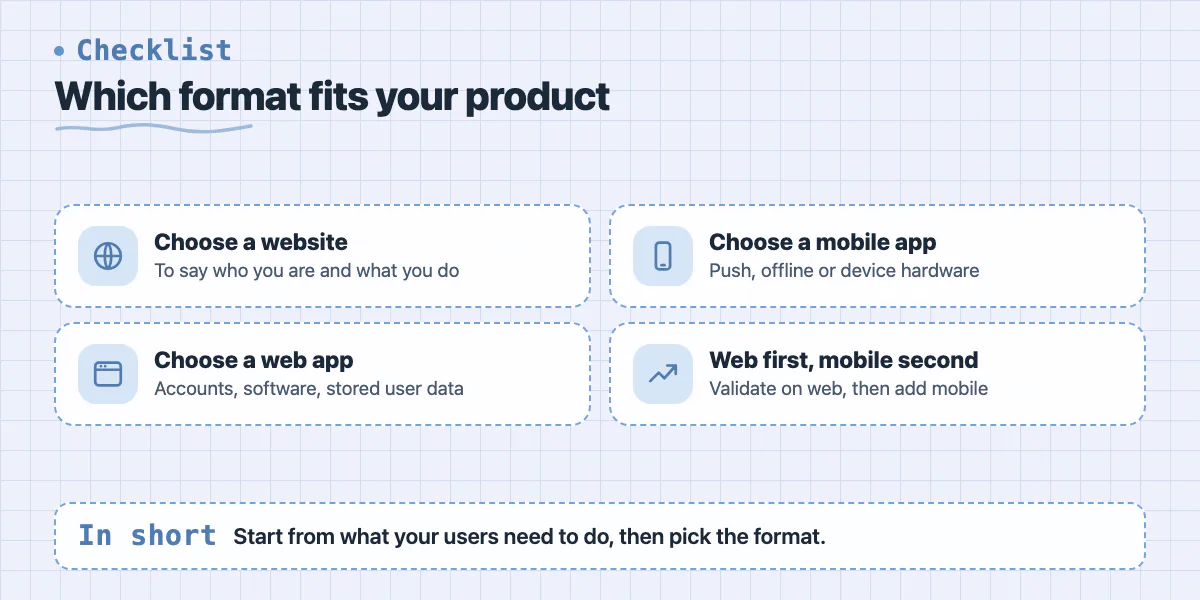
Start with your users and what they need to do. If they need to read information and occasionally contact you - website. If they need to create accounts, interact with data, and use your product as software - web app. If they need the product on their phone with push notifications, offline access, or device hardware - mobile app.
Then consider distribution. If you're targeting business users who primarily work at a desk, a web app covers most use cases. If your users are field workers, consumers, or anyone whose primary computing device is their phone and who expects an app-store-quality experience - mobile is worth the additional investment.
- Choose a website if: your primary goal is communicating who you are and what you do
- Choose a web app if: users need accounts, you're building software, or your product processes and stores user data
- Choose a mobile app if: you need push notifications, offline capability, or device hardware access
- Choose web app first, mobile app second: build the web version to validate the product, then build mobile if your users demand it
- Choose cross-platform (React Native or Flutter) over native unless you have a specific reason for platform-only features
The Format That Fits Your Stage
The right format also depends on where you are in building your product. A marketing website is almost always the right first step for any product - before there's anything to log into, you need somewhere to explain what it does and capture interest. A web app is the right format for most initial product builds because the distribution is frictionless and the development cost is lower than mobile. Mobile comes when you've validated the product and your users are pulling you toward it.
Where founders lose time and money is building a mobile app before validating the product in a web app, or building a web app when a marketing website plus a waitlist would have answered the same questions at a tenth of the cost.
If you're not sure which format fits your project, the answer usually comes from a 30-minute conversation about what your users need to do and where they'll be doing it. We scope all three formats at Zovintra and regularly help founders who came in asking for a mobile app leave with a plan for a web app first - not because mobile is wrong, but because building in the right sequence gets you to market faster with less money at risk.
Common questions
Should I build a web app or a mobile app first?
The post recommends building the web version first to validate the product, then building mobile if users demand it. Web apps need no install or app store approval, and the development cost is lower than mobile.
How much more work is a web app than a website?
The post says a web app that looks simple, like a to-do list, booking system, or client portal, typically takes 2 to 5 times the development effort of a comparable website. It needs a backend, database, authentication, and business logic.
How do I decide which format my product needs?
Start with what users need to do: read information means a website, creating accounts and using software means a web app, and push notifications or offline access mean mobile. A 30-minute conversation about this is often enough, and Zovintra scopes all three formats.
Building something similar?
Talk to our engineering team about your architecture, roadmap, and delivery timeline.
Request a Technical Review →
We design, engineer, and deploy high-performance web platforms, mobile applications, and intelligent cloud systems.