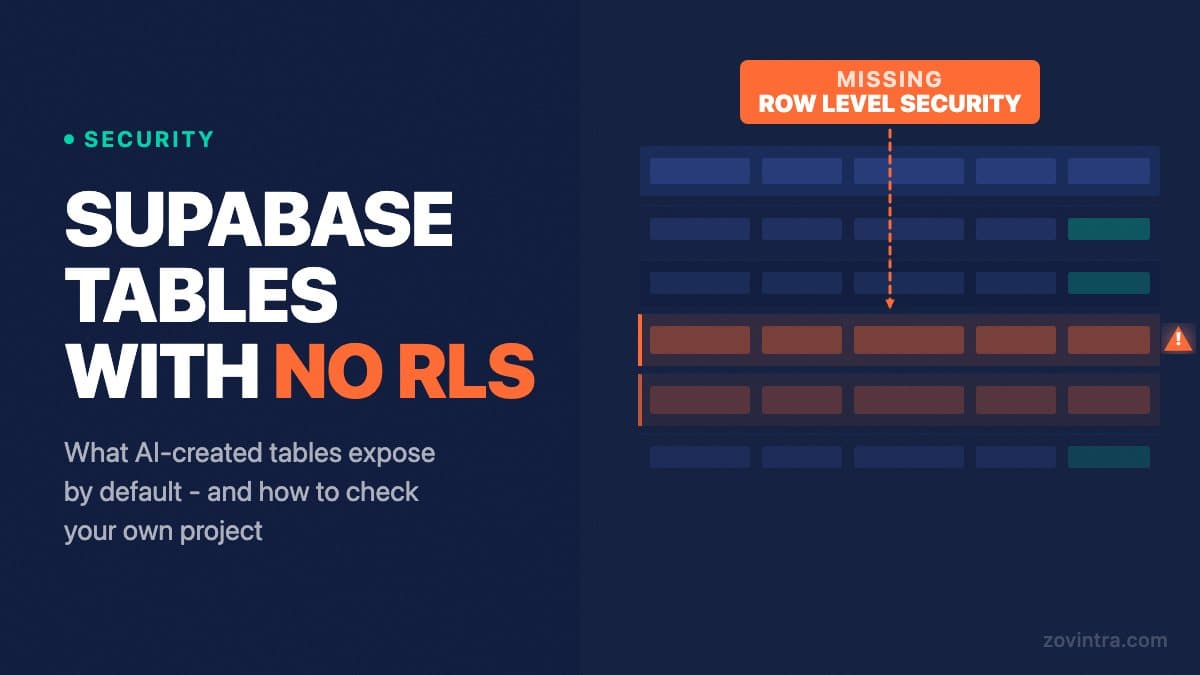
When a coding agent creates a Supabase table using the management API or a SQL migration, Row-Level Security is off by default on that table. Any user who knows your project URL can read every row in unprotected tables using your public anonymous key. On 14 October 2026, UpGuard published a study reporting 16,326 Supabase databases with publicly readable tables out of roughly 300,000 candidate domains they scanned.
How a Coding Agent Creates a Table Without RLS
When you ask Cursor, Lovable, or a similar tool to build a feature that needs a new table, the agent typically runs a CREATE TABLE statement, either through the Supabase management API or as a SQL migration. UpGuard notes that Supabase now turns RLS on by default for tables made in the Table Editor UI, but tables created programmatically through the API do not get it, so a coding agent that runs CREATE TABLE can leave it off. Enabling RLS requires two additional steps: ALTER TABLE your_table ENABLE ROW LEVEL SECURITY, and then a CREATE POLICY statement that defines who can access which rows.
Agents skip those steps because they are building to make a feature work, not to harden the database. The feature passes its tests. The app loads correctly. Nothing in the normal development loop signals that every row in your users table is readable by anyone with your project URL - and that URL is not a secret. It is embedded in every network request your app makes, visible in any browser's developer tools.
This is not a flaw in any specific AI tool. It reflects how Supabase behaves by design: the platform expects developers to add security policies as an explicit step. The problem is that AI-assisted development telescopes the build phase so much that security steps are easy to skip without noticing.
What 'Publicly Readable' Actually Means
Your Supabase project issues two keys. The service_role key bypasses RLS and should never leave your server. The anon key is intended to be safe to include in a browser bundle, because RLS is supposed to limit what an unauthenticated request can see. When RLS is off, the anon key becomes a master key for reading data. Any HTTP client can call your Supabase REST endpoint with the anon key and receive the full contents of any unprotected table.
The request looks like this: a simple GET to https://[your-project-id].supabase.co/rest/v1/your_table with the anon key in the Authorization header. No authentication, no brute force. One request. If RLS is off, the response is every row in the table. If your table contains emails, phone numbers, invoice amounts, or anything a user submitted through your app, all of it is in that response.
“Passing tests and a working app do not mean a safe app. The gap between 'it works' and 'only the right people can read it' is exactly where RLS sits.”
Zovintra code review teamHow to Check Whether Your Tables Are Exposed
In your Supabase dashboard, navigate to the Table Editor. For each table, check two things: whether RLS is enabled (look for the shield icon or the Authentication > Policies section), and whether at least one policy is defined. A table with RLS enabled and zero policies denies API access until you create policies - that is safe, but your app will stop working for legitimate users too. The dangerous state is RLS disabled, which allows full public read access.
You can also test your own app as an anonymous user. Using your browser's developer tools, find a network request your app makes to Supabase. Note the URL and the anon key in the Authorization header. Open a new incognito tab, use the browser console to send the same request to a table you have not protected, and observe whether data comes back. If it does, that table is publicly readable to any script on the internet.
If you built with an AI tool and have not explicitly added RLS policies to every table, assume they are unprotected until you check. Our free code review tool scans your repository for Supabase configuration issues, including tables created without RLS, as part of its automated checks. It does not require a developer and produces a report you can act on immediately.
Why This Slips Through Normal Testing
Application tests typically run as an authenticated user with a seeded test account. They verify that a logged-in user can load their dashboard, submit a form, or retrieve their own data. They do not verify that an unauthenticated script cannot retrieve everyone's data. A test suite with 100% pass rate can coexist with a database that is fully public.
UpGuard's study identified databases exposing readable tables from outside, across roughly 300,000 candidate domains. Checking your own project the same way needs no special tools and takes minutes. If your app has been live for any length of time, you cannot know whether someone has already run that check against your database.
Existing posts we have published on why AI-built apps fail in production and how to fix an app built with AI tools cover the broader failure patterns. The RLS problem is one of the clearest examples, because it is silent until the moment it is not.
What a Data Exposure Costs
The cost depends on what data is in the table. A table of email addresses and purchase history exposes every user in it. India's Digital Personal Data Protection Rules were notified in November 2025 with an 18-month phased timeline, so the breach duties are phasing in rather than universally live today. Once they apply (Rule 7 starts eighteen months after the 13 November 2025 gazette date, around 13 May 2027), Rule 7 has the data fiduciary inform affected people and the Board without delay and follow with a detailed report to the Board within 72 hours. Take legal advice; this is not legal advice.
Beyond regulation, a publicly readable database is a gift to competitors. A complete user list, order history, and behavioural data can be downloaded in minutes. If your app handles financial information, health records, or anything users consider private, the reputational damage from a disclosed breach can cost more than the technical remediation.
The Fix Is Not Complicated, but It Requires Checking Every Table
For each table in your project: run ALTER TABLE table_name ENABLE ROW LEVEL SECURITY, then define a policy that limits access to the authenticated user's rows - typically using auth.uid() = user_id or the equivalent column in your schema. Test the policy by making an unauthenticated request to that table and confirming you receive an error or an empty result.
Enabling RLS alone without a policy locks out all users, including authenticated ones. Add both the ENABLE statement and at least one policy before you deploy the change. If your app uses views or database functions that query the table, check those separately - views and SECURITY DEFINER functions can bypass RLS in ways that are not obvious. We cover those cases in RLS is switched on but your data is still readable.
If you are not confident you have found every exposed table, run our free code review first to get a full list of findings. If the report shows critical issues, the next step is a structured technical review where someone implements the fixes correctly. That is what our Launch and Rescue service covers.
The full security checklist for AI-built apps covers twelve checks, of which RLS is one. It is a useful starting point for any app that used AI tooling during the build and has not had a dedicated security review.
Common questions
Why do AI-generated Supabase tables often have no RLS?
UpGuard notes that Supabase turns RLS on by default for tables made in the Table Editor, but tables created programmatically through the API do not get it. A coding agent running CREATE TABLE can therefore leave RLS off.
How do I check if my Supabase tables are publicly readable?
In the Table Editor, check each table has RLS enabled and at least one policy. Then send a request to a table with only your anon key from an incognito tab. If rows come back, that table is readable by anyone.
When should I get a review of my Supabase security?
If you cannot be sure every exposed table has been found, run a code review first for a list of findings. If it shows critical issues, a structured technical review where someone implements the fixes correctly is the next step, which Zovintra's Launch and Rescue service covers.
Sources
- Everything, Everywhere: Systemic Data Exposure in Supabase Apps - UpGuard, 14 Oct 2026
- Row Level Security - Supabase Documentation, accessed 19 Oct 2026
- DPDP Rules, 2025 Notified - Press Information Bureau, Nov 2025
- DPDP Rules, 2025 (Gazette of India) - Ministry of Electronics and IT, 13 Nov 2025