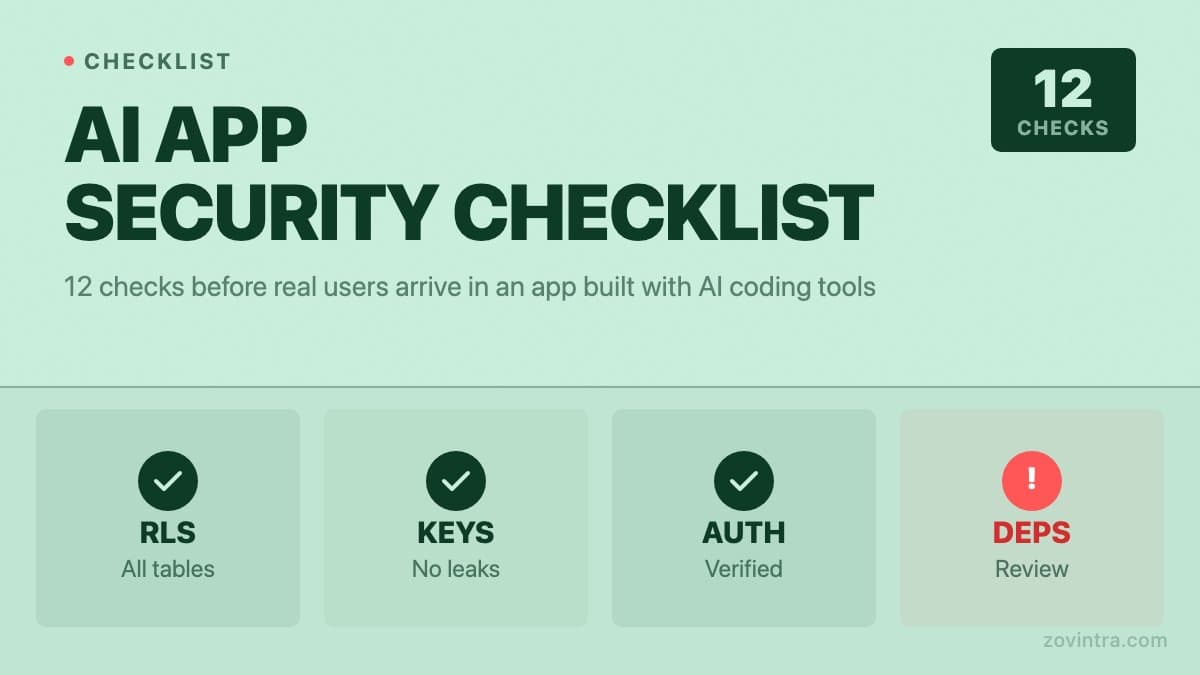
Lovable, Cursor, Bolt, and similar AI coding tools can take a working app from concept to deployed prototype in days. What they do not do reliably is secure that app. The security gaps are not obvious because the app looks complete: screens load, authentication appears to work, data saves. The problems are in what the app allows that it should not - who can read which data, where secrets are stored, and what happens when a user or script behaves unexpectedly. These 12 checks address the failure classes we see most often in apps that arrive at review after being built with AI tooling.
Check 1: Row-Level Security Enabled on Every Table
If your app uses Supabase, check that RLS is enabled and at least one non-permissive policy exists for every table containing user data. In your Supabase dashboard, go to Authentication > Policies and verify each table. Per Supabase's RLS guide, a table in an exposed schema without RLS is readable and writable by any role with a grant on it, which includes unauthenticated requests. A 14 October 2026 UpGuard study found 16,326 Supabase databases returning readable table data to unauthenticated queries. The detail on what correct policies look like is covered in RLS is switched on but your data is still readable. This check alone closes the most common and most consequential gap.
Check 2: Service Role Key Not in Client Code
Search your entire codebase for the string 'service_role'. Supabase documents that the service_role key bypasses RLS and must be kept server-side. It should exist only in server-side environment variables, never in any client-side JavaScript file, .env file checked into git, or configuration file that ships to the browser. AI tools sometimes include it in client-side Supabase initialisation code, particularly if the prompt requested admin-level access. If you find it in client code, rotate the key immediately in your Supabase project settings, then move it to a server-only environment variable.
Check 3: No API Keys in the Client Bundle
Beyond the service_role key, check for any third-party API keys in client-side code. Keys for payment providers, SMS services, email providers, or AI APIs have no place in code that runs in a browser. AI tools frequently add API calls directly to frontend components for speed, placing the key in the same file. Any key in a browser bundle is visible to anyone who opens your app's source. Move all API calls that require private keys to server-side API routes or edge functions, where the key stays on the server.
Check 4: Auth Tokens Not Stored in localStorage
The supabase-js client can save the user session into local storage (the persistSession option), which makes them accessible to any JavaScript running on your page - including injected scripts from third-party libraries or a cross-site scripting attack. If your app handles sensitive data, review whether token storage should be moved to httpOnly cookies, which are inaccessible to JavaScript. This is a harder change to make once an app is deployed, because it requires coordinating the auth flow between client and server, but it is the more secure default for any app with financial, health, or personal data.
Check 5: Authentication Redirect URLs Restricted
In your Supabase dashboard under Authentication > URL Configuration, check that the Redirect URLs list contains only your own domain. If the list contains broad wildcards, a malicious link could redirect a user's authentication callback to an attacker-controlled page after they log in. Supabase's redirect URL guide says the Site URL starts as http://localhost:3000 and tells you to change it to production, and it recommends exact redirect paths for production, reserving wildcards for local development and previews. Set it explicitly to your production URL and any staging domains you control.
Check 6: Storage Buckets Not Set to Public
Supabase Storage buckets have public and private modes. A public bucket serves files without authentication. If your app stores user-uploaded files, profile images, or documents in a public bucket, every file is accessible to anyone who can guess or enumerate the file path. AI tools sometimes create public buckets because it simplifies the implementation of displaying images. Review each bucket in Storage > Buckets and confirm that buckets containing user-uploaded content are private, with signed URLs generated server-side for access (Supabase supports signed URLs for private buckets).
Check 7: No Secrets Hardcoded in Edge Functions
Supabase edge functions run on the server, but their source code is often in your git repository. Check each edge function file for hardcoded API keys, tokens, or passwords. Secrets in edge function code are committed to your version history and may be visible to anyone with access to your repository. Move all secrets to Supabase edge function secrets (set via the Supabase CLI or dashboard), and read them with Deno.env.get('SECRET_NAME') in the function code.
Check 8: Rate Limiting on Authentication Endpoints
Without rate limiting on login and signup endpoints, your app is open to credential stuffing attacks (automated attempts to log in with leaked password lists) and to account enumeration (using error messages to confirm whether an email address is registered). Supabase applies default rate limits to auth endpoints, most of which are configurable in the dashboard, so check what your project is set to. For any custom API routes your app exposes, verify that they have their own rate limiting before they are hit by real traffic.
Check 9: Webhook Signatures Verified
If your app accepts webhooks from a payment provider, a notification service, or any external API, those webhook endpoints must verify the signature included in each request. Without signature verification, anyone can send a forged request to your webhook URL. For a payment webhook, a forged 'payment_completed' event could trigger order fulfilment without a real payment. AI tools frequently generate webhook handlers that log the event and process it without verifying the signature. For Stripe, the docs say to verify the Stripe-Signature header with your endpoint's signing secret before acting on an event. Every payment and notification webhook you expose needs this check.
Check 10: File Upload Types and Sizes Validated
If your app accepts file uploads, validate the file type and size on the server, not just in the browser. A browser-side file type check is enforced by your own JavaScript, which a user can bypass. Server-side validation should check the MIME type of the file content, not just the file extension. Without size limits, a single large upload can exhaust storage quotas or trigger unexpected costs. AI tools build file upload interfaces with browser-side validation, which is insufficient for production use.
Check 11: Error Messages Do Not Leak Schema Information
Database errors that reach the client expose information about your schema. An error like 'null value in column user_id of relation orders violates not-null constraint' tells an attacker that you have a table called orders with a user_id column. AI tools often expose raw database errors directly in API responses during development and ship that behaviour to production. Check your API routes and edge functions for any code that returns error.message from a caught database exception. Replace it with a generic error message, and log the full error server-side where it is not visible to users.
Check 12: Dependencies Reviewed for Known Vulnerabilities
AI tools suggest packages by name, and the suggested name is not always the correct package. Researchers call the resulting risk slopsquatting: a USENIX Security 2025 study of 576,000 code samples from 16 models found hallucinated package names averaging at least 5.2% for commercial models and 21.7% for open-source models, so an attacker can register a plausible name that a model keeps suggesting. Before deploying, run npm audit or your package manager's equivalent to check for known vulnerabilities in your installed packages. Also verify that each package your AI tool added is the package you intended: check the package name on npmjs.com and confirm it has recent activity and a credible maintainer before adding it to a production app.
How Hard Is It to Verify These Yourself
Checks 1, 2, 3, and 5 are straightforward. Open the Supabase dashboard and your codebase and look. Checks 4, 6, 7, 8, and 11 require some code reading. Checks 9, 10, and 12 require knowing what to look for in each specific implementation. The catch is that passing all twelve requires a systematic read of your codebase, not just an app walkthrough. An app that works correctly from the user's perspective can fail all twelve checks and show no symptoms until it is probed.
Our free code review tool checks for several of these automatically: exposed Supabase tables, service_role keys in client bundles, and known dependency vulnerabilities. It does not replace a manual review of your policies, edge functions, and webhook handlers - but it surfaces the most common critical findings in minutes. Run it first to triage the findings, then address the critical ones before any real users arrive.
For more context on the broader failure patterns in AI-built apps, why AI-built apps fail in production covers authentication, database performance, payments, and deployment gaps. For apps that are already live with users, how to fix an app built with AI tools describes the remediation approach. If these checks surface critical findings you are not confident addressing, the Launch and Rescue service is the structured engagement for exactly that situation.
The prototype to production checklist covers the broader set of non-security readiness checks that sit alongside these twelve. Security and production readiness are related but different: both need to pass before real users arrive.
Common questions
What security checks should I run on an app built with Lovable, Cursor or Bolt?
Start with Row-Level Security on every Supabase table, keep the service_role key out of client code, and keep third-party API keys out of the client bundle. Then check redirect URLs, storage buckets, edge function secrets, auth rate limiting, webhook signatures, upload validation, error messages and dependencies.
Is it safe to put the Supabase service_role key in my frontend?
No. Supabase documents that the service_role key bypasses RLS and must be kept server-side. It belongs only in server-side environment variables. If you find it in client code, rotate the key immediately in your Supabase project settings, then move it to a server-only variable.
What should I do if the security checks find problems I cannot fix myself?
Run the free code review first to triage findings, then address the critical ones before real users arrive. If you are not confident fixing them, Zovintra's Launch and Rescue service is the structured engagement for exactly that situation.
Sources
- Everything, Everywhere: Systemic Data Exposure in Supabase Apps - UpGuard, 2026-10-14
- Row Level Security - Supabase documentation, accessed 19 Oct 2026
- We Have a Package for You! - USENIX Security 2025, accessed 19 Oct 2026
- Receive Stripe events in your webhook endpoint - Stripe documentation, accessed 19 Oct 2026
- Redirect URLs - Supabase documentation, accessed 19 Oct 2026
- Storage buckets fundamentals - Supabase documentation, accessed 19 Oct 2026
- Edge function secrets - Supabase documentation, accessed 19 Oct 2026
- Auth rate limits - Supabase documentation, accessed 19 Oct 2026
- JavaScript client initializing - Supabase documentation, accessed 19 Oct 2026