“The hardest part of AI-generated code isn't what it gets wrong. It's that you can't always tell which parts are right.”
Every developer who has inherited an AI-built codebaseYou Built Something Real - Now It's Breaking
Lovable, Bolt, v0, and Cursor are genuinely impressive. You can go from idea to working prototype in an afternoon, and that is not nothing. But "working prototype" and "production-ready app" are two very different things. When founders come to us with an app that was built with these tools, the surface usually looks fine. It's what's underneath that causes the problems.
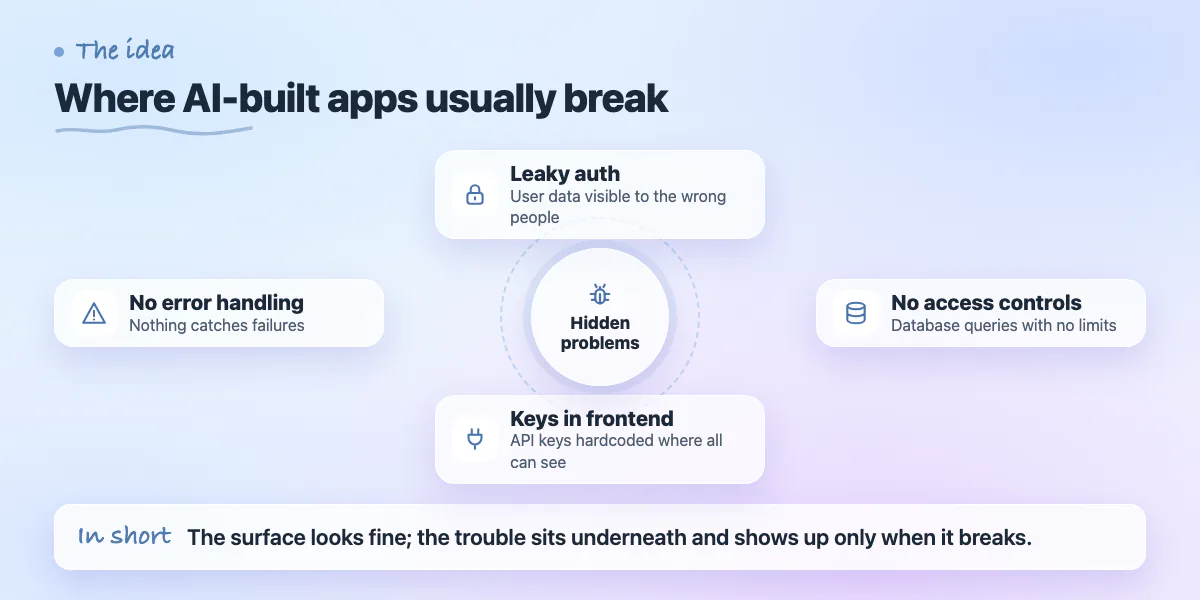
The issues tend to cluster around a few areas: authentication that leaks user data, database queries that have no access controls, API keys hardcoded into the frontend, and no error handling anywhere. None of this is visible until it breaks - or until someone finds it before you do. If you're noticing bugs, slow performance, or things that just don't work right, the good news is that most of these issues are fixable. The bad news is that fixing them requires knowing where to look.
This post walks through the most common failure points in AI-built apps and what a proper fix actually involves. Some of this you can verify yourself. Most of it requires a developer who knows what safe looks like versus what merely looks safe.
Authentication: The Most Dangerous Gap
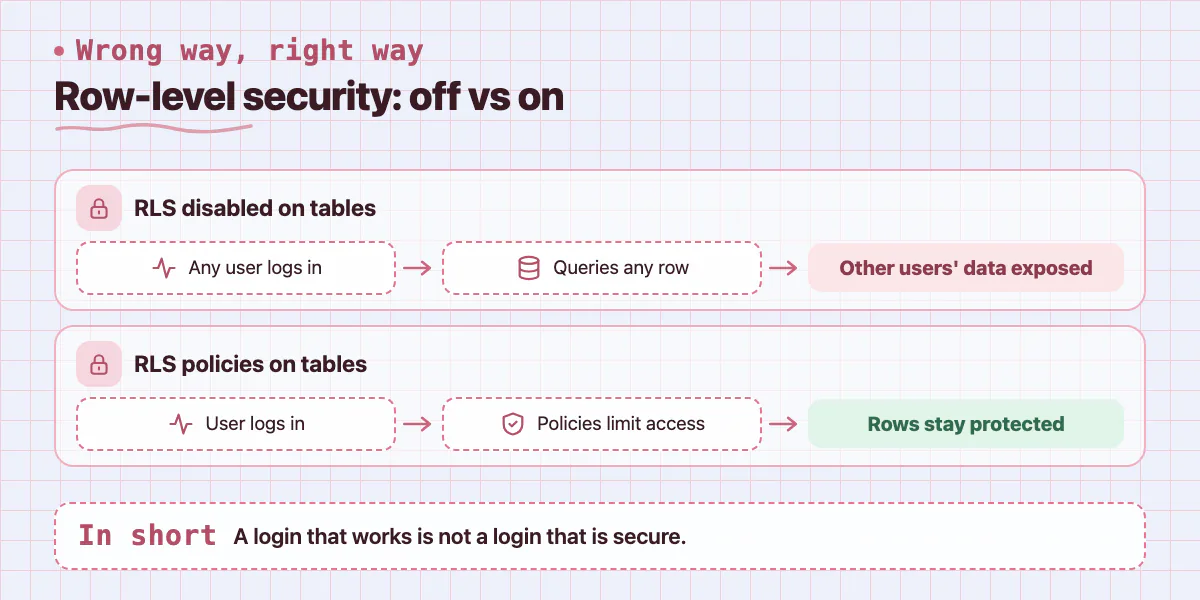
Authentication is the area where AI tools get the most things wrong in ways that are hardest to spot. A login screen that appears to work is not the same as an auth system that is actually secure. Lovable and Bolt both scaffold Supabase auth, which is a solid foundation - but the way they wire it up often leaves row-level security disabled, meaning any logged-in user can query any row in your database.
Check your Supabase dashboard under Authentication > Policies. If you see tables with no RLS policies, every authenticated user in your app can read and write every row in those tables - including other users' data. This is not a theoretical risk. It's the kind of thing that gets apps shut down and founders sued.
Session handling is a related problem. AI-generated frontends often store auth tokens in localStorage instead of httpOnly cookies. That single decision makes your app vulnerable to cross-site scripting attacks. A developer can audit and fix your auth setup in a day or two, but you cannot self-verify that it's secure just by testing the login flow.
Database: Queries That Will Slow You Down
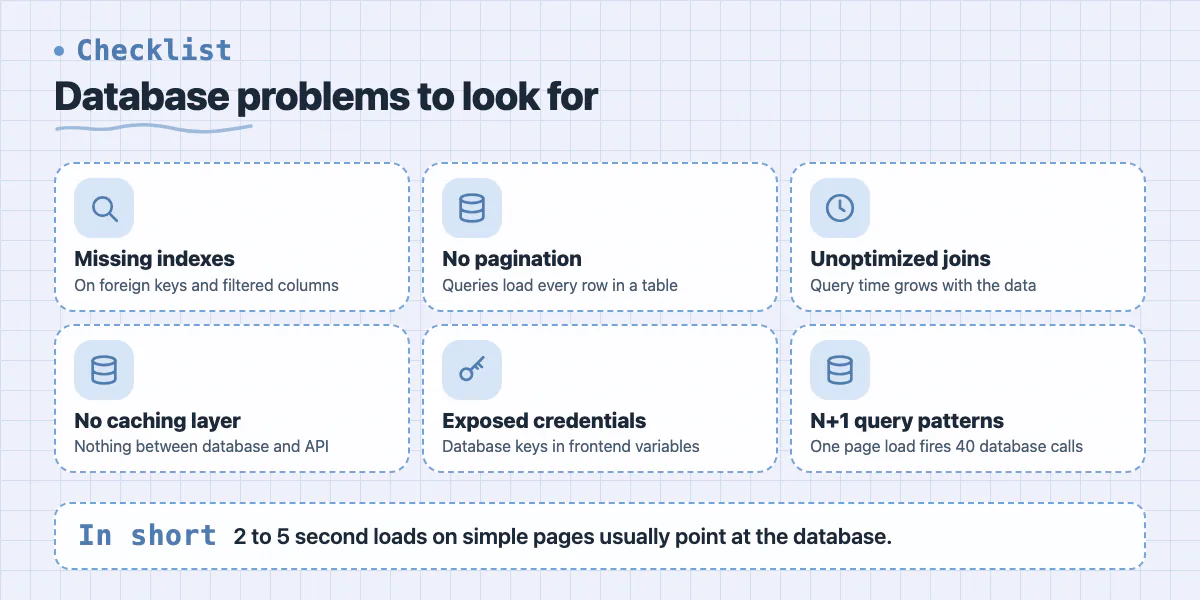
AI tools write queries that work on small datasets. They do not write queries that perform well when you have 50,000 users. The typical problems are missing indexes on columns you filter by, N+1 query patterns where one page load triggers 40 separate database calls, and no connection pooling setup.
You can spot the early signs of this yourself. Open your app and check how long page loads take in the browser's Network tab. If you're seeing 2 to 5 second load times on simple pages, the database is almost certainly the cause. Slow queries that are fine during development become critical problems at scale.
- Missing indexes on foreign keys and frequently filtered columns
- No pagination - queries that load every row in a table
- Unoptimized joins that multiply query time as data grows
- No caching layer between the database and the API
- Database credentials exposed in frontend environment variables
Payments: Where Bugs Become Fraud
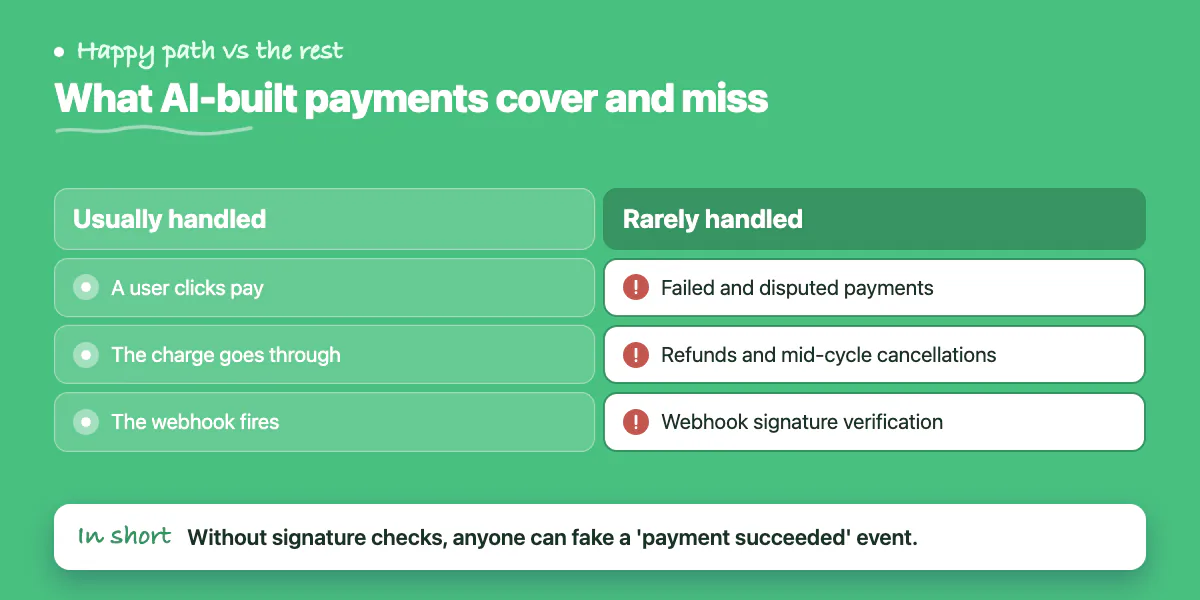
If your app takes payments, this section is the one you should read most carefully. Stripe integration generated by AI tools typically handles the happy path correctly - a user clicks pay, the charge goes through, the webhook fires. What it rarely handles is everything else: failed payments, disputed charges, refund flows, subscription cancellations mid-cycle, and webhook signature verification.
Webhook signature verification is particularly important. Without it, anyone can send a fake "payment succeeded" event to your webhook endpoint and get whatever your app delivers on a successful payment. Stripe provides a simple library function to verify signatures, but AI-generated code routinely skips it. The fix is a single function call, but you need a developer to audit every webhook handler to confirm it's there.
Subscription state management is the other common failure. If a user's card declines on month two, does your app correctly restrict their access? Does it send the right emails? Does it handle the Stripe grace period correctly? Probably not if it was AI-generated. These aren't edge cases - they're normal business events that your system needs to handle correctly from day one.
Deployment: The Ship That Won't Stay Afloat
AI tools typically deploy to Vercel or Netlify with a single click, which is convenient. The problem is they use default settings that are appropriate for demos but not for production. No environment variable separation between staging and production, no proper error logging, no uptime monitoring, and often no custom domain with SSL properly configured end to end.
The bigger issue is that there's no deployment pipeline. Changes go straight to production with no testing step. One bad commit can take down your app with no rollback path. A proper setup takes a few hours for a developer to configure - separate environments, a CI/CD pipeline that runs tests before deploying, error tracking with Sentry or a similar tool, and structured logs you can actually read when something goes wrong.
What Production Actually Needs
- Separate staging and production environments with isolated secrets
- Sentry or equivalent for real-time error tracking and alerts
- CI/CD pipeline: tests pass before any deploy goes live
- Custom resource limits, monitoring, and rollback capability
API Security: What's Exposed Without You Knowing
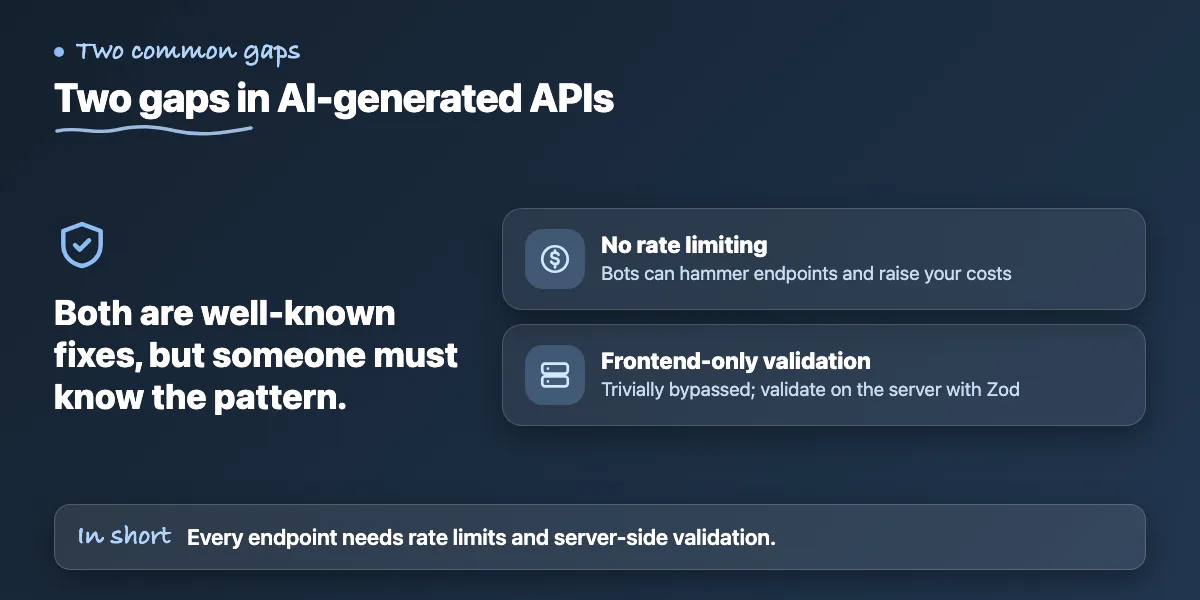
AI-generated APIs almost never include rate limiting, which means your app is open to abuse from the moment it goes live. A competitor or a bot can hammer your endpoints thousands of times per minute, rack up your server costs, and degrade performance for real users. Adding rate limiting at the edge (Vercel middleware or a dedicated tool like Upstash) is a straightforward fix but requires someone who knows the pattern.
Input validation is the other gap. Every field a user can submit is a potential injection point. AI tools sometimes add basic validation on the frontend, but frontend validation is purely cosmetic from a security standpoint - it's trivially bypassed. Every API endpoint needs server-side validation using a schema library like Zod. If your backend was generated by an AI tool, there's a very high chance this isn't in place.
How to Approach the Fix
The right approach is an audit before any fixes. You need a developer to read the codebase systematically - auth setup, database policies, API endpoints, environment variable usage, payment handler coverage - before writing a single line of new code. Jumping straight into fixes without the audit means you'll patch the visible problems and miss the ones that will cost you later.
Expect an audit of a typical AI-built MVP to take 3 to 5 days. A full remediation - fixing everything the audit surfaces - usually takes 2 to 4 weeks depending on the scope of the issues. The good news is that most of the fixes are well-understood patterns that an experienced developer can apply quickly. This isn't exploratory work. It's known problems with known solutions.
This is exactly the kind of engagement Zovintra handles as part of our Launch & Rescue service. We audit what was built, surface every risk category with evidence, give you an honest assessment of what needs to be fixed before you can safely acquire real users, and then implement the fixes. If you've shipped something with an AI tool and you're not certain it's secure, a free 30-minute discovery call is a reasonable first step before you invest more in growth.
Common questions
How do I check whether my Lovable or Bolt app has row-level security enabled?
Open your Supabase dashboard and go to Authentication > Policies. The post says if tables have no RLS policies, every authenticated user can read and write every row, including other users' data, because these tools often leave row-level security disabled.
Why is storing auth tokens in localStorage a problem?
The post says AI-generated frontends often store tokens in localStorage instead of httpOnly cookies, and that single decision makes the app vulnerable to cross-site scripting attacks. A developer can audit and fix an auth setup in a day or two.
When should I bring in a developer to fix my AI-built app?
The post says some checks you can do yourself, such as watching page load times in the Network tab, but most need a developer who knows safe from what merely looks safe. You cannot self-verify that auth is secure just by testing login.
Building something similar?
Talk to our engineering team about your architecture, roadmap, and delivery timeline.
Request a Technical Review →
We design, engineer, and deploy high-performance web platforms, mobile applications, and intelligent cloud systems.