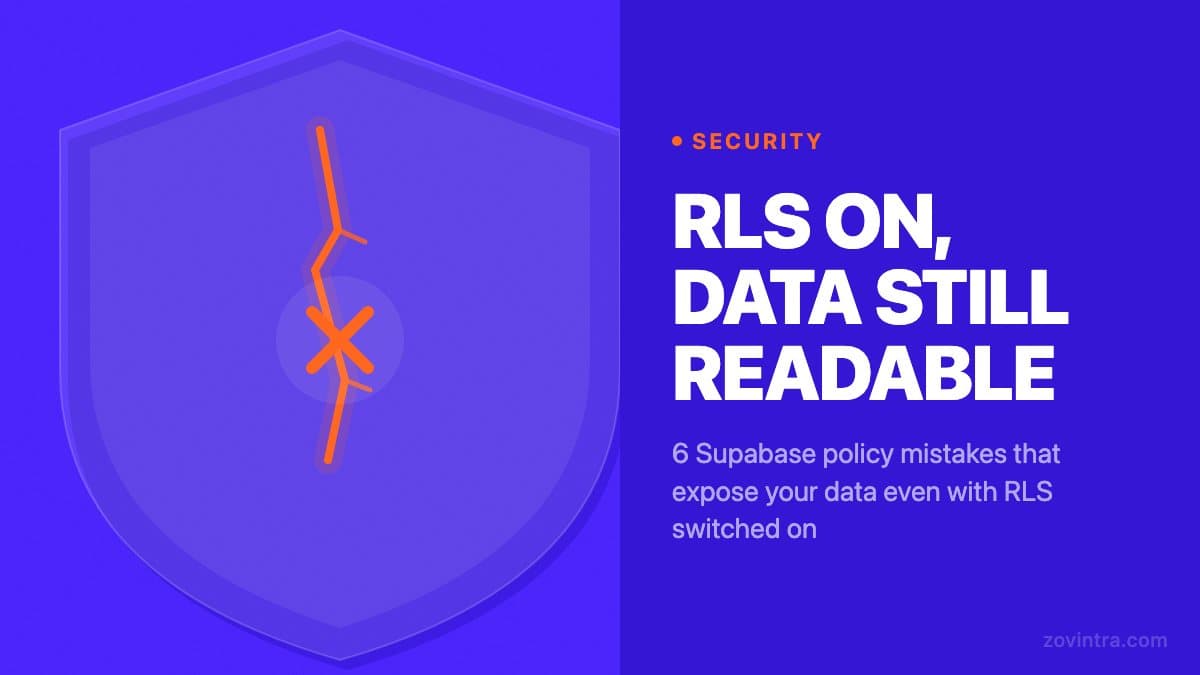
Enabling Row-Level Security on a Supabase table does not make your data safe. Six policy patterns leave tables readable by the wrong users even after RLS is turned on. The UpGuard study published on 14 October 2026 notes that, beyond having RLS enabled, it "must be configured and use credentials correctly", and that some databases have policies that exist but do not adequately restrict access. This post covers what misconfiguration looks like and what to check in your own project.
How RLS Is Supposed to Work
When you enable RLS on a Supabase table, every query against that table must satisfy a policy; with RLS on and no applicable policy, Postgres applies a default deny and returns no rows. A policy is a SQL expression that Supabase evaluates for each row before returning it. Policies are defined per operation: SELECT, INSERT, UPDATE, DELETE. If a query does not satisfy any policy, the row is either hidden from the result set or the operation is rejected.
The most common correct policy pattern for user-owned data looks like this: USING (auth.uid() = user_id). This means a SELECT query only returns rows where the user_id column matches the authenticated user's ID. An unauthenticated user receives an empty result set or an error, not another user's data.
Six patterns break this intended behaviour. These are the patterns we check for when reviewing AI-built apps. Each one can pass basic functional tests and still fail under a security review.
Mistake 1: USING (true) as a Policy
A policy with USING (true) as its condition evaluates to true for every row and every user, including unauthenticated users, unless the policy is limited to specific roles with a TO clause. The effect is the same as having no access control on that operation. A prompt that asks for 'public access' or 'allow all users' can produce it, so check for it in anything an AI tool generated. If you see USING (true) on a policy that applies to the anon role, that table is publicly readable.
The fix is to replace the condition with a specific expression, such as auth.uid() = user_id for private data or a policy limited with TO authenticated for data that should be visible to any logged-in user but not to the public. The second option is looser but at least requires a valid authentication token. The Supabase RLS guide shows both patterns.
Mistake 2: Missing or Weak WITH CHECK on INSERT and UPDATE
Supabase RLS policies have two clauses: USING decides which existing rows a command can see or touch (SELECT, UPDATE, DELETE), and WITH CHECK decides what a new or changed row is allowed to look like (INSERT, UPDATE). As the Supabase docs put it, the WITH CHECK clause on an update "stops a user from reassigning user_id to someone else". The mistake is writing a weak check, such as WITH CHECK (true) or one that only tests that the user is logged in, so a user can insert a row with someone else's user_id or change ownership of a row they can already see.
For a table where each row belongs to one user, the correct pattern for an INSERT policy is WITH CHECK (auth.uid() = user_id). Without a real ownership check, a logged-in user can write data attributed to any user_id they choose. This is not a read exposure, but it is an integrity violation that creates data corruption and audit problems.
Mistake 3: Views That Bypass RLS
PostgreSQL views are not automatically subject to RLS policies on the underlying tables. The Supabase docs state that views bypass RLS by default because they are usually created with the postgres user, so a view over a protected table can hand out every row its policies were meant to withhold.
If your schema includes views (check the Database > Views section in your Supabase dashboard), each view needs to be evaluated separately. The correct approach on Postgres 15 and above is to create the view with security_invoker = true, which makes it obey the RLS policies of its underlying tables for the user running the query; on older versions Supabase suggests revoking access from the anon and authenticated roles or keeping the view in an unexposed schema. Without this, a view is effectively a bypass route around your table-level policies.
Mistake 4: SECURITY DEFINER Functions
Database functions created with SECURITY DEFINER run as the function owner, not the calling user. On Supabase the owner is usually postgres, which has the bypassrls privilege, so a SECURITY DEFINER function that queries a table with RLS skips those policies. This is the intended behaviour for some administrative functions, but it means any function marked SECURITY DEFINER that reads user data is a potential bypass.
AI-generated code can reach for SECURITY DEFINER for convenience, because it avoids permission errors during development and makes the function work without needing policies in place. In production, every SECURITY DEFINER function that touches user data needs an explicit review of whether it should be able to bypass RLS. If the answer is no, change it to SECURITY INVOKER, which applies the calling user's policies. If it must stay, the Supabase docs advise setting search_path = '' on it and keeping it out of exposed schemas.
In the projects we review at code review stage, SECURITY DEFINER functions are one of the less visible bypass routes. They do not show up next to your table policies. Look for them in the Functions area of the database section of your dashboard.
Mistake 5: Policies That Cover the Wrong Operations
RLS is evaluated per operation, and with RLS enabled an operation that has no applicable policy is denied by default. That is safer than it sounds, but it pushes people to the opposite mistake: when a delete or update fails with RLS on, a quick fix is to add a catch-all policy such as FOR ALL USING (true), or to copy the SELECT policy onto every operation without thinking about what each operation should allow. Decide for each of SELECT, INSERT, UPDATE and DELETE who should be allowed, and write only the policies that say so.
The safest pattern for a user-owned table is to define four policies: SELECT USING (auth.uid() = user_id), INSERT WITH CHECK (auth.uid() = user_id), UPDATE USING (auth.uid() = user_id) WITH CHECK (auth.uid() = user_id), and DELETE USING (auth.uid() = user_id). If a missing policy would mean a feature simply cannot write, that is the correct failure: fix it with a narrow policy, not a broad one.
Mistake 6: RLS Checking the Wrong Column
This mistake is easy to miss because the policy syntax is valid and the table has correct RLS at first glance. The problem is that the policy references a column that does not represent ownership. For example, a policy of USING (auth.uid() = created_by) works if created_by is always set to the creating user's ID - but if an AI tool named the ownership column owner_id or assigned_user, the policy may check a column that never matches, so legitimate users see nothing and the team widens the policy to make it work. The related risk is a policy that trusts a column the client is allowed to write itself.
Verify that the column referenced in your policies is the one that actually holds the row's owner. If your schema has multiple user-related columns (created_by, assigned_to, owner_id), confirm which one your policy should use and whether the application code sets it correctly on INSERT.
How to Audit Your Policies Systematically
For each table in your project, open the policies view for that table in your Supabase dashboard, or query the pg_policies system view, and review the policy list. For each policy, read the USING and WITH CHECK conditions and ask: does this expression actually limit access to the intended user? Can an unauthenticated user satisfy it? Can a user with a valid token access rows owned by a different user?
Test policies as a second step by using a Supabase client with a test user's token and querying for rows that belong to a different user. If the query returns data, the policy is too permissive. Test the unauthenticated case too: remove the Authorization header entirely and check whether the table returns rows.
If your app was built with a coding agent, the explanation of how agent-created tables skip RLS provides useful context on why this happens systematically. For apps built with tools like Lovable or Bolt, adding a proper backend to a no-code app covers the broader pattern of closing security gaps that AI builders leave open.
A thorough policy audit takes longer than checking whether RLS is on or off, because each policy requires reading the SQL expression and understanding your data model. Our free code review tool checks for some of the most common patterns automatically. For a full review that covers all six mistake types, including views and SECURITY DEFINER functions, the Launch and Rescue service includes a manual security review component.
Common questions
Is my Supabase data safe if Row-Level Security is enabled?
Not necessarily. Six policy patterns can leave tables readable by the wrong users even with RLS on, including USING (true) policies, weak WITH CHECK clauses, views that bypass RLS, SECURITY DEFINER functions, wrong-operation policies and wrong-column checks.
Why does a Supabase view bypass my RLS policies?
The Supabase docs state that views bypass RLS by default because they are usually created with the postgres user. On Postgres 15 and above, creating the view with security_invoker = true makes it obey the underlying table policies.
When should I get a full review of my RLS policies?
Checking whether RLS is on takes minutes, but a real policy audit means reading each expression against your data model. For a review covering all six mistake types, including views and SECURITY DEFINER functions, Zovintra's Launch and Rescue service includes a manual security review.
Sources
- Everything, Everywhere: Systemic Data Exposure in Supabase Apps - UpGuard Research, published 14 October 2026
- Row Level Security - Supabase Docs, accessed 19 Oct 2026
- PostgreSQL: CREATE POLICY - PostgreSQL Documentation, accessed 19 Oct 2026