There is a specific frustration that hits when an app you built yourself stops moving forward. Everything went smoothly while you assembled screens, and then you reached a wall the tool will not help you climb. Here is the reassuring part: being stuck is not a sign you did something wrong. It is the predictable point where no-code and AI tools reach the edge of what they are designed to do. This article maps the four walls, and - more usefully - helps you see which ones are safe to push through alone and which ones quietly punish people who try.
“Being stuck is not a failure. It is the normal boundary between building something and safely shipping it - and the walls are predictable.”
Where self-built apps stall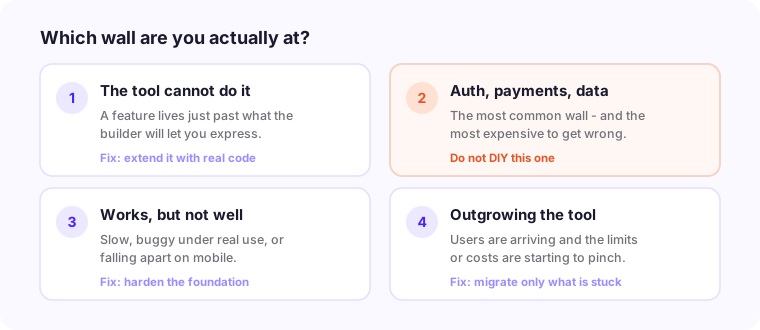
First, Name the Wall
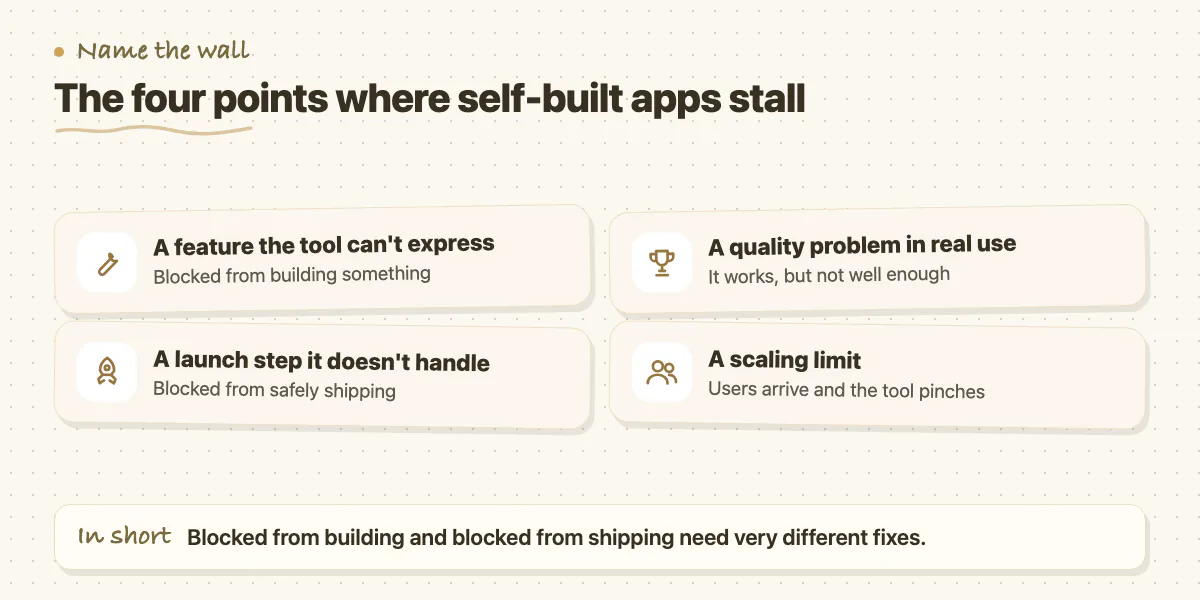
Stuck is not one problem. Most self-built apps stall at one of four points: a feature the tool cannot express, a launch step the tool does not handle, a quality problem under real use, or a scaling limit. A quick test cuts through it - are you blocked from building something, or blocked from safely shipping what you already built? The two need very different fixes, and confusing them burns weeks.
Wall One: The Tool Cannot Do What You Need
No-code and AI builders are remarkable inside their lane and brittle at its edges. Custom logic, an unusual integration, or fine-grained control often sits just outside what the tool allows, and you feel it as fighting the platform - every small change becomes a workaround. The trap here is the workaround itself. Each fragile patch holds for now and adds to a pile of hidden debt that eventually collapses, usually right when the app finally has users. Past the first workaround or two, the honest move is to have a developer extend the app with real code around the tool, rather than stacking patches you will have to unwind later.
Wall Two: Auth, Payments, and Data
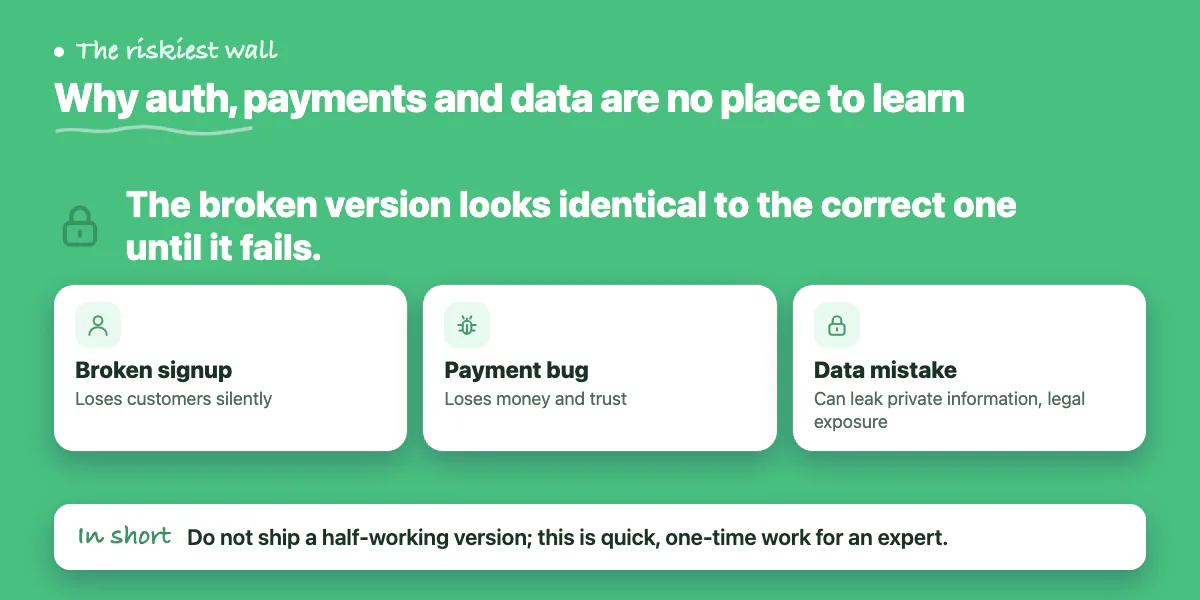
This is the most common wall, and the one where doing it yourself is genuinely dangerous. Secure sign-up and login, payments that charge correctly, and data stored safely are hard to get right and expensive to get wrong - and tools only ever give you the demo version. A broken signup loses customers silently. A payment bug loses money and trust. A data mistake can leak private information and create legal exposure. Crucially, the broken version looks identical to the correct one until it fails. If this is your wall, shipping a half-working version is the worst option. This is specialised, one-time work that an experienced developer completes quickly and safely - and exactly the wrong place to learn on the job.
Wall Three: It Works, But Not Well Enough
Sometimes the app functions but is slow, buggy under real use, or falls apart on mobile. That usually means the build favoured getting something working over building it solidly - the right call for a prototype, the wrong one for launch. Cosmetic issues you can often iterate on yourself. Structural ones - it crawls as data grows, or breaks when two people use it at once - are warning signs that the foundation needs someone who can look under the hood before real traffic exposes it.
Wall Four: You Are Outgrowing the Tool
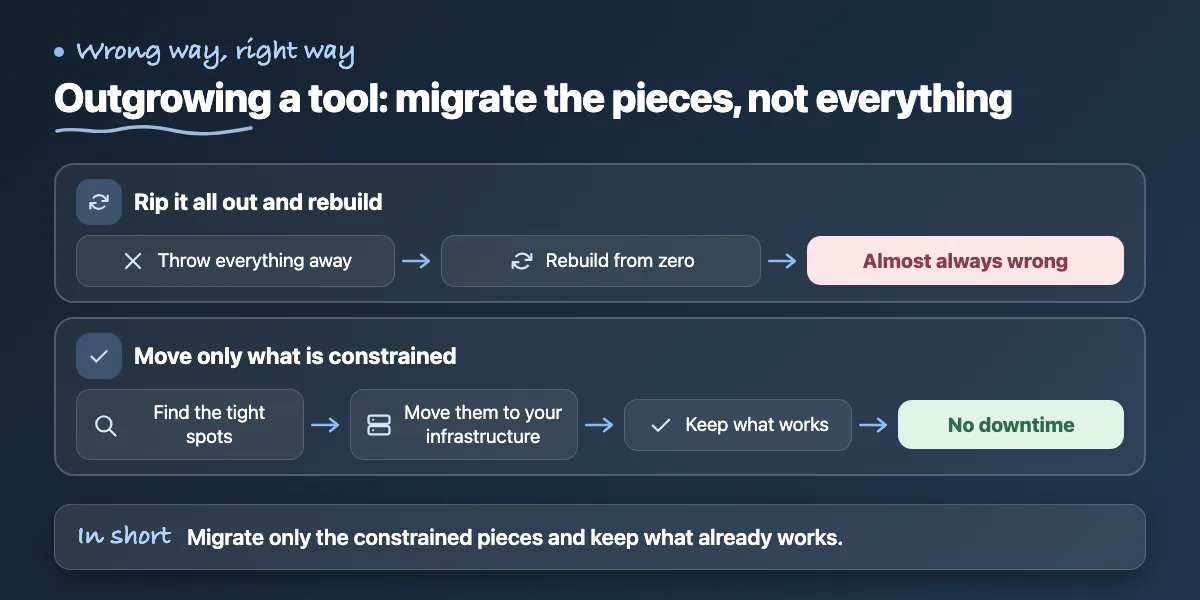
A good problem to have: users are arriving, and now the tool's limits or costs start to pinch. The instinct to rip everything out and rebuild is almost always wrong - and so is white-knuckling it on a platform that is buckling. The smart path is to migrate only the constrained pieces onto infrastructure you control while keeping what works, and to do it without downtime. That is delicate work that benefits enormously from someone who has done the transition before.
The Pattern Worth Noticing
Three of the four walls share a theme: the parts where self-built apps get stuck are the parts where mistakes are expensive and invisible. That is not a coincidence, and it is not a knock on you - it is simply the boundary between building something and safely shipping it. The fastest, cheapest way across is rarely to learn it all under pressure; it is to hand the risky stretch to someone who has crossed it many times.
That is exactly what our <a href='/solutions/launch-and-rescue'>Launch & Rescue</a> service does. We audit where your project is actually stuck, fix or finish the specific blockers, and get it launched - without making you start over. Not sure which wall you are facing? That is the most common reason people call us, and a short conversation is usually enough to pinpoint it. <a href='/contact'>Book a free discovery call</a> and we will tell you the fastest way forward.
Common questions
What are the four walls where no-code and AI-built apps get stuck?
A feature the tool cannot express, a launch step the tool does not handle, a quality problem under real use, or a scaling limit. The post suggests asking whether you are blocked from building something or from safely shipping what you built.
Should I keep patching workarounds when my no-code tool can't do something?
Only up to a point. The post says each fragile patch adds hidden debt that tends to collapse when the app finally has users. Past the first workaround or two, have a developer extend the app with real code around the tool.
When should I stop doing it myself and bring in a developer?
For auth, payments and data, which the post calls the most common wall and genuinely dangerous to do yourself. It describes this as specialised, one-time work an experienced developer completes quickly, and shipping a half-working version is the worst option.
Building something similar?
Talk to our engineering team about your architecture, roadmap, and delivery timeline.
Request a Technical Review →
We design, engineer, and deploy high-performance web platforms, mobile applications, and intelligent cloud systems.