Beta testing an AI-built app with real users before a full launch is the right instinct. The risk is doing it before the app is safe for real data - exposing personal information through an open database, a missing authentication check, or an unreviewed AI-generated API route. This checklist gives you a gate to pass before any real user touches a real data environment.
Why AI-built apps carry specific beta risks
AI coding tools generate functional code quickly. What they do not reliably generate is security posture. An AI scaffold can create tables, write routes, and wire up authentication - but row-level security on Supabase tables can be absent or incomplete, API routes may skip authorisation checks, and environment variables can end up in client bundles. None of these problems are visible until someone probes the surface.
A beta test introduces exactly that probe - a real user with a real browser, a real device, and potentially a motivation to look at data that is not theirs. The difference between a successful beta and a data incident is whether you treated security as a launch condition rather than a later sprint task.
The AI-built app security checklist covers the full surface area. This article focuses on the subset that matters most before you hand the app to an external user for the first time.
The pre-beta gate: five checks that must pass
1. Confirm row-level security is on and tested
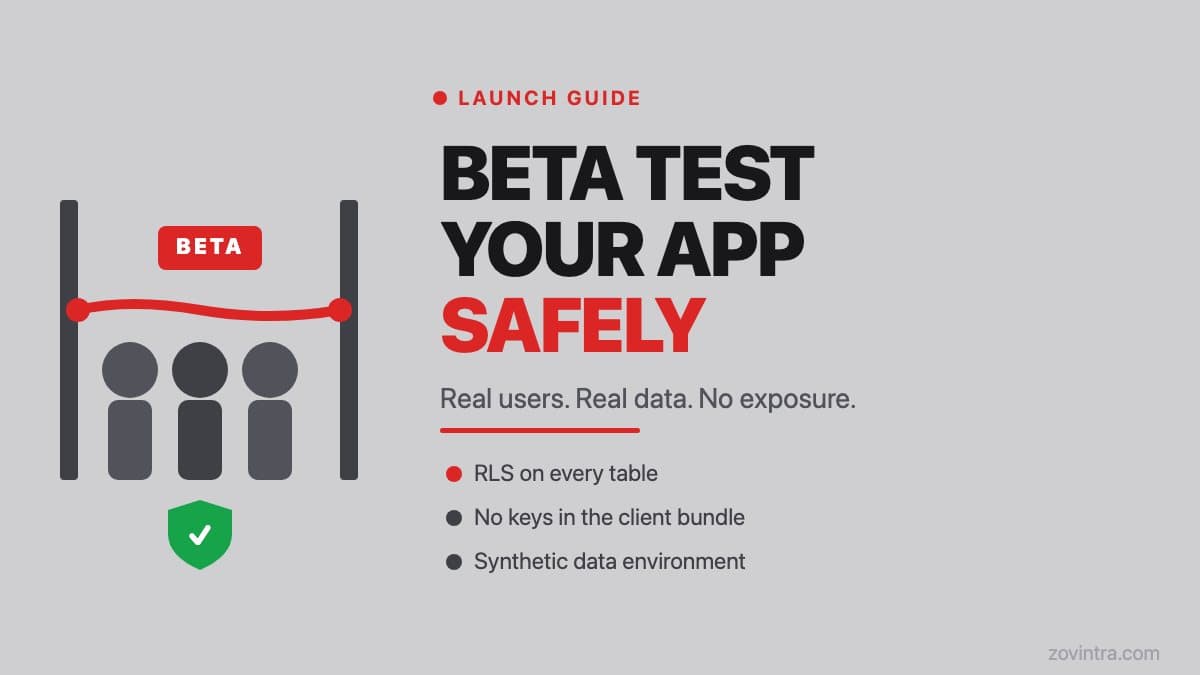
If your app uses Supabase, every table that holds user data needs an RLS policy that restricts reads and writes to the row owner. RLS is not something you should assume is on: Supabase documents that a table in an exposed schema without RLS is readable and writable by any role with a grant on it, which includes the anon role on many projects. Once RLS is enabled with no policies, the API returns no rows until you add them. Run a quick check: open a fresh incognito window, authenticate as user A, then manually call the API and confirm you cannot read user B's records. If you can, RLS is missing or misconfigured.
This is not a theoretical risk. The test Supabase data with the public anon key article shows exactly how to run this check in under five minutes. Do it before your first beta user logs in.
2. Verify API keys are server-side only
AI tools sometimes generate code that places sensitive keys in client-side bundles - environment variables prefixed with NEXT_PUBLIC_ in Next.js (which Next.js inlines into the JavaScript sent to the browser; unprefixed variables stay server-side), or directly embedded in frontend code. Open your app in a browser, view source, and search for any key patterns (they often start with sk-, service_role, or similar). If a key appears in the bundle, it is accessible to every beta user and to anyone who finds your URL.
3. Use synthetic or anonymised data for the beta environment
The safest beta is one where the data environment contains no real personal information. Create a separate Supabase project (or database schema) for beta testing and seed it with realistic but entirely synthetic data. If your app logic needs edge cases - empty states, long strings, special characters - generate them deliberately rather than copying production data.
If you must use real data - for example, a B2B app where the client wants to test against their actual records - get written confirmation that the client understands the environment is a beta, and confirm your data processing agreement covers the use. Keep a written record rather than relying on a verbal agreement.
4. Put beta users behind a barrier
A soft launch is not the same as going public. Use an invite-only flow - a pre-generated code, an allowlist by email domain, or a simple feature flag. This gives you a known, limited set of users during the testing window, makes it possible to off-board specific accounts if something goes wrong, and keeps the surface small while you iterate. It also means you can ask beta users to sign an NDA or a specific beta testing agreement before they see unfinished product.
5. Confirm your error logging does not capture personal data
Error logging tools - Sentry, LogRocket, custom console.log calls written by an AI agent - can inadvertently capture form inputs, request payloads, or user records in their event context. Before beta, audit what your error reporter is serialising. Sentry has a beforeSend hook where you can modify or drop an event, for example to strip personally identifiable information, before it leaves the browser. If you have not configured this, check what is in your recent error events.
Structuring the beta to learn without exposing too much
The goal of a beta is to learn, not to prove the app is ready. Structure it accordingly.
- Limit the beta to 5-20 users in the first round - enough to catch real issues without making them public
- Define a specific test scope: which flows you want feedback on and which parts are out of scope for this round
- Give users a clear feedback channel (a simple form, a Slack channel, or a weekly check-in) so findings are captured rather than lost in email threads
- Set an end date for the beta environment - a hard cutover to production or a decision point where you assess whether the product is ready
- Monitor application logs and error rates actively during the beta window, not just at the end
What to do when beta users report something unexpected
The most useful beta feedback is often the thing a user did that you did not expect. An AI-generated app is particularly prone to unexpected paths: the generated code handles the happy path well but may break on empty states, unusual input lengths, or multi-device sessions.
When a beta user reports something, your first question should not be whether it breaks the UI - it should be whether the unexpected action exposed data it should not have. Check the server logs for that user's session and verify what was queried or mutated. If anything looks odd, pause onboarding of new beta users until the path is understood.
The beta-to-production transition
Moving from beta to production is a separate gate from the beta itself. The prototype to production checklist covers what changes when real users and real data are in play at scale: backup and recovery, rate limiting, payment handling, and the support workflow when things go wrong.
One specific transition risk: if you ran the beta on a separate Supabase project or schema and are now migrating to a production environment, confirm that the RLS policies and security configurations are present in the production project, not just the beta. Schema migrations do not automatically carry security configuration.
Pre-beta readiness checklist
- RLS enabled and tested on every table that stores user data
- API keys confirmed as server-side only (not in client bundle)
- Beta environment uses synthetic or anonymised data
- Beta users invited through a controlled allowlist, not a public URL
- Error logging configured to strip personally identifiable information
- A written feedback channel set up for beta users
- Someone on the team actively monitoring logs and error rates during the beta window
- A clear end date or decision point defined for the beta
If you are unsure whether your app passes this gate, the free app health check scans for common configuration issues including RLS, exposed keys, and missing security headers. For a structured review of your beta environment before you open it to users, request a technical review and we will work through the checklist with you.
Common questions
Is it safe to beta test an AI-built app with real users?
It can be, if the app passes a pre-beta gate first. Check that row-level security is on and tested, API keys are server-side only, the beta uses synthetic data, users are invite-only, and error logging does not capture personal data.
Should I use real customer data in a beta environment?
The safest beta uses entirely synthetic data in a separate Supabase project or schema. If you must use real data, get written confirmation that the client understands it is a beta and confirm your data processing agreement covers the use.
How can I check my app is ready before opening a beta?
Run through the pre-beta checklist, and use a free app health check for common configuration issues including RLS, exposed keys and missing security headers. For a structured review of your beta environment before opening it, Zovintra offers a technical review that works through the checklist with you.
Sources
- Row Level Security - Supabase docs, accessed 19 Oct 2026
- Environment variables (Next.js docs) - Vercel/Next.js, updated 25 Aug 2026
- Filtering events (beforeSend) - Sentry docs, accessed 19 Oct 2026