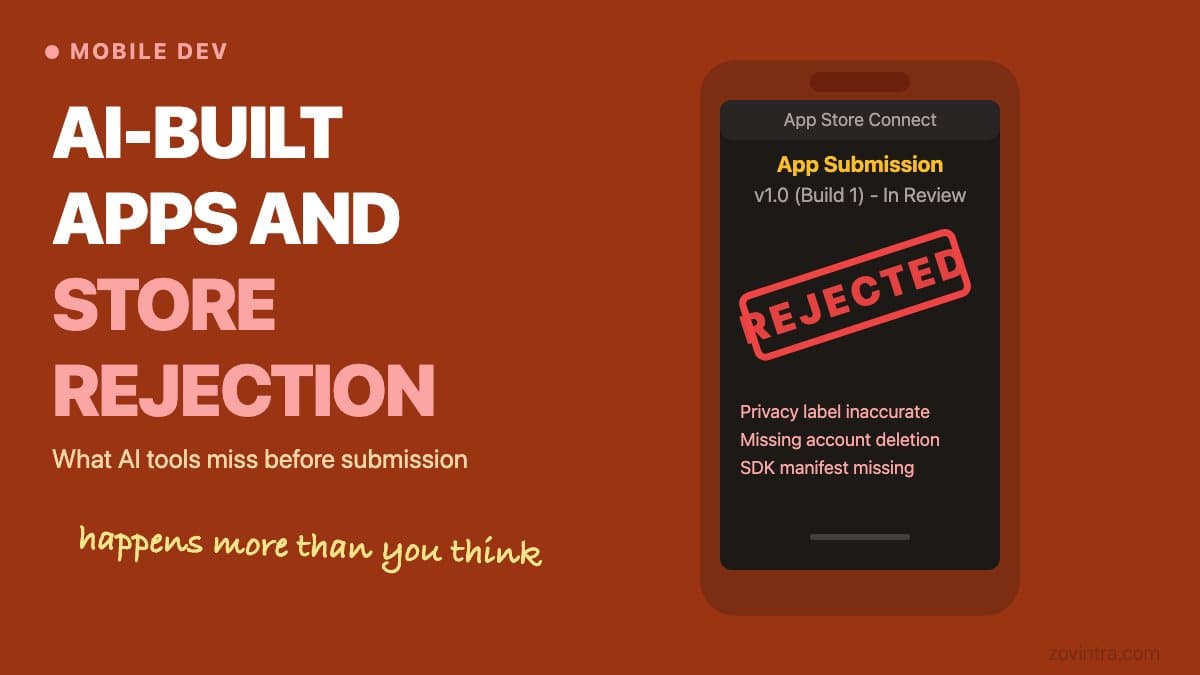
AI coding tools can produce a functional mobile app quickly. What they cannot do is navigate the App Store Review Guidelines or the Play Store Data Safety section on your behalf. Both stores require you to understand what your app collects, how it collects it, and why - and they reject apps that give vague or inconsistent answers. Apps built with AI tools fail store review for three main reasons: undeclared third-party SDKs, incomplete privacy manifests, and functionality gaps that only appear on a real device.
Why AI-Generated Apps Run Into Store Review Problems
When an AI coding tool builds your app, it chooses dependencies. It might add Firebase Analytics for event tracking, Crashlytics for crash reporting, or a social login SDK. Each of those dependencies collects data, and each has its own tracking or data-use declaration requirements. The App Store requires a privacy nutrition label - a list of every data type your app and its SDKs collect. The Play Store requires a Data Safety form. Neither platform accepts "I do not know what my dependencies collect."
Apple's third-party SDK requirements say a listed SDK must ship a privacy manifest, and must be signed when used as a binary dependency. You must include the manifest when you submit a new app that contains a listed SDK, or an update that adds one, and the requirement covers any version of the SDK. The list includes common packages such as Firebase Auth, Messaging and Crashlytics and the Flutter framework with plugins like shared_preferences and url_launcher. If an AI-generated project pulls in an old version of a library from before it shipped its manifest, your submission may be blocked. Xcode combines the manifests from all SDKs into one report to help you complete your privacy nutrition label.
The Privacy Questionnaire Problem
Both stores ask you to declare data collection at submission time. Apple's App Privacy section asks whether your app collects data linked to identity, data used for tracking, contact info, location, and around a dozen other categories. Google's Data Safety form asks what data types you collect, whether data is encrypted in transit, and whether you have a data deletion mechanism.
A founder who did not write the app often does not know the answers to these questions. Answering "we collect nothing" for an app with Firebase Analytics in it is incorrect. The App Store Review Guidelines require a privacy policy that states what data is collected, how, and all its uses, and make you responsible for everything in your app, including analytics and third-party SDKs. Metadata that does not reflect the app's actual experience is also grounds for rejection, and apps that do not fix violations after notice can be removed.
The Play Store has similar teeth. Google's Data safety guidance makes you responsible for complete and accurate declarations, including data collected or shared through third-party libraries and SDKs. If Google finds a misrepresentation you must correct it, and apps that do not become compliant are subject to enforcement such as blocked updates or removal from Google Play.
Common Rejection Reasons for AI-Built Apps
- Missing or incomplete Privacy Manifest for a required-reason API - often added by a library the AI tool chose, not intentionally by the developer.
- Vague or inaccurate privacy nutrition label - the label says the app does not track, but an included SDK does.
- App crashes or does not perform its advertised function on the review device - AI-generated layout code frequently breaks on screen sizes or iOS versions the model was not optimised for.
- Vague or missing purpose strings - apps that request camera, location or similar access need purpose strings that clearly describe the use, and these are often left generic by AI generators.
- Unimplemented account deletion - both Apple (Guideline 5.1.1(v)) and Google (Play's account deletion policy, which also requires a web link for deletion requests) require that apps with account creation have a way to delete the account and its data. AI-built apps frequently implement sign-up but skip deletion.
- Use of private or restricted APIs - AI tools sometimes suggest APIs that exist in the iOS SDK but are restricted to certain entitlements. The app compiles but fails review.
- Content rating mismatch - the Play Store requires you to complete a content rating questionnaire. A wrong answer because the founder was unsure can cause problems later.
The Real-Device Gap
AI coding tools can run an app in a simulator or emulator. Apple's guidelines ask you to test on-device for bugs and stability before submitting, and say they reject binaries that crash or show obvious technical problems. There is a category of bugs that only surface on real hardware: push notification permissions that fail silently in the simulator, Bluetooth or NFC access that needs hardware to grant, camera or microphone access that behaves differently on device, and CallKit integration that requires an actual call to test.
For an app using VoIP or calling features, this gap is especially wide. The lock-screen incoming call UI, the interaction between PushKit and CallKit, and the way the system handles VoIP pushes in different battery states are not testable without a real device. An app that looks correct in a simulator may produce a blank screen or a crash on device when a call arrives. If you are building a Flutter app with calling features, real-device testing is not optional.
Before You Submit: A Practical Pre-Review List
- Audit every dependency in your pubspec.yaml, package.json, or Podfile and look up what data each collects. The vendor's privacy policy or documentation is the source of truth.
- Generate the Privacy Report from your archive in Xcode, which combines the SDK privacy manifests, and check that every listed SDK in your dependencies ships one.
- Fill out the privacy nutrition label or Data Safety form based on what the audit found, not on what you assumed the app does.
- Implement account deletion if your app has sign-up. Apple requires it in-app, and Google Play requires an in-app path plus a web link.
- Test on a real device for every permission flow: camera, microphone, location, notifications. Verify each one can be denied without crashing the app.
- Review your app description against the final build. If the description mentions a feature that is not in the binary, reviewers will reject for inaccurate metadata.
- Check your category and content rating. The Play Store content rating questionnaire questions are available in the Play Console before you submit.
The App Store and Play Store readiness checklist covers the full submission process in more detail. It is worth reading alongside this article before you begin your first submission.
What a Rejection Actually Costs
Apple says App Review typically reviews at least 50% of submissions in less than 24 hours and 90% in less than 48 hours, though incomplete submissions may take longer or fail review. Each rejection and resubmission cycle costs days. If you are launching against a deadline, a single unexpected rejection for a privacy label issue can push your launch date by a week.
More importantly, repeated policy violations carry real consequences. Apple's guidelines say egregious or repeated behaviour is grounds for immediate removal from the App Store and the Developer Program, and Google can block updates or remove apps that do not become compliant. Getting this right the first time is cheaper than the alternative.
If you built your app with AI tools and are not certain what it collects or whether it will pass review, a technical review before submission is worth the time. We can look at your dependency list, your privacy declarations, and your build configuration. Talk to us about your mobile app before your first submission attempt.
Common questions
Why do AI-built apps get rejected by the App Store?
The main reasons are undeclared third-party SDKs, incomplete privacy manifests, and functionality gaps that only appear on a real device. Other common causes are an inaccurate privacy nutrition label, vague purpose strings and missing account deletion.
Does my app need account deletion?
If your app has account creation, yes. Apple's Guideline 5.1.1(v) requires a way to delete the account and its data, and Google Play requires an in-app path plus a web link for deletion requests. AI-built apps frequently implement sign-up but skip deletion.
Should I get my AI-built app reviewed before submitting to the stores?
If you are not certain what your app collects or whether it will pass review, a technical review before submission is worth the time. Zovintra can look at your dependency list, privacy declarations and build configuration before your first submission attempt.
Sources
- Third-party SDK requirements - Apple Developer, accessed 19 Oct 2026
- App Review Guidelines - Apple, accessed 19 Oct 2026
- App Review - Apple Developer, accessed 19 Oct 2026
- Provide information for Google Play's Data safety section - Google Play Console Help, accessed 19 Oct 2026
- Understanding Google Play's app account deletion requirements - Google Play Console Help, accessed 19 Oct 2026