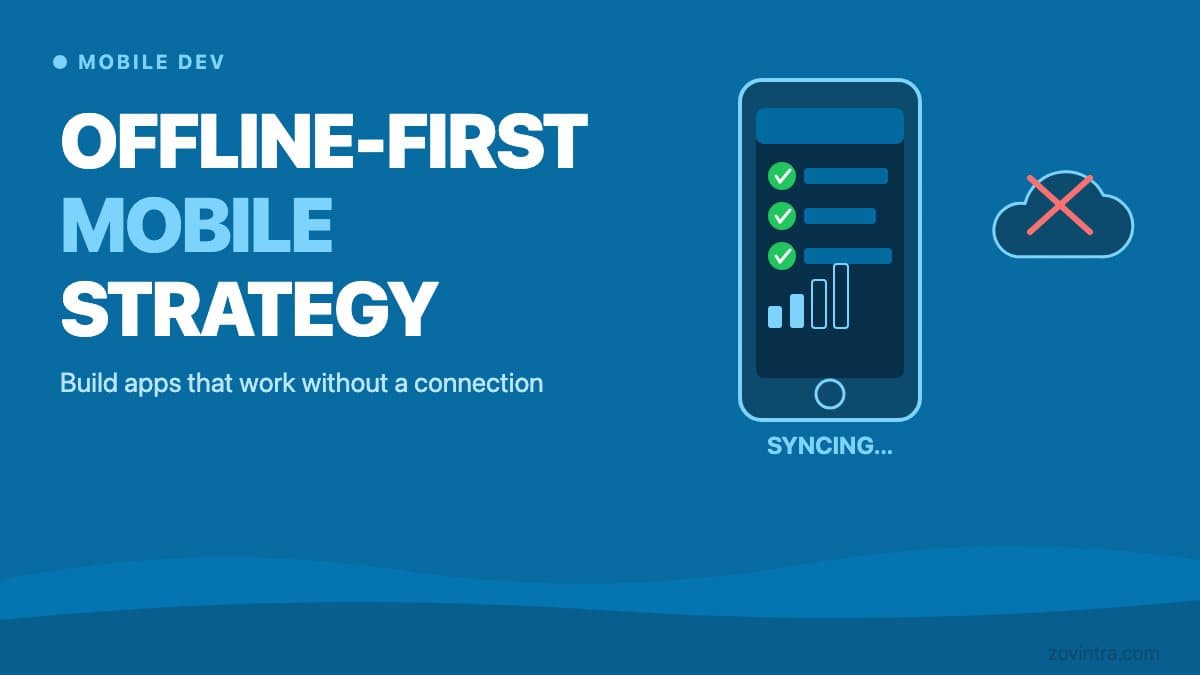
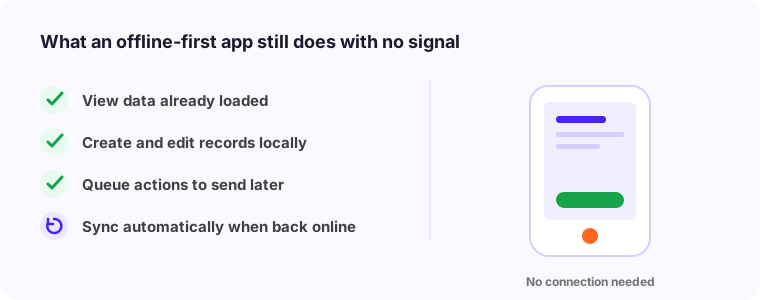
If your users ever work in areas with poor connectivity - field workers, travelers, warehouse staff, delivery drivers - they need your app to work without internet. Not partially. Fully. An app that freezes when the connection drops isn't just annoying, it destroys trust.
“Connectivity is not a given. Treat the network as something that will fail, and your app stays usable exactly when it matters most.”
The offline-first mindsetThe Reality of Mobile Connectivity
Even in urban areas, mobile connections drop in elevators, basements, parking garages, and crowded venues. Underground transit systems, rural roads, and many industrial sites have no reliable coverage at all. If your app serves any of these contexts and isn't built for offline use, you're shipping a product that fails in the environments where it's most needed.
Developing markets present an additional challenge. 4G coverage in India, Southeast Asia, and parts of Africa is improving rapidly, but it's still inconsistent outside major cities. A SaaS product targeting those markets without offline capability is leaving significant revenue on the table.
Technical Architecture Overview
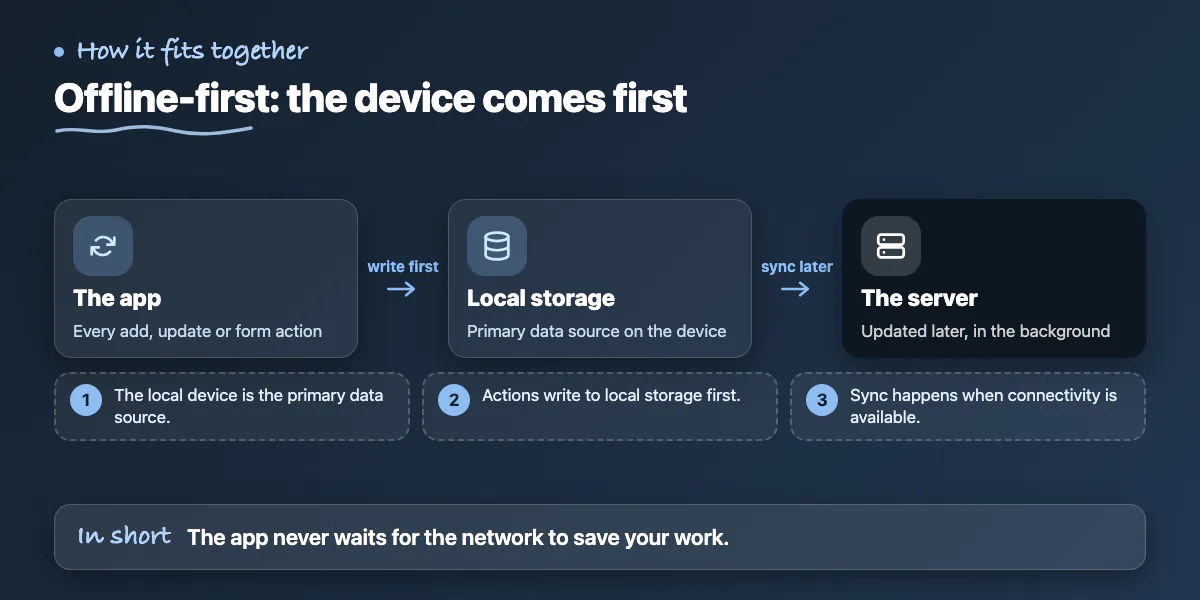
Offline-first architecture means the app treats the local device as the primary data source, not the server. When a user adds a record, updates a status, or completes a form, that action writes to local storage first. The sync to the server happens in the background when connectivity is available.
The most common local storage options are SQLite (via libraries like WatermelonDB or Realm for React Native), or IndexedDB for web-based progressive web apps. The choice depends on data volume, query complexity, and whether you need relational data structures. For most field-service or form-heavy apps, SQLite with a sync layer is the most reliable approach.
- SQLite via WatermelonDB: best for React Native apps with relational data and high query volume
- Realm: good for real-time sync scenarios with complex object relationships
- AsyncStorage: suitable for simple key-value data, not for structured or relational data
- IndexedDB with service workers: the right choice for progressive web apps
- Firebase offline persistence: easiest to implement, works well for real-time collaborative apps
Sync Conflict Resolution Strategies
The hardest problem in offline-first development isn't storing data locally - it's handling conflicts when the same record was changed in multiple places. User A edits a job record on their phone while offline. User B edits the same record on the web dashboard at the same time. When User A's phone reconnects, whose version wins?
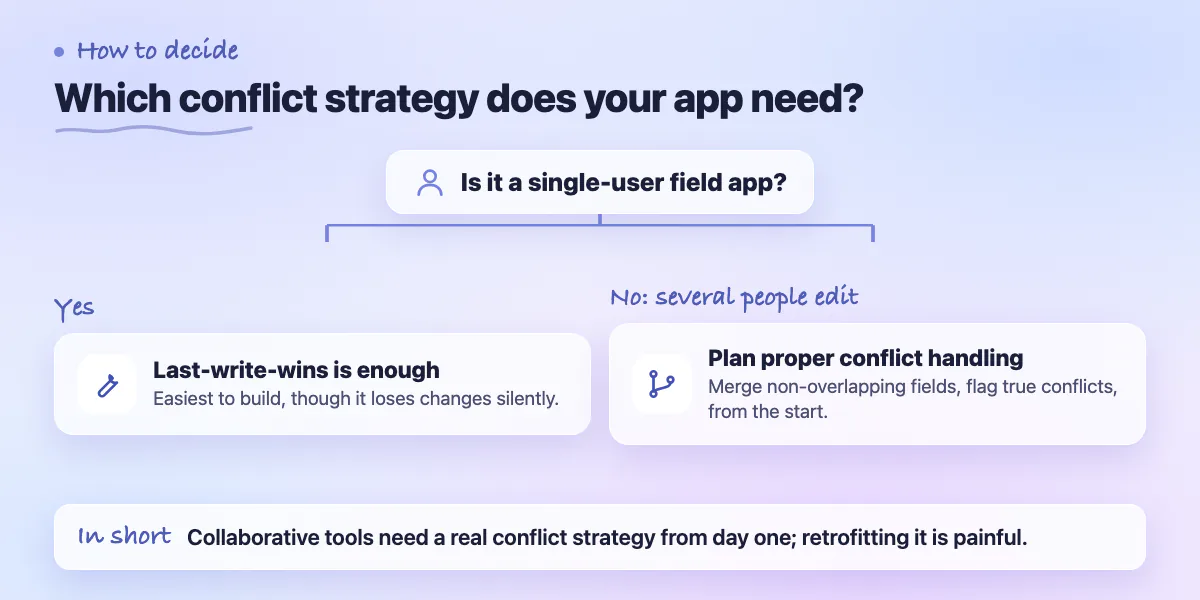
The three standard approaches are last-write-wins (the most recent timestamp prevails), server-wins (the server version always overrides local changes), and merge-on-conflict (the system attempts to merge non-overlapping fields and flags true conflicts for manual resolution). Last-write-wins is easiest to implement but loses changes silently. Merge-on-conflict is the most complex but produces the best user outcomes for collaborative apps.
For most single-user field apps, last-write-wins is sufficient. For multi-user collaborative tools, invest in a proper conflict resolution strategy from the start. Retrofitting conflict resolution into an app that wasn't designed for it is painful and expensive.
User Experience Patterns for Connectivity Indicators
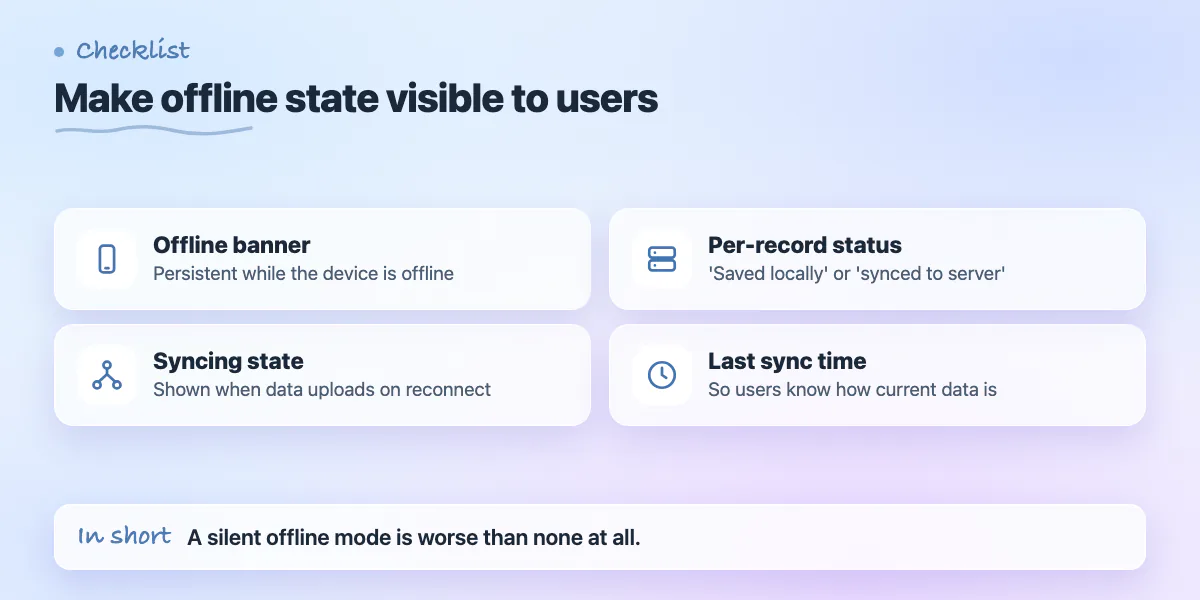
Users need to know when they're offline and what that means for their data. A silent offline mode where users don't know whether their changes saved is worse than no offline mode at all. Clear visual indicators are not optional.
- Show a persistent banner or status indicator when the device is offline
- Display a 'syncing' state when connectivity is restored and data is uploading
- Show each record's sync status inline - 'saved locally' vs 'synced to server'
- Provide a manual sync button for users who want to trigger sync immediately
- Show the timestamp of the last successful sync so users know how current their data is
Testing Offline Mode Properly
Testing offline behavior requires simulating real network conditions, not just toggling airplane mode. Networks drop mid-request, not cleanly between actions. Test scenarios where the connection drops during a file upload, during a sync operation, and while a form is submitting.
React Native's network debugging tools and Charles Proxy allow you to simulate throttled and intermittent connections. Test with real users in real environments. A QA team testing offline mode in an office with reliable wifi will miss edge cases that field workers encounter daily.
- Test mid-request connection drops, not just clean offline/online transitions
- Simulate slow connections (2G, 3G) in addition to full offline
- Test with large data volumes - offline behavior that works with 100 records may fail with 10,000
- Verify the app handles expired auth tokens after extended offline periods
- Test sync behavior after the app has been closed and reopened while offline
Make local storage the source of truth
The app reads and writes locally first, so it never waits on the network to feel responsive.
Queue every change made offline
Actions are recorded locally and held safely until a connection returns.
Sync and resolve conflicts on reconnect
Push queued changes, pull updates, and apply a clear rule when they clash.
Show honest connectivity state
Tell users what is saved, what is pending, and when they are back online.
Implementation Roadmap
Building offline-first from scratch is significantly easier than retrofitting it into an existing app. If you're starting a new project, design the data layer for offline from day one. If you're adding offline support to an existing app, start with the most critical user flows and expand from there.
- Week 1-2: Audit all app features and classify them by offline priority (must-work, nice-to-have, server-only)
- Week 3-4: Implement local storage layer and basic read operations offline
- Week 5-6: Implement write operations with local-first approach
- Week 7-8: Build sync engine with basic conflict resolution
- Week 9-10: Add connectivity indicators and user-facing sync status UI
- Week 11-12: Load testing, edge case testing, and real-device testing in target environments
Offline-first isn't a premium feature. For field-based SaaS products, it's table stakes. The investment pays back immediately in user retention, support ticket reduction, and competitive differentiation in markets where connectivity is genuinely unreliable.
Common questions
Which local database should I use for an offline-first React Native app?
For relational data and high query volume, the post recommends SQLite via WatermelonDB. Realm suits real-time sync with complex objects, AsyncStorage only suits simple key-value data, and for most field-service or form-heavy apps SQLite with a sync layer is the most reliable approach.
What is the easiest way to handle sync conflicts in an offline app?
Last-write-wins is the easiest to implement but silently loses changes, and the post says it is usually enough for single-user field apps. For multi-user collaborative tools, invest in proper conflict resolution from the start, since retrofitting it later is painful.
Does my SaaS product actually need offline support?
If your users are field workers, travelers, warehouse staff or delivery drivers, yes. Connections drop even in urban elevators, basements and parking garages, and an app that freezes without a connection destroys trust in exactly the environments where it is needed most.
Building something similar?
Talk to our engineering team about your architecture, roadmap, and delivery timeline.
Request a Technical Review →
We design, engineer, and deploy high-performance web platforms, mobile applications, and intelligent cloud systems.