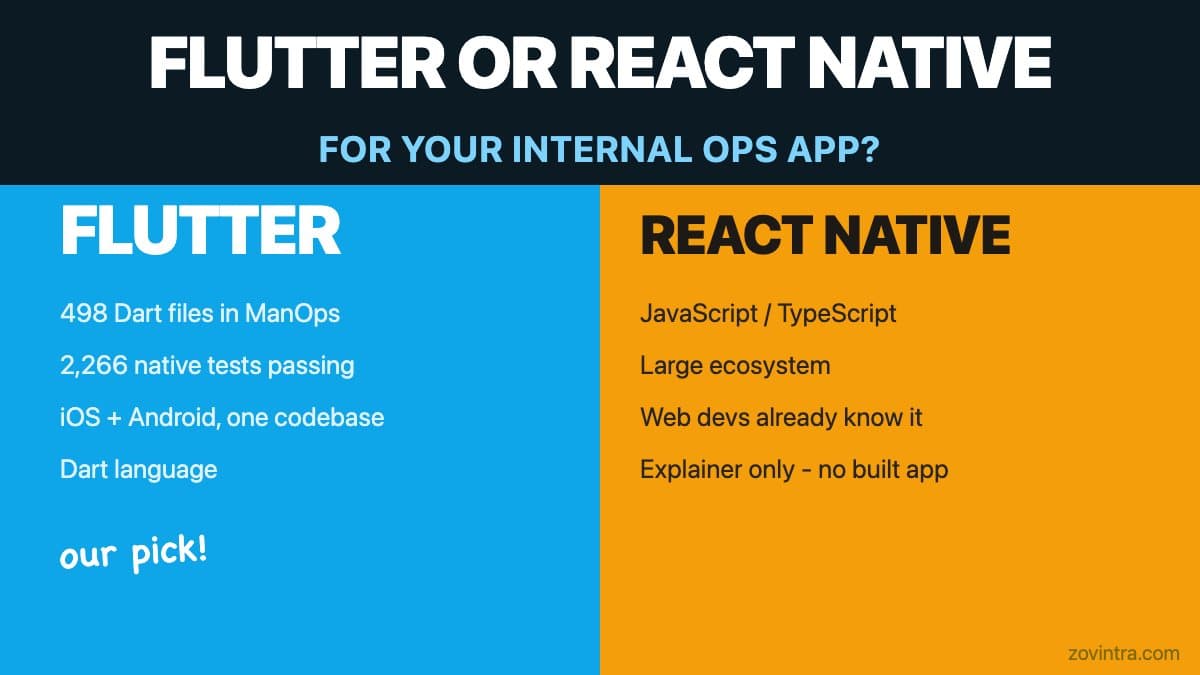
Choosing between Flutter and React Native for an internal operations app is a different decision than choosing between them for a consumer product. Internal ops apps tend to need deep platform integration - push notifications, background processing, lock-screen UIs, sometimes calls - alongside business logic that is complex enough to need good testability. The right framework depends on what your team already knows, what platform features you need and how much you are willing to own. We chose Flutter for ManOps, our internal ops platform. React Native is a legitimate alternative, but we have no shipped experience with it and will present it honestly as an explainer.
What We Built with Flutter
ManOps is our own internal project management and communications platform. The native app (Flutter) handles projects, tasks, team chat backed by Slack, a content calendar, an encrypted vault, real-time presence, voice and video calls with push-to-ring behaviour, and a notification inbox - on iOS and Android from a single Dart codebase. In the repo on 19 October 2026 the app's lib folder holds about 500 Dart files and its test folder about 160 test files.
The deepest platform integration in the app is the calling feature. iOS uses APNs VoIP push with PushKit and CallKit - meaning the app is designed to show a native lock-screen ringing UI when a call comes in, even if the app is killed. We have not yet confirmed this on a real phone. Android uses FCM data messages with a background handler. Both platforms ring for a 60-second window, then stop and record a missed-call entry. This required small amounts of native Swift (AppDelegate, PushKit/CallKit configuration) and Kotlin (MainActivity, brand channels) alongside the Dart codebase. Flutter handles this hybrid pattern well. The Flutter testing overview describes unit, widget and integration tests, and the app has a test folder and an integration_test folder.
Why Flutter Suited This Use Case
- Single codebase for iOS and Android. Internal ops apps do not have different feature sets by platform. A single Dart codebase with platform glue where needed was the most efficient path.
- Strong testability. Dart is a statically typed language with good tooling for unit testing business logic separately from UI. The ManOps native app has about 160 test files covering push parsing, call flow, security properties and accessibility semantics - written as standard Flutter tests that run in CI.
- Widget rendering that does not depend on the host OS. Flutter draws its own UI with its own renderer, Impeller, which is the only supported engine on iOS and the default on Android API 29 and above. This means the app looks and behaves consistently across Android and iOS versions, which matters for a small-team internal tool where you cannot test every OS combination.
- Active tooling and documentation. Flutter's documentation is comprehensive, the Dart toolchain is fast and the pub.dev ecosystem has reliable packages for most integration needs, including the Jitsi SDK we use for calls.
- One team, one stack. Our web app is in TypeScript and our native app is in Dart. That is already two languages. Adding React Native's JavaScript/TypeScript stack would not have reduced that number, and the team building the native app was more comfortable with Dart's type system.
What Flutter Did Not Solve Automatically
Flutter is not a complete escape from native platform complexity. VoIP calling on iOS required writing AppDelegate logic in Swift, configuring entitlements and understanding how PushKit interacts with the app lifecycle in ways that have no Dart equivalent. The Android side required a Kotlin MainActivity and understanding of FCM data message handling in background isolates. Anyone choosing Flutter for an ops app with push notifications and calls should expect to write native platform code for the platform-specific parts.
The minimum platform versions also matter. ManOps targets Android 8 (minSdk 26, forced by the Jitsi SDK 13.x requirement) and iOS 15.1. These are not unusual constraints for 2026, but teams expecting to support older devices should check their third-party SDK dependencies before committing to Flutter, because those SDK floor versions determine your floor.
There is also one verification gap that remained open at the time of writing. The real-device call test script exists in the repo and covers FCM ring, lock-screen answer, two-device call handoff, do-not-disturb suppression and sign-out token removal. It had not been executed on physical hardware as of 9 October 2026. Automated Flutter tests confirm the app-side logic. Confirmation that the push infrastructure works end to end with real phones at launch is the pending step.
React Native: the Honest Explainer
We have no shipped React Native app. Everything in this section is based on public documentation and the React Native documentation, not direct experience. For a more detailed comparison of the two frameworks' general characteristics, our earlier post React Native vs Flutter in 2026 covers the landscape. This section focuses specifically on what React Native offers for an internal ops app use case.
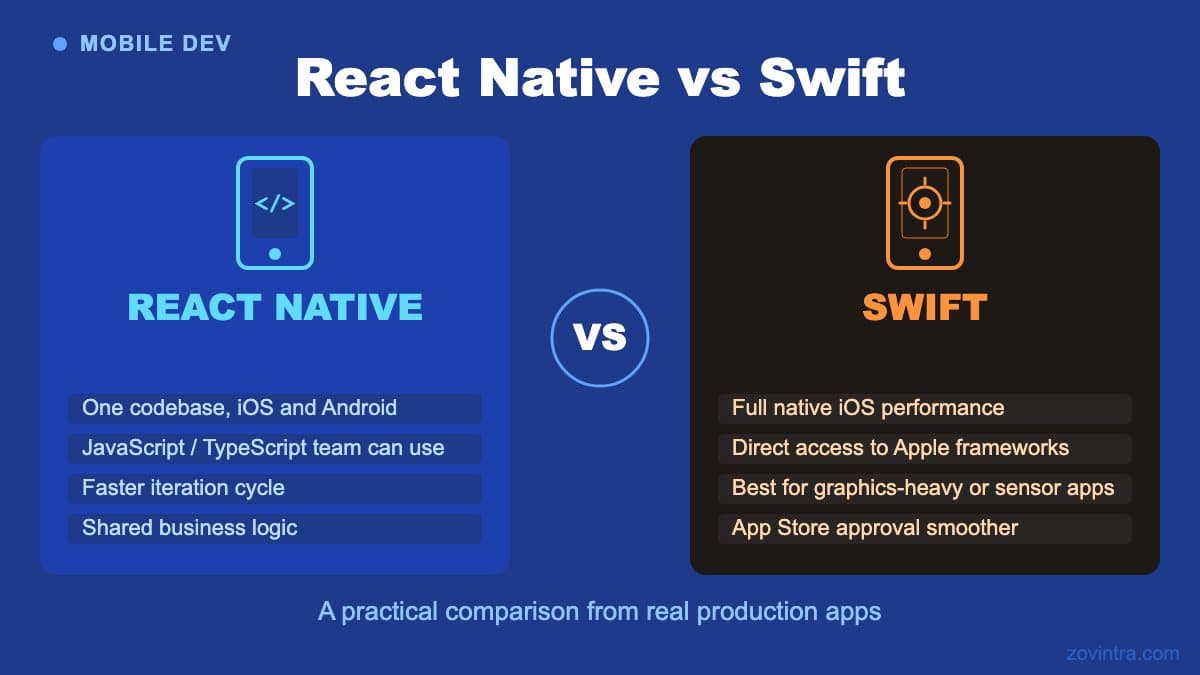
React Native creates the platform's own Android and iOS views rather than drawing with a custom rendering engine. This means buttons, inputs and scroll views look native by default, which can be an advantage if exact platform feel matters to your users. For an internal ops app used by employees who see the app daily, the consistency argument that Flutter provides tends to outweigh the native-feel argument, but teams with strong opinions on this should weigh it.
React Native's language is JavaScript or TypeScript. If your team already builds web apps in TypeScript and has no interest in learning Dart, React Native lowers the learning curve significantly. This is a real advantage. The ecosystem is large and the community is mature. For ops apps that do not need the deepest platform integrations - calls, VoIP push, CallKit - React Native is a reasonable choice.
The areas to watch carefully are: how well the new JavaScript-to-native layer suits high-frequency UI updates (React Native's New Architecture replaces the old asynchronous bridge with JSI and has been the default since 0.76, so older advice about bridge overhead may be out of date), the package ecosystem quality for complex integrations (check how well each package is maintained), and the fact that you will still need native code for CallKit, VoIP push and similar deep-platform features, in Swift and Kotlin, regardless of which framework you choose.
The Decision Framework
For an internal ops app, these are the questions that should drive the choice.
- Does your team already know TypeScript well and have no interest in Dart? React Native is the lower-friction path. The ecosystem, tooling and documentation are all in a language the team already uses.
- Does the app need VoIP calling with lock-screen ring UI? Either framework can do this with native code. In our experience building ManOps, Flutter's platform-channel approach was straightforward to integrate; we have not built the same feature in React Native and cannot compare directly.
- Do you need the widest possible device and OS version support? React Native renders with the OS's own views, which may behave differently from a custom renderer on very old or unusual Android versions. Flutter's Impeller falls back to the legacy OpenGL renderer on Android below API 29 or without Vulkan. For most internal apps targeting employees on recent devices, this difference is unlikely to matter.
- How important is test coverage of business logic? Flutter's statically typed Dart with first-class widget testing is a strong choice for apps where testability matters, and it is what we used. React Native with TypeScript and Jest is a common alternative that we have not used ourselves.
- Is the app entirely internal with no SEO requirement? Both frameworks output native apps with no crawlable web surface, so SEO is not a differentiator.
The native versus cross-platform decision is a separate question from Flutter versus React Native - if you are not sure whether a native or cross-platform approach is right at all, start there. Once you have decided on cross-platform, the Flutter versus React Native choice usually comes down to team language preference and the specific platform integrations you need.
If you are deciding on a mobile stack for an internal ops app and want a second opinion on the decision, we can walk through your requirements and share what we learned building ManOps. We will be clear about what we know from direct experience and where we are giving you general guidance.
Common questions
Should I choose Flutter or React Native for an internal ops app?
It depends on your team's language and the platform features you need. If your team knows TypeScript well and has no interest in Dart, React Native is the lower-friction path. Zovintra chose Flutter for ManOps but has no shipped React Native experience.
Do I still need native code with Flutter or React Native?
Yes, for deep platform features. VoIP calling with a lock-screen ring UI required Swift for iOS and Kotlin for Android in ManOps, and the same applies to React Native for CallKit and VoIP push. Expect platform-specific native code in either framework.
When should I get a second opinion on my mobile stack?
If you are deciding on a mobile stack for an internal ops app, Zovintra can walk through your requirements and share what it learned building ManOps, being clear about what comes from direct experience and what is general guidance.
Sources
- Flutter testing overview - Flutter docs, accessed 19 Oct 2026
- Impeller rendering engine - Flutter docs, accessed 19 Oct 2026
- Core Components and Native Components - React Native docs, accessed 19 Oct 2026
- About the New Architecture - React Native docs, accessed 19 Oct 2026
- React Native - Getting Started - React Native docs, accessed 19 Oct 2026