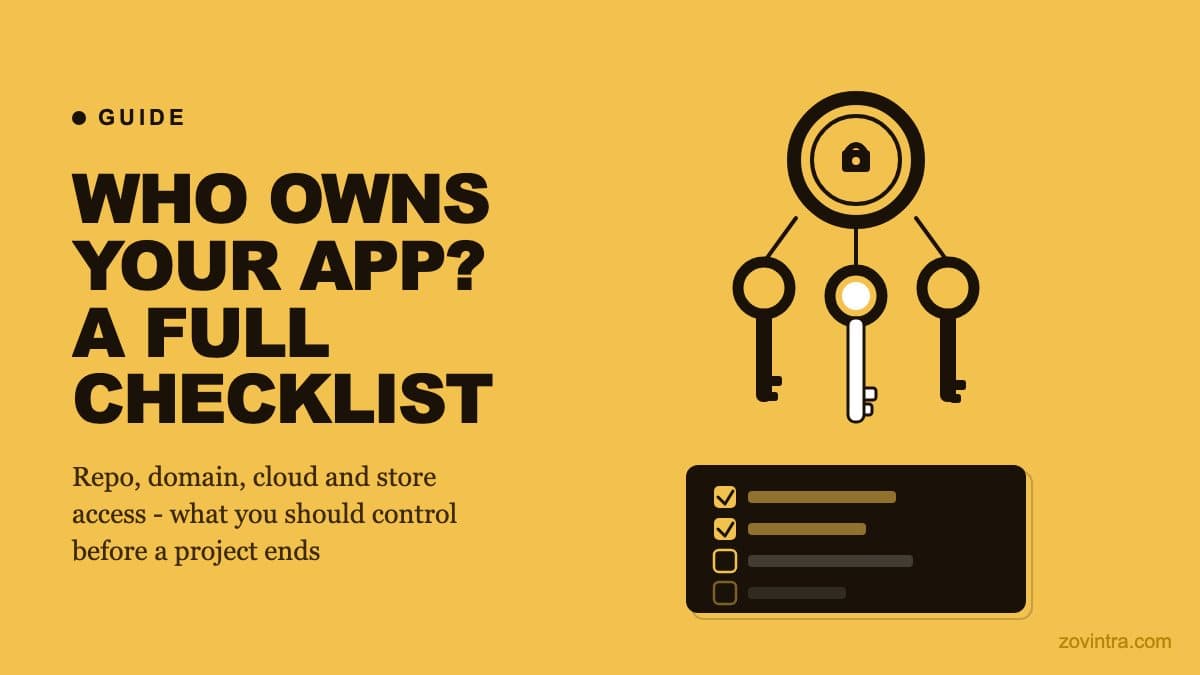
App ownership is not about who wrote the code. It is about who controls the accounts that make the app run. If your developer owns the GitHub organisation, the Vercel project, the domain registrar login, and the Firebase console, then you do not control your own product. You discover this when the relationship ends, when the developer goes silent, or when you need to hand the project to a new team. By then, recovering access can be slow and, for some accounts, depends on the platform's support team.
The Access Inventory: What to Check
Most founders assume they own their app because they paid for it. Ownership in practice means being able to independently: deploy a change, renew the domain, rotate a compromised secret, and add or remove team members - without asking the original developer. Work through the six categories below and record what you find. This is not legal advice; it is an access inventory.
1. Source Code Repository
The code repository is the most common point of failure. Teams use GitHub, GitLab, or Bitbucket. The question is not whether you have a login - it is whether you are an owner of the organisation or repository, not just a member or collaborator.
- Log in to GitHub (or your platform) and navigate to the repository. Check your role under Settings > Collaborators and teams. You need Owner or Admin, not Read or Write.
- Check whether the repository lives under your personal account, under the developer's personal account, or under an organisation account. If it is under the developer's personal account, you do not own it - you have access to a copy.
- Verify you can see the full commit history and all branches. A repository handed over with only the main branch is missing the context of how decisions were made.
- Check that no GitHub Actions secrets or environment variables critical to the build are held only by the original developer. Secrets in the repository's Settings > Secrets must be rotatable by you.
- If the repository uses GitHub's repository transfer feature (it needs administrator access to the repository), request the transfer before the engagement ends, not after.
2. Hosting and Deployment
A repository you own is no use if only the developer can deploy. Hosting platforms (Vercel, Netlify, Railway, Render, AWS, GCP) each have their own owner concept. On Vercel, the project belongs to a Team or personal account. If it is in the developer's personal Vercel account, they can delete or restrict it without warning.
- On Vercel: confirm the project lives in a Team that you own, not in the developer's personal account. You should be able to see billing, environment variables, and domain configuration.
- On any platform: rotate the deploy hook and any CI integration tokens so that they are generated from an account you control.
- Confirm you can trigger a deployment independently. If deployment requires the developer's credentials or a tool only they have configured, you are not in control of your own deployment.
- Check environment variables. Production secrets (database URLs, API keys, auth service credentials) stored only in the developer's hosting account are a risk even if you own the code.
- If the app uses serverless functions or edge functions, verify those are part of the same project you control, not a separate resource the developer manages.
3. Domain and DNS
The domain is often registered by whoever set up the project first. That is frequently the developer. A domain you do not control can be pointed away from your app, allowed to expire, or transferred without your knowledge.
- Use a WHOIS lookup to confirm the registered owner of your domain matches your company or personal details, not the developer's.
- Log in to the registrar (GoDaddy, Namecheap, Cloudflare Registrar, or similar). Confirm you are the account owner with billing access.
- Check the DNS nameservers. If the developer configured DNS at a service you do not have access to (Cloudflare, for example), your ability to change DNS records depends on them.
- Verify renewal. Domains expire annually or biennially. If the auto-renew is on a payment card the developer controls, the domain can lapse.
- Transfer the domain to a registrar you control before the engagement ends. Under ICANN's transfer policy, registrars must apply a 60-day transfer lock after a change of registrant, and may refuse transfers in the first 60 days after registration, so plan for this.
4. Database and Backend Services
Databases and backend services are where data lives. Losing access to the database account is not just an inconvenience - it may be a data breach or a compliance problem depending on what is stored.
- For Supabase: confirm you hold the organisation's top role, not just access to one project, so you can manage billing, members and project deletion or export.
- For Firebase: confirm you have the Owner role on the underlying Google Cloud project, not just Editor or Viewer.
- For any database: verify you have the connection credentials stored somewhere you control - not only in the developer's environment variables or password manager.
- Check database backups. Automated backups configured only in the developer's account may not be accessible to you if the account is closed or the developer becomes unresponsive.
- Rotate credentials before handing off. Database passwords, API tokens, and service account keys that the developer knows should be rotated as soon as the engagement ends.
5. Auth and Third-Party Services
Authentication providers and third-party integrations each carry their own access account. If sign-in for your users depends on a Firebase or Auth0 project the developer owns, losing that access breaks your product.
- For Firebase Auth: you need Owner access on the Google Cloud project that hosts Firebase, so you can change auth configuration and export user data.
- For email providers (Resend, SendGrid, Mailgun): confirm the sending domain is verified against a domain you control, and the account billing is on a card you manage.
- For payment providers (Stripe, Razorpay): confirm the merchant account is in your legal entity's name and you have owner-level access. This matters for payouts and chargebacks.
- List every third-party integration in the product and confirm you have independent credentials for each. A developer who set up a Slack app, an analytics account, or an error monitoring service under their own account is a dependency you may not have mapped.
- Check API key ownership. Keys generated under another person's account can be revoked by that person. Keys should be generated under accounts you control.
6. App Store and Play Store
Mobile apps add another layer of accounts: Apple Developer and Google Play Console. These accounts cannot be transferred as easily as a GitHub repository. Getting this wrong means submitting updates requires the original developer's credentials or Apple/Google support intervention.
- Apple Developer Program membership should be in your legal entity's name (or your personal name if a sole trader). A published app can be moved between accounts, but Apple's app transfer process must be started by the current Account Holder and accepted by the receiving Account Holder, so you need the developer's cooperation.
- Google Play Console is account-based. If the developer published the app under their own Play Console account, they own the listing. Moving it requires a transfer request between two active developer accounts that the target account approves.
- Distribution signing certificates and provisioning profiles (Apple) and Android signing keys must be in your possession. With Play App Signing, a lost upload key is not fatal: Google documents how to request an upload key reset, but it adds delay, so keep the key somewhere you control.
- Confirm your team has accounts with the correct roles. On Apple: Account Holder or Admin. On Google: the account owner or a user with release permissions.
- If you are not yet in the stores, ensure the paid developer accounts are set up in your name before any submission happens.
When to Do This Audit
The best time to run this checklist is before you sign a development contract, so you can include ownership transfer as part of the agreement. The second-best time is at the end of the engagement, before the relationship closes. The worst time is after the developer has stopped responding - but it is still worth doing because some platforms allow account recovery or admin transfer.
If you have already lost contact with a developer, the priority order changes: domain first (it expires and cannot be recovered once gone), then database credentials (because data is at risk), then code repository and hosting.
If you inherited a codebase from a previous team and are unsure what access exists, this inventory is the starting point. Some gaps - like a missing Android upload key or an app published under someone else's store account - can only be resolved through the stores' official processes, which add delay.
Making This a Contractual Requirement
The cleanest way to avoid this problem is to make account ownership a condition of the development contract. Every account created during the build should be created in your name. The developer gets added as a collaborator with the appropriate role. At the end of the engagement, their access is removed. This is standard practice in professional software engagements; it protects both parties.
For advice on what a development contract should cover in this area, what an NDA with a developer covers is a good companion to this checklist. If you have an existing app and are concerned about gaps in your access, a launch and rescue review can help map what you currently control and what is at risk.
Common questions
How do I know if I really own my app?
Ownership means being able to deploy a change, renew the domain, rotate a compromised secret, and add or remove team members without asking the original developer. Check the repository, hosting, domain, database, auth and app store accounts. This is an access inventory, not legal advice.
Which account should I recover first if my developer disappears?
Start with the domain, because it expires and cannot be recovered once gone. Then secure database credentials, since data is at risk, and after that the code repository and hosting.
When should I get someone to check what accounts I control?
If you have an existing app and are worried about gaps in your access, a review can map what you control and what is at risk. Zovintra offers a launch and rescue review for this.
Sources
- Transferring a repository - GitHub Docs, accessed 19 Oct 2026
- Transfer Policy - ICANN, accessed 19 Oct 2026
- Overview of app transfer - Apple App Store Connect Help, accessed 19 Oct 2026
- Transfer apps between developer accounts - Google Play Console Help, accessed 19 Oct 2026
- Use Play App Signing - Google Play Console Help, accessed 19 Oct 2026