A security or code review report lands in your inbox as a list of findings, severity labels, and technical descriptions. If you are not an engineer, it can be difficult to know what is genuinely urgent, what is low risk, and what requires a response from you today versus a conversation with your developer next week. This guide explains the structure of a typical report, what the severity levels mean in practice, and how to use the findings to have a productive conversation with your technical team.
Why these reports are hard to read
Security and code review reports are written primarily for the engineers who will fix the findings. They use technical language, assume familiarity with the tools involved, and often list findings in scan order rather than business-impact order. A report might lead with ten low-severity dependency version warnings before mentioning a single high-severity authentication bypass. Reading it from the top gives a misleading picture of what actually matters.
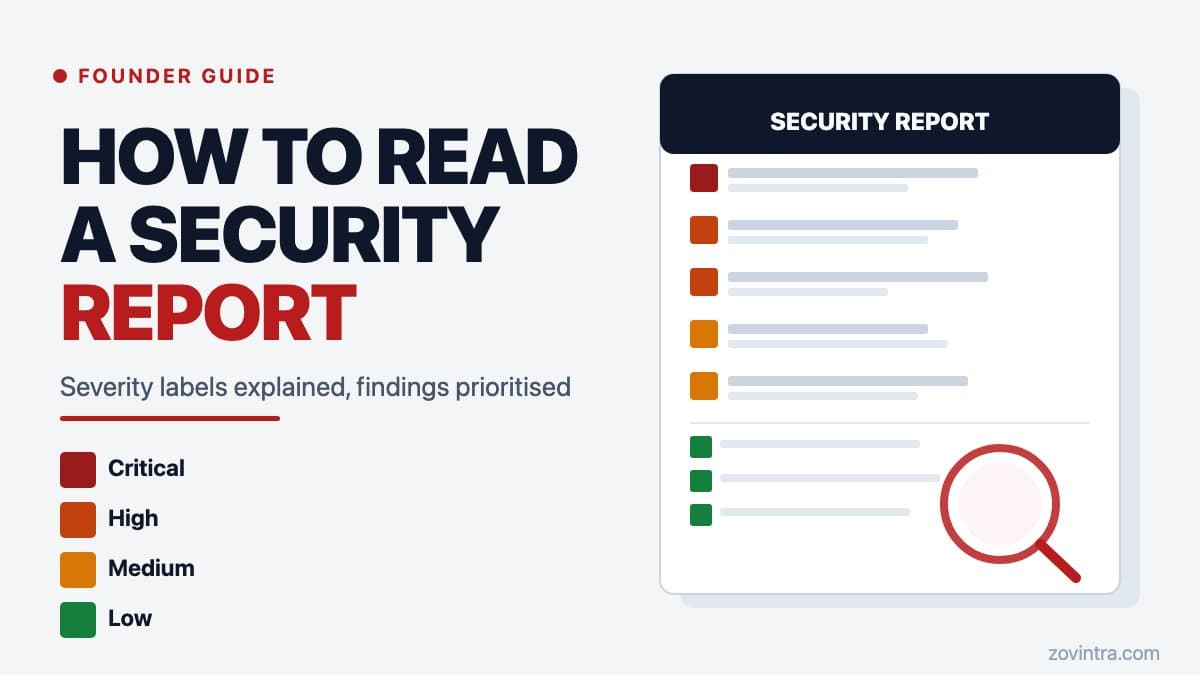
A second issue is that report severity labels are not standardised across tools. A 'high' finding from one scanner may be equivalent to a 'medium' from another. Even the common scoring system, CVSS, only maps scores to labels as an optional convention (for example, 7.0 to 8.9 is High and 9.0 to 10.0 is Critical in the CVSS v4.0 specification), and OWASP's risk rating guidance notes that a vulnerability that is critical to one organisation may not be very important to another. This article uses the four severity bands in Zovintra's own audit tools - Critical, High, Medium and Low - and the response times they imply. Treat them as a worked example, not an industry standard.
What each severity level means
Critical
A critical finding means there is a vulnerability that could allow an unauthorised person to access, modify, or delete your data or your users' data right now - without requiring special skills or insider access. Examples include a publicly accessible database with no authentication, a leaked API key that grants admin-level access, or an endpoint that returns all user records to any caller regardless of who they are. In our severity model a critical finding is one that is verified and potentially severe, and the expected response is the same day. In most cases, it should be addressed before you do anything else.
High
A high-severity finding is a significant vulnerability that could cause real harm but typically requires a specific condition or a more sophisticated attack path. Examples include missing row-level security on a Supabase table that holds sensitive records, a service role key used in a client-side context (exploitable but requires someone to look for it), or an authentication flow that can be bypassed under specific conditions. In our model a high finding is one that could materially affect security, essential functionality or the business, and the expected response is within weeks, not deferred to a future milestone.
Medium
Medium findings are real security or quality issues that carry meaningful risk in the wrong context. They might not be immediately exploitable on their own but could become part of a combined attack, or they could become critical if the application grows. Examples include missing rate limiting on a form endpoint, dependency libraries with known vulnerabilities but no known active exploits, or logging that captures more information than it should. Medium findings are planned work, scheduled after criticals and highs.
Low
Low findings are informational or represent best-practice gaps that do not pose an immediate risk. Missing security headers, outdated but not vulnerable dependency versions, or code patterns that could become a problem if the application changes. These belong in a backlog and should be addressed in a regular maintenance pass rather than treated as emergencies. A long list of low findings is not cause for alarm - it is cause for a scheduled cleanup task.
How to read the findings section
Start with the executive summary if the report has one - it should tell you how many findings there are at each severity level. Then read the critical and high findings in full before looking at anything else. For each finding, you want to understand four things: what was found, what can happen if it is left in place, which part of the application it affects, and what the recommended fix is.
You do not need to understand the technical details of the fix. What you need to understand is the business consequence - 'anyone can read all customer orders without logging in' is a consequence you can act on. 'Missing authorisation check on GET /api/orders endpoint' is a description your developer needs. Both are in the report; focus on the consequence when deciding priority, then share the technical description with the engineer.
Questions to ask your developer after reading the report
- For each critical or high finding: is this currently exploitable in production, or is there something else in place that mitigates it?
- What is the estimated effort to fix each critical and high finding?
- Are any of the fixes likely to break existing functionality that would need retesting?
- Which findings can be fixed together as part of the same change, and which need to be isolated?
- After the fixes are deployed, how will we confirm they are resolved - is there a retest process?
A developer who responds to a critical finding with 'yes, that is exploitable, and I can fix it in half a day with a targeted change' is giving you useful information. A developer who cannot explain the business consequence of a critical finding in plain language is a signal that the finding may not have been fully understood.
What to do when the report contains findings your current developer disputes
Developers sometimes push back on security findings - particularly from automated scanners - as false positives or as 'not how our app works.' Some of that pushback is legitimate: automated tools can flag code patterns that look dangerous out of context but are safe in the specific application. Some of it is not. When a developer disputes a critical or high finding, ask them to explain, in plain language, why the finding does not apply. 'The scanner does not understand our custom auth middleware' is a claim that should be testable.
The code audit report: what to expect article goes deeper on how to evaluate the quality of a report and the difference between an automated scan and a manual code review. If you want an independent read of findings from a previous report, or you want a structured review of your own application, the free code review tool will give you an initial assessment. Request a full technical review if you want a human-reviewed report with prioritised findings you can hand directly to your developer.
A quick reference: how to triage a report in 15 minutes
- Read the executive summary: total findings by severity
- Read every critical finding in full: understand the business consequence
- Read every high finding in full: note the affected area and recommended fix
- Scan the medium findings: flag any that touch payment processing, authentication, or personal data
- Skip the low findings for now: add them to a maintenance backlog
- Share the report with your developer with the criticals and highs highlighted
- Set a follow-up date within two business days to confirm fix timeline
- Ask for a retest or verification once fixes are deployed
Security reports are only useful if they lead to action. A report that sits in an inbox is a liability, not an asset - it records that the problem was known. The value is in the remediation, not the scan.
Common questions
How do I read a security report if I am not technical?
Start with the executive summary for finding counts by severity, then read every critical and high finding in full. Focus on the business consequence, such as anyone being able to read all customer orders, and share the technical description with your developer.
What do critical and high severity mean in a security report?
In Zovintra's own model, critical means a verified, potentially severe vulnerability needing a same-day response, while high could materially affect security or the business and needs fixing within weeks. Severity labels are not standardised across tools, so treat these as a worked example.
When should I get a human review of my security report?
If you want an independent read of a previous report, or a human-reviewed report with prioritised findings you can hand to your developer, request a full technical review. Zovintra's free code review tool also gives an initial assessment.
Sources
- Common Vulnerability Scoring System v4.0: Specification Document - FIRST.org, accessed 19 Oct 2026
- OWASP Risk Rating Methodology - OWASP Foundation, accessed 19 Oct 2026