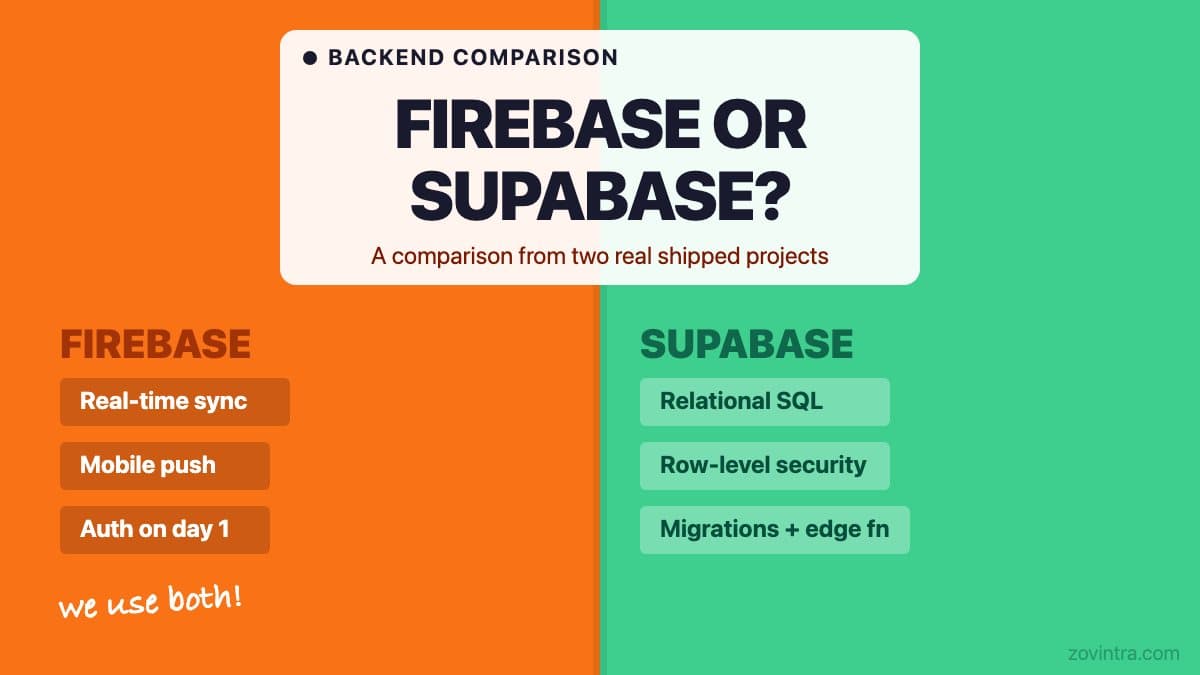
Firebase is the better starting point for apps that need real-time sync, multi-platform push notifications, or fast authentication across mobile and web. Supabase is the better starting point for apps that need a structured relational database with fine-grained access rules, server-side logic, or SQL-based analytics. We use Firebase Authentication alongside a Supabase Postgres database on both Mandizo (a client product) and ManOps (our internal product) - the two are not mutually exclusive, and combining them captures the strengths of both.
What Two Real Shipped Products Taught Us
We have two real products that use this combination. Mandizo is a client product built on React, Vite, and TypeScript. It uses Firebase Authentication for user identity and Supabase Postgres for all application data, with six tables protected by row-level security and five Supabase edge functions handling server-side operations like invoicing and role assignment. The decisions behind that stack are described on the Mandizo work page.
ManOps, our internal operations platform, uses the same pairing but at greater complexity. Firebase Auth handles login across the web app and the Flutter native app. Firebase Cloud Messaging handles Android push notifications. Supabase Postgres holds the application data with 44 migrations tracked over the project life. It is the same architectural decision applied to a more demanding product. See the ManOps work page for the full technical picture.
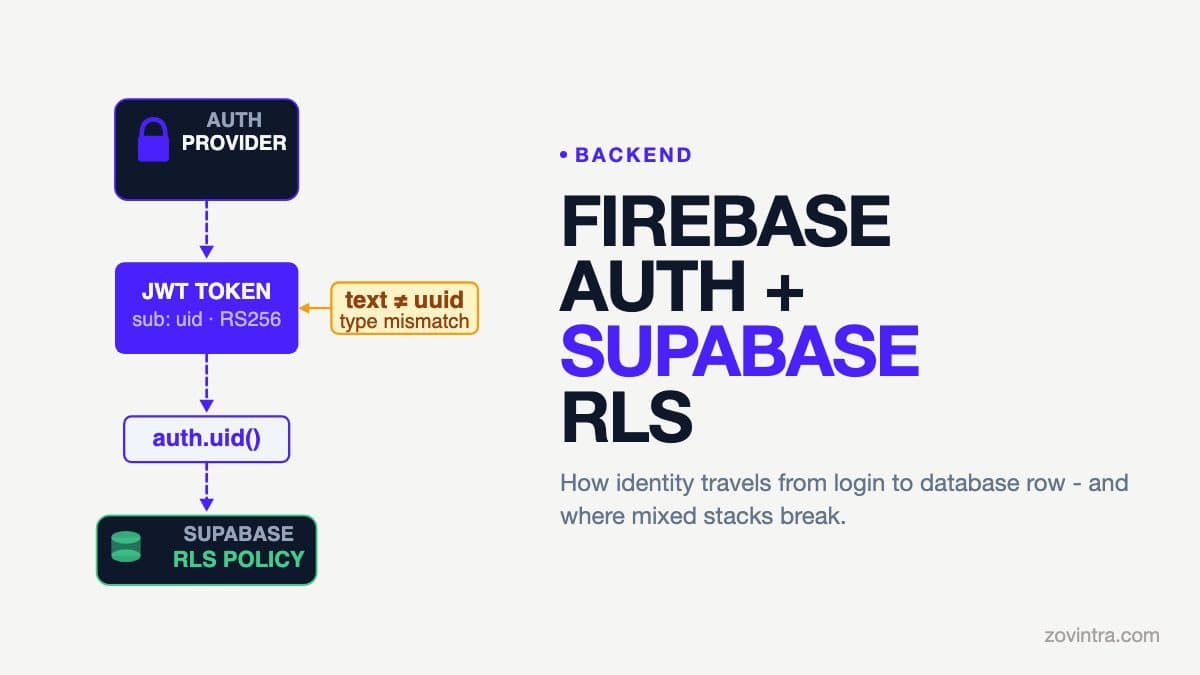
During the Mandizo build, a partial auth migration - moving user identity from one provider configuration to another - caused production symptoms: a type mismatch between UUID and text ID formats meant existing users could not see their data until a SQL migration corrected it. We documented the cause and prepared the fix. The lesson: switching auth providers in a running app is expensive. It pays to choose the right one before you have real users.
The Core Architectural Difference
Firebase is built around NoSQL documents. Data lives in collections and sub-collections with no enforced schema. This makes it fast to start and easy to nest data that naturally belongs together - a user document might contain their profile, preferences, and recent activity in one read. You do not need to design a schema upfront, which removes an early friction point.
Supabase wraps Postgres, which is a relational database. Data lives in tables with columns and types. Relationships are explicit foreign keys. You can write SQL, use migrations, enforce constraints, and run complex queries that would require either multiple reads or client-side aggregation in Firebase. This discipline is harder to start with but much easier to maintain as the product grows and the team changes. If you are trying to understand what stack choice means for your product long-term, our guide to tech stacks covers the trade-offs without the jargon.
Auth: Where Firebase Still Leads
Firebase Authentication is battle-tested and supports social logins, magic links, and multi-factor authentication without much configuration. Google's pricing page lists 50K monthly active users at no cost, though phone auth is not available on the free Spark plan (SMS is billed per message on Blaze). Its SDKs work equally well on iOS, Android, and the web. Integrating Firebase Auth with a Supabase database is well-documented: you pass the Firebase token to Supabase, and Supabase validates it via its third-party auth integration. One catch the docs call out: Firebase tokens lack the `role` claim by default, so requests fall back to the anon role until you set a custom claim of `authenticated` for each user.
Supabase Auth exists and works well for greenfield web projects. The gap shows when you need Firebase Cloud Messaging-based push on Android or APNs on iOS alongside your auth flow - Firebase's Auth and Messaging SDKs integrate in a way Supabase does not replicate. If your product has a mobile app now or in the near future, Firebase Auth gives you a cleaner path to push notifications.
Data: Where Supabase Postgres Pays Off
If your app stores structured records - orders, invoices, user profiles with relationships, team memberships - Supabase Postgres is easier to work with at scale than Firestore. You can write a single SQL query that joins three tables and returns exactly what your API route needs. The equivalent in Firestore requires multiple round trips and client-side merging.
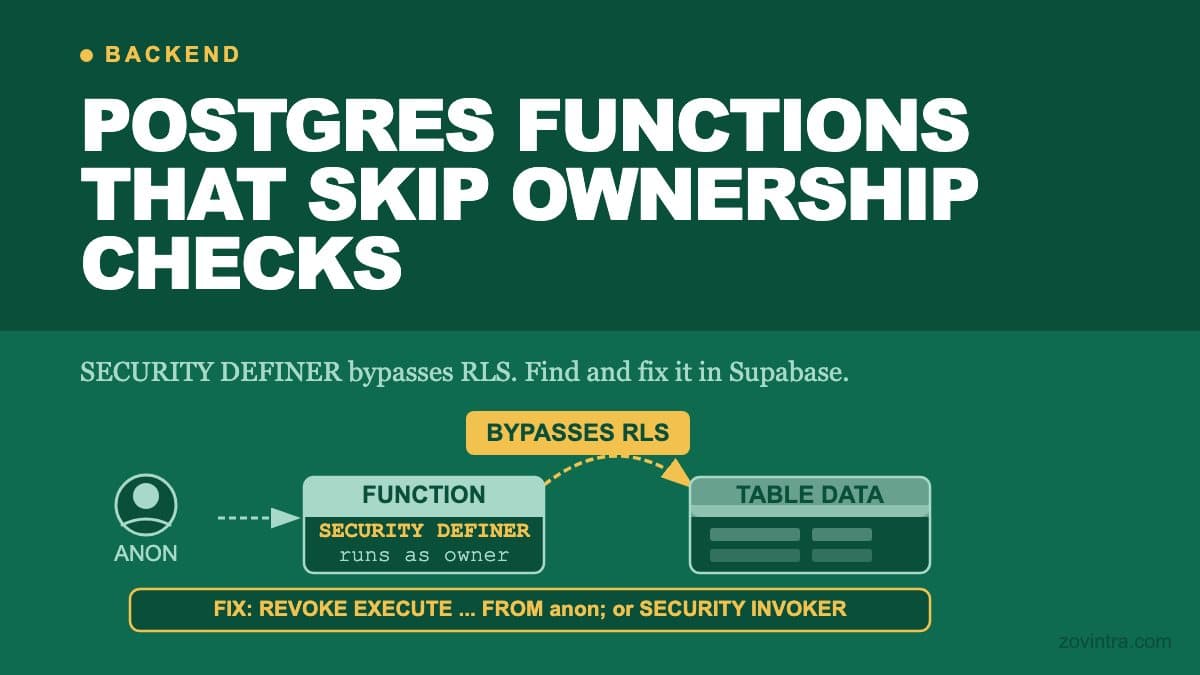
Row-level security is the Supabase feature that founders rarely consider at the start and reach for urgently six months in. RLS lets you write a policy that says 'a user can only read rows where user_id matches their authenticated ID.' Once it is in place, you cannot accidentally return another user's data from a misconfigured query. Without it, every query is a potential exposure if your application logic has a bug. If you are adding a backend to a no-code or AI-built app, understanding RLS from the start can save a painful migration later.
The Case for Combining Both
Using Firebase Auth for identity and Supabase for data is not a compromise - it is a deliberate choice that takes the strongest part of each. Firebase handles authentication, multi-device session management, and mobile push. Supabase handles structured data with migrations, RLS, edge functions for server-side logic, and SQL tooling for admin queries. Both have SDKs that work well together, and the integration is used in both our own internal product and a client product.
What the Pricing Models Mean in Practice
Both platforms have free tiers that are genuinely useful for early-stage products. Firebase's free Spark plan covers a lot of early auth usage (see above). Supabase's free plan includes a 500 MB database per project and pauses free projects after one week of inactivity - a useful limit to know if you plan to use it for a production app with real users. Both move to usage-based billing as you grow. Check the current pricing pages before you commit, since the tier limits change over time.
When to Choose Which
Firebase is the right primary data store when your app needs real-time sync between users (collaborative editing, live dashboards), when your data structure is genuinely document-oriented and unlikely to need relational queries, or when you need multi-platform push notifications as a core feature from day one.
Supabase Postgres is the right primary data store when your data is relational (users, teams, projects, billing, inventory), when you need SQL for admin tooling or reporting, or when you want row-level security as a tenant isolation layer from the start. If you are building a SaaS product where multiple users within an organisation share data, RLS gives you tenant isolation that Firestore requires more application-level discipline to enforce.
One Thing Worth Knowing About Migration Risk
The Mandizo auth migration is a useful reference point: migrating auth providers on a live app is painful because user IDs are threaded through your database. The mismatch between UUID and text ID formats caused production symptoms - existing users could not see their data - until a SQL migration corrected the type. This is not unique to Supabase or Firebase - it is a property of any auth migration on a live app. The lesson is to treat your auth choice as close to permanent and design your data model with that assumption from day one. If you later need to swap providers, budget it as a major engineering project.
Our default on new projects is Firebase Auth plus Supabase Postgres. It is the combination we reach for because it handles the full range of authentication scenarios while giving us the database discipline that scales. If you are picking a stack for a new app and want to talk through the trade-offs for your specific product, we are happy to discuss it.
Common questions
Should I use Firebase or Supabase for a new app?
Firebase suits real-time sync, multi-platform push and fast authentication. Supabase suits relational data, fine-grained access rules, server-side logic and SQL analytics. They are not mutually exclusive; Zovintra's default is Firebase Auth plus Supabase Postgres.
Is it painful to switch auth providers later?
Yes. User IDs are threaded through your database, so on a live app a switch is expensive. During the Mandizo build, a UUID versus text ID mismatch meant existing users could not see their data until a SQL migration fixed it. Treat your auth choice as close to permanent.
When should I get advice on picking a backend stack?
If you are picking a stack for a new app and want to talk through the trade-offs for your specific product, Zovintra is happy to discuss it. Choosing before you have real users avoids an expensive migration later.
Sources
- Third-party auth: Firebase Auth - Supabase docs, accessed 19 Oct 2026
- Supabase Pricing - Supabase, accessed 19 Oct 2026
- Firebase Pricing - Google Firebase, accessed 19 Oct 2026