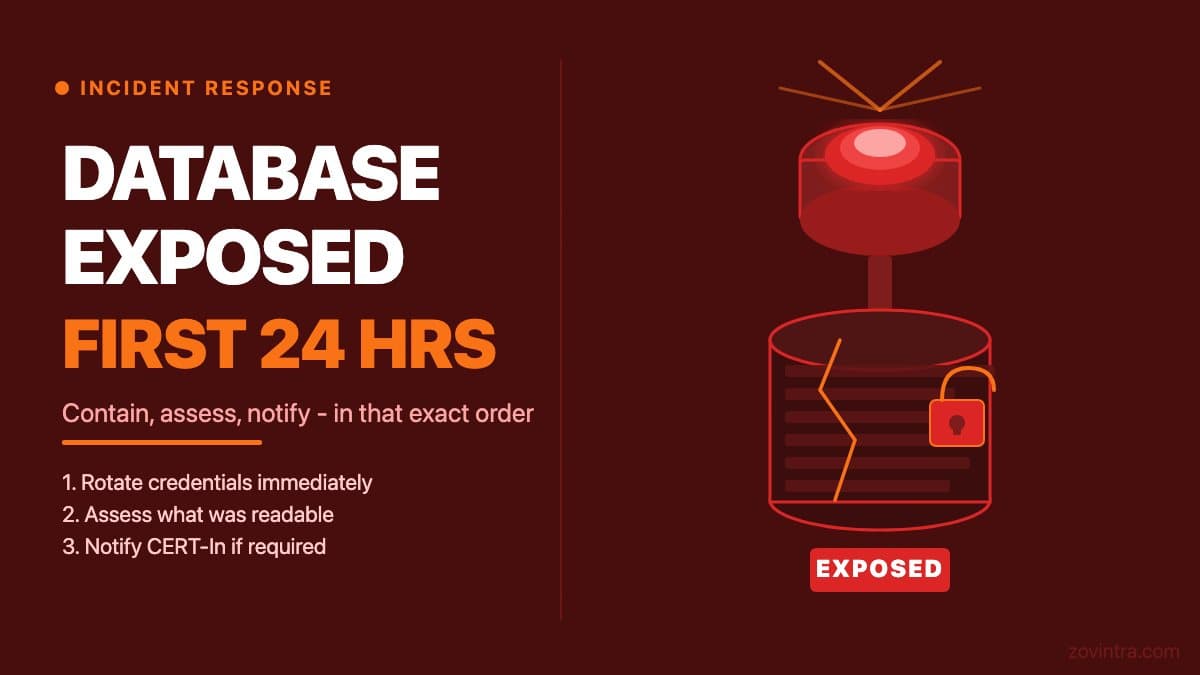
If your database credentials were leaked, your Supabase project was left publicly readable, or you discovered rows of user data in a public endpoint, the right first action is to rotate or revoke the exposed credential immediately - before you tell anyone, before you write a post-mortem, before you call a lawyer. Containment comes first. Then you assess what was actually exposed. Then you figure out who needs to know, and by when. This post walks through that sequence for a startup or small-team app, with specific notes for Indian teams covered by the DPDP Act and CERT-In reporting rules.
Note: nothing in this post is legal or regulatory advice. If you are handling a significant personal data breach affecting Indian users, engage a qualified legal adviser alongside the technical steps below.
Step 1: Contain the breach before anything else (minutes 1-30)
The instinct when something goes wrong is to post about it internally, hold an emergency call, or start drafting a customer email. All of that can wait 30 minutes. What cannot wait is closing the access path that is still open. If a service role key was committed to a public GitHub repository, rotating it in Supabase means creating a new key under Settings > API Keys, swapping it into every place your app uses it, then deactivating the old legacy key (or deleting the old secret key). Do the swap quickly, because the old key stays valid until you retire it. If a Firebase Admin SDK credential was exposed, go to Google Cloud IAM and revoke the service account key. If an environment variable containing a database password was checked in, rotate the password at the database level first, then fix the code.
What most teams do wrong in the first 30 minutes is try to diagnose and fix simultaneously. Diagnosis takes time. The credential you are studying is still live while you read the logs. Rotate first. You can restore access to your own systems afterwards - you cannot un-expose data that was read during the time you were investigating.
If your Supabase project was fully public (no RLS, anon key usable to read all data), deactivating the legacy anon key in the same API Keys settings (it keeps working until you disable it) limits further read access, though any data already read cannot be recovered. Document the time you rotated or disabled each credential - you will need this timestamp for any notifications. See the service role key exposure guide for Supabase-specific steps.
Step 2: Assess what was actually exposed (hours 1-4)
Once access is closed, the next question is: what data was reachable, and is there evidence it was accessed by someone outside your team? These are different questions and they have different implications.
For Supabase, check the project dashboard Logs view and select the API Gateway log type. Look for requests to your tables using the anon key from IP addresses you do not recognise. Note the tables queried, the estimated row counts, and the time range. If the exposure was through a leaked service role key (which bypasses RLS entirely), every table in the project must be considered potentially accessed.
For other databases, review access logs at the database level if your provider surfaces them. Log retention on Supabase depends on your plan. If your plan keeps only limited log history, note that limitation clearly in your incident record - it affects what you can and cannot confirm.
- Which tables were readable? (list them)
- What categories of data do those tables contain? (email addresses, phone numbers, payment references, government IDs, health data)
- What is the approximate number of records that were reachable?
- Is there any evidence of actual access, or is this a misconfiguration with no confirmed access?
- When did the exposure start, and when was it closed?
This list matters because the severity of your notification obligations depends directly on what data categories were involved and whether access was confirmed or only possible. Personal data such as email and phone is different in legal weight from government IDs, health records, or financial data. The distinction between 'data was reachable' and 'data was accessed' also matters, though you cannot always prove the negative.
Step 3: CERT-In and DPDP reporting for Indian teams (hours 4-24)
Indian organisations are required under CERT-In's 2022 directions to report listed categories of cybersecurity incidents to CERT-In within six hours of noticing them. The annexure of reportable incidents includes data breach, data leak and attacks on servers such as databases. The six-hour clock runs from when you notice the incident or are told about it - not from when the breach occurred. This is important because it means the assessment work in step 2 must happen in parallel with, not instead of, beginning the notification process.
The DPDP Act 2023 and the DPDP Rules (notified November 2025, applying in stages) place obligations on Data Fiduciaries to notify the Data Protection Board and affected Data Principals in the event of a personal data breach (Rule 7 of the DPDP Rules requires intimation to each affected person and to the Board without delay, with a detailed report to the Board within 72 hours or a longer period the Board allows; Rule 7 comes into force eighteen months after the 13 November 2025 gazette date, around 13 May 2027). What 'personal data' covers is broad: names, contact details, financial information, health data, and any identifier that can be linked back to an individual. If your database contains user records with email addresses and you have confirmed or likely access by an unauthorised party, you are in personal data breach territory. Again: consult a qualified adviser rather than treating this post as a compliance guide. Confirm the dates that apply to you with your adviser. See the DPDP breach response guide for a walkthrough of the notification process.
What you should have ready before making any notifications: the timeline (when the exposure started, when it was closed, when you became aware), the data categories involved, the approximate number of affected users, the root cause in plain language, and the steps you have taken to close the exposure.
Step 4: Fix the root cause, not just the symptom (hours 4-24)
Rotating a leaked credential closes the immediate hole. It does not fix why the credential was exposed in the first place. The most common root causes in AI-built apps are ones that are easy to create and easy to miss: the service role key stored in a .env file that was committed to a public repository; RLS not enabled on tables that the AI tool created; or a database connection string hard-coded into a client-side configuration file during prototyping and never moved.
After rotating, audit the full set of secrets in your project. Check your git history for any credential that was ever committed (not just in the current HEAD - in any historical commit). GitHub secret scanning runs for free on public repos but private repos need a paid GitHub plan with Secret Protection; open-source tools like truffleHog can scan commit history. Review your Supabase dashboard for tables that have no RLS policies and that contain user data. The security checklist for AI-built apps covers this audit in detail.
It is also worth understanding what the AI coding tool you used does with environment variables. Some tools copy .env files into generated code. Some suggest storing sensitive values in places that seem convenient but are not safe, like a configuration object that ships to the client bundle. If you do not understand exactly where your credentials live, a technical review before you relaunch is worth the cost of the review.
Step 5: Write the incident record before you close it out
An incident record does not have to be long. It needs: the timeline, what was exposed, what evidence exists about whether it was accessed, what was done to close it, what was changed to prevent recurrence, and who was notified and when. This record has two practical uses. First, it is what you send to CERT-In or include in a DPDP notification - having it written removes the pressure of drafting under stress. Second, if a similar issue surfaces in future, the record gives your next developer a basis to understand what happened and what was already checked.
If you found an exposure through a routine check or a third-party alert rather than an active attack, that is worth noting in the record too. It affects how the incident reads, and it is an honest account.
What a technical review changes
The hardest part of responding to a database exposure is not the immediate containment - that part is procedural. The hard part is being confident that you have found all the exposure paths, not just the one that triggered the alert. A single leaked key in a public repo is often the visible symptom of a configuration pattern that reproduces itself: the same team that stored the service role key in a .env file may also have left other credentials in similar places, disabled RLS on more than one table, or connected services with overly broad permissions.
If you have had an exposure, a post-incident technical review of your full security posture is worth doing before you add the next feature. Our Launch and Rescue review covers the checks that matter after an incident: credential handling, RLS coverage, RPC security definer settings, dependency exposure, and access controls. You can also run the free app health check to get an automated scan of the most common issues before the review call.
Common questions
What should I do first if my database credentials were leaked?
Rotate or revoke the exposed credential immediately, before telling anyone or writing a post-mortem. Containment comes first, then assess what was exposed, then work out who needs to be notified and by when. Record the time you rotated each credential.
Do I have to report a database breach in India?
Under CERT-In's 2022 directions, listed incident categories including data breach and data leak must be reported within six hours of noticing them. The DPDP Rules add breach notification duties, with Rule 7 around 13 May 2027. This is not legal advice.
When should I get a technical review after a database exposure?
Get one before you add the next feature. The hard part is confirming you found every exposure path, not just the one that triggered the alert. Zovintra's Launch and Rescue review covers credential handling, RLS coverage, RPC security definer settings, dependencies and access controls.
Sources
- CERT-In Directions under Section 70B(6) of the IT Act - CERT-In, 28 Apr 2022
- DPDP Rules, 2025 (Gazette of India) - Ministry of Electronics and IT, 13 Nov 2025
- API keys - Supabase docs, accessed 19 Oct 2026
- Logging - Supabase docs, accessed 19 Oct 2026
- About secret scanning - GitHub docs, accessed 19 Oct 2026