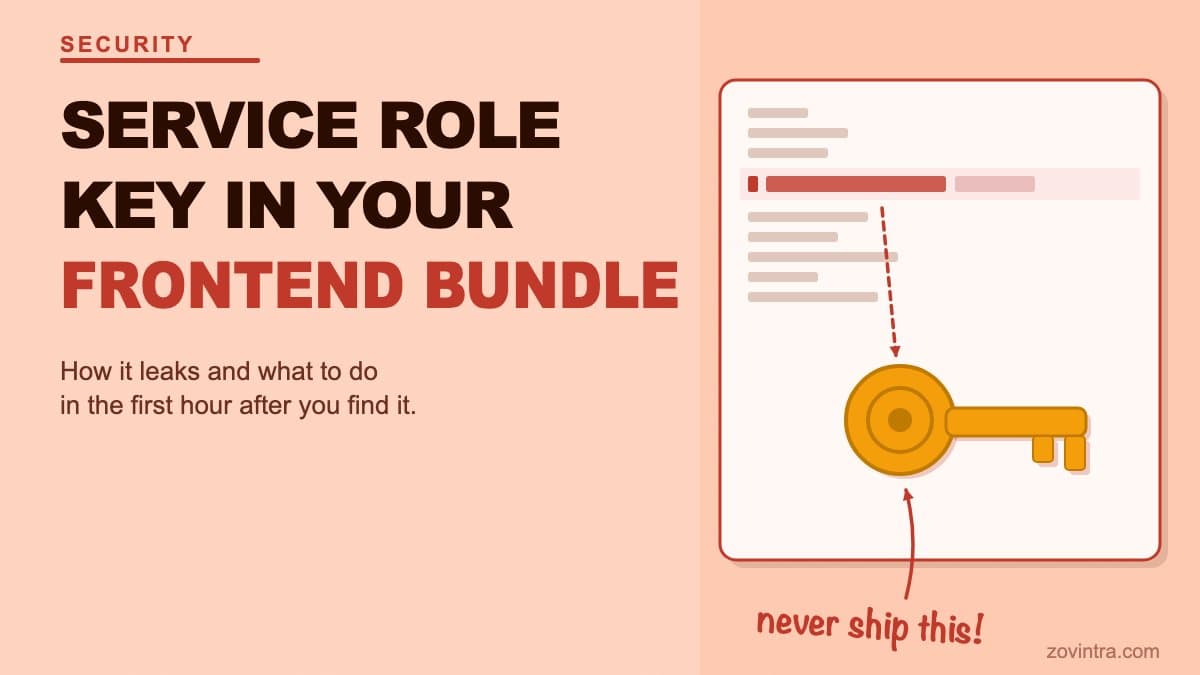
A Supabase service role key in your frontend JavaScript bundle gives any visitor to your site the same database access as your server. It bypasses every Row Level Security policy. If you have found one - or suspect one is there - rotate it immediately, then work backward to understand the exposure.
The Supabase API keys documentation says the secret (service_role) key bypasses every Row Level Security policy and must never appear in a web page, a shipped app or source control.
What the service role key is and why it is dangerous
Supabase gives every project two kinds of API key. The anon (publishable) key is designed to be public - it is what your frontend uses to make requests, and your RLS policies decide what that key can and cannot access. The service role key is different. It bypasses RLS entirely. Every table, every row, every column is accessible to whoever holds it.
The intended use is server-side operations that need full database access: background jobs, admin functions, database migrations. It belongs in server-side environment variables, never in browser-executed code. When it reaches the browser, every visitor to your site holds it - and can use it to read, write, or delete anything in your database.
When an AI coding tool builds your frontend, it sometimes places the service role key in the wrong location. This happens when the tool is not given explicit instructions about the client/server distinction, when environment variable names are copied without checking prefix rules (in Next.js, any variable with the NEXT_PUBLIC_ prefix is inlined into the JavaScript sent to the browser, and other frameworks have similar prefixes), or when a function moves from a server context to a client context during iteration and the key moves with it.
How to check if it is exposed right now
Three places to look. First, build your app and inspect the output. Search the built JavaScript files for the string 'service_role' or for the first 8-10 characters of your key value. If it appears in a .js file under your public build output, it is being served to every browser that loads your app.
Second, open the browser developer tools on your live site, go to Sources, and search for 'service_role' or your key prefix. Modern bundlers inline strings at build time - they will be visible in the Sources panel if present in your client-side code.
Third, search your git history. A key that was briefly committed - even if subsequently removed from the current branch - is permanently readable in the git log. Run 'git log -p | grep -i service_role' on your local repository. If it appears in a past commit, the key value is in your history unless you rewrite it. Anyone who cloned the repository before the rewrite holds the old key.
The free code review tool checks your repository files for this pattern alongside other secret and credential exposures, including Firebase config objects and other API keys with elevated permissions. Check the built bundle yourself in the browser Sources panel - the tool does not read built output.
The first hour after you find it
Step 1: rotate the key now
Go to your Supabase project settings under API Keys and create a new secret key. Replace the compromised key everywhere your application uses it, confirm each component works with the new one, then deactivate or delete the old key - deleting cannot be undone, so deactivate first if you are unsure. Store the new key only in server-side environment variables (a server-only .env, variables without the NEXT_PUBLIC_ prefix, or a secrets manager).
Do not wait to understand the full impact before replacing the key. The old key is still live and usable while you wait. Rotate first, investigate second.
Step 2: check your Supabase logs
In the Supabase dashboard, go to Logs. Filter by the time window during which the old key was potentially exposed - from your earliest commit containing the key to the point you rotated it. Look for requests to tables that should not be publicly accessible: user records, payment records, session data, any table containing personal information.
The presence of requests does not confirm malicious access. The absence of unusual requests does not confirm safety. But the logs give you the fastest available read on what actually happened, and you need that before you decide how to respond.
Step 3: move the operations server-side
Find every place in your codebase that used the service role key. Move those operations to server-side code: API routes, server components, Supabase edge functions, or a backend service. Client-side code should only ever use the anon key through the Supabase client, with RLS enforcing what that key can access.
If an operation genuinely requires full database access and you find yourself wondering whether it must run from the client - it does not. The pattern is always: client calls an authenticated server endpoint, the server endpoint performs the privileged operation with the service role key stored in a server environment variable.
Step 4: clean up git history if the key was committed
If the key appeared in a git commit, rotating it is the essential step; rewriting history is optional clean-up. GitHub's guidance on removing sensitive data from a repository recommends git filter-repo, which rewrites commit hashes, so everyone with a clone will need to re-clone and a force push is required. Coordinate with your team before doing this, and treat the old key as compromised regardless, because you cannot be certain who cloned the repository while the commit was reachable.
When to treat this as a breach, not just a mistake
If the key was in a public repository, or if the app was live with real users while the key was exposed, treat it as a potential breach. The question is not whether someone saw it - you cannot determine that. The question is whether someone could have, and what they could have done with it.
If you process personal data under India's DPDP Act - user accounts, payment records, health information, anything tied to identifiable people - Rule 7 of the DPDP Rules requires you to tell affected people and the Data Protection Board without delay after a breach, followed by a detailed report to the Board within 72 hours (or a longer period the Board allows). Rule 7 comes into force eighteen months after the 13 November 2025 gazette date, around 13 May 2027. Whether a leaked key that provided database access constitutes a breach depends on evidence of access, and that is a legal question - this is not legal advice. Get qualified advice quickly if you have real user data and a real exposure window.
Start with the app health check for the technical picture of your current exposure. If you need help scoping what actually happened and what your obligations are, a technical review is the right next step.
Why AI tools get this wrong
This failure mode is not unique to any particular model or tool. It is structural. AI coding tools generate code that does what you ask. If you ask for a function that queries the database with full access and do not specify that it must run server-side, the tool writes a function that works. It works locally, in development, with the service role key in the .env file. It breaks the security boundary when deployed - but the tool does not know 'deployed' from 'local'.
The security boundary between server and client is a constraint that must be stated explicitly. Most founders do not know to state it, and most AI tools do not enforce it without being asked. This is one of the reasons the security checklist for AI-built apps exists as a pre-launch step, not an afterthought.
What to tell users if data was accessed
If your log review finds evidence of unauthorised access, communicate with affected users in plain language before they find out from a third party. Tell them what happened, what data was accessible, what you have done, and what they should do (change passwords if credentials were involved, watch for suspicious activity).
The instinct is to wait until you understand everything before communicating. That instinct works against you. Users who hear about a problem honestly and promptly are far more forgiving than users who discover it from someone else. Get a technical review to help you accurately scope the exposure before you draft that communication - what you say needs to be accurate, not reassuring.
Common questions
What happens if my Supabase service role key is in my frontend code?
Every visitor to your site then holds a key that bypasses every Row Level Security policy, so they can read, write or delete anything in your database. Rotate the key immediately, then investigate what the exposure allowed.
Should I rotate the key or investigate first?
Rotate first, investigate second. The old key stays live and usable while you work out the impact. Create a new secret key, replace the old one everywhere, confirm each component works, then deactivate the old key before deleting it.
When should I get a technical review after a leaked key?
If the key was in a public repository, or the app was live with real users while it was exposed, treat it as a potential breach and get qualified advice quickly. A technical review can help scope what was accessible and what your obligations are.
Sources
- Understanding API keys - Supabase Docs, accessed 19 Oct 2026
- Environment Variables - Next.js Docs, 2026-08-25
- Removing sensitive data from a repository - GitHub Docs, accessed 19 Oct 2026
- DPDP Rules, 2025 (Gazette of India) - Ministry of Electronics and IT, 13 Nov 2025