Both Apple and Google now ship on-device AI inference directly in the operating system. As of October 2026, Apple's Foundation Models framework gives developers access to the on-device model behind Apple Intelligence on supported devices, and Google's Gemini Nano runs on selected Android devices through AICore and the ML Kit GenAI APIs. For a mobile team, the question is no longer whether on-device AI is possible - it is whether it is the right choice for a specific feature and the specific devices your users carry.
What On-Device AI Actually Means in Practice
On-device AI runs inference on the device's Neural Processing Unit (NPU) or GPU without a network call. The model is already on the device - installed as part of the operating system. Your app requests capabilities through a platform API; the model processes the input locally and returns a result.
This is architecturally different from cloud AI, where your app sends a request to an external API (OpenAI, Anthropic, Google, or your own hosted model), the server runs inference, and the response comes back over the network. Each model has different latency, privacy, capability, and cost characteristics.
iOS: Apple Foundation Models
Apple's Foundation Models framework, announced at WWDC25 on 9 June 2025, exposes the on-device Apple Intelligence model through a Swift API, and Apple says the inference is free of cost and can work offline. Apple's machine learning research post describes the on-device model as a compact, approximately 3-billion-parameter model, so expect summarisation, extraction and classification rather than broad world knowledge.
The framework includes guided generation (constraining output to a Swift type) and tool calling, per Apple's announcement. It depends on Apple Intelligence, which Apple lists as available on iPhone 15 Pro, iPhone 15 Pro Max, iPhone 16 models and later, iPads with M1 or later, and the iPad mini (A17 Pro). Older devices cannot use the on-device model, which for many apps means a sizeable part of the installed base.
Apple positions the framework as privacy-protecting because the model runs on the device. Check Apple's documentation for any server-side options and their data handling terms. For features that handle sensitive personal data, this on-device characteristic is genuinely significant.
Android: Gemini Nano and AICore
Google's on-device AI for Android is delivered through Android AICore, a system service that handles model distribution and updates on compatible hardware. Gemini Nano, Google's on-device model, is reached through the ML Kit GenAI APIs or the Google AI Edge SDK, and apps on a device share the one model already installed.
As of October 2026, Google's ML Kit GenAI page lists the feature APIs (summarisation, proofreading, rewriting, image description) on the Pixel 9 through Pixel 11 series plus many Samsung, Honor, Xiaomi, OnePlus, OPPO, vivo and other models, and says support is expanding. The Prompt API depends on which Gemini Nano version the device runs. Unlike iOS, availability is not tied to a single hardware line, so check the current device list and handle unsupported devices in code.
Per the same page, the ML Kit GenAI APIs cover summarisation, proofreading, rewriting, image description, speech recognition and custom prompts. Inference works only while the app is in the foreground, and per-app quotas can return a busy error, so design for both. For unsupported devices or complex queries, Google points to the Firebase AI Logic hybrid API, which can fall back to cloud Gemini models.
Decision Table: On-Device vs Cloud AI
The right choice depends on the feature and the constraints. Here is a practical comparison across the factors that matter most for a mobile team:
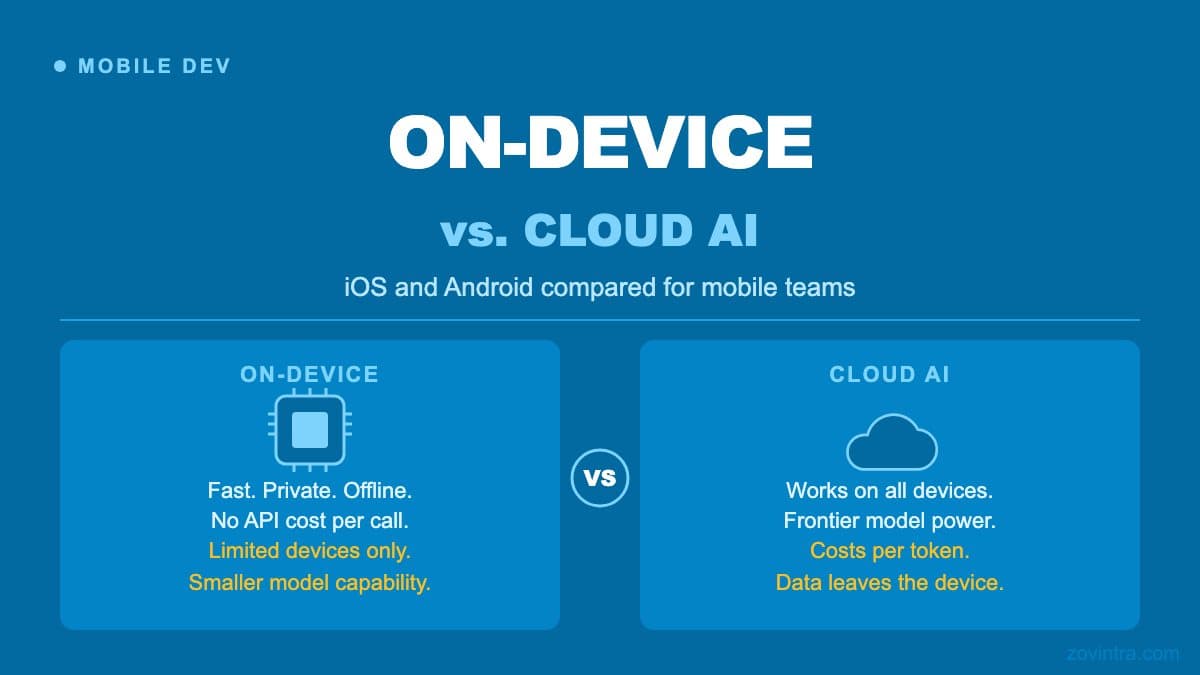
- Latency: On-device is faster for short inputs (no network round-trip). Cloud AI adds a network round-trip and its latency depends on the model and provider. For features where a response needs to appear instantly, on-device wins on compatible hardware.
- Availability: On-device only works on supported devices. You must code a fallback for users on older or unsupported hardware. Cloud AI works on any device with internet access.
- Privacy: On-device keeps data on the device. Cloud AI sends input to the model provider's servers. For features involving health data, financial data, or personal messages, on-device has a clear privacy advantage.
- Capability: Cloud frontier models from the major providers are significantly more capable than on-device models for complex reasoning, longer context, and multi-step tasks. On-device models are suitable for classification, summarisation of short text, and structured extraction.
- Cost per call: On-device has no per-call API cost (Apple calls its inference free of cost; Google says there is no per-call server cost). Cloud AI is charged per token. For features with high call volumes, on-device can reduce operating costs meaningfully - once the hardware is compatible.
- Model updates: On-device models are updated by the OS. You do not control when the model changes or what changes. Cloud API models are versioned; you can usually pin a specific version and control when you adopt changes, subject to the provider's retirement schedule.
- Offline support: On-device works without internet. Cloud AI requires a connection. For offline-first apps, on-device is the only option for AI features.
The Compatibility Gap Problem
The biggest practical challenge with on-device AI is the compatibility gap. If you ship a feature that depends on Foundation Models or Gemini Nano, a significant portion of your user base will not have the required hardware. You need to decide: skip the feature for those users, fall back to cloud AI (adding the cost and privacy trade-offs you were trying to avoid), or build two code paths.
Building two code paths - on-device for capable hardware, cloud AI fallback for everything else - is not difficult, but it doubles the surface you need to test and maintain. Every change to the feature needs to work correctly on both paths, and the model outputs may differ between the on-device and cloud versions, which can produce inconsistent user experiences.
Which Features Work Well On-Device
On-device AI is a good fit for features that require low latency, handle sensitive data, or benefit from offline availability, and where the task is within the capability of a small model. Good examples include: auto-completing short text inputs, tagging or classifying items the user creates, rewriting a short piece of text for tone, extracting structured data from a short input (date, name, amount), and generating a brief summary of a note or document.
Cloud AI remains the better choice for features that require broader knowledge, longer context, multi-turn reasoning, or very high accuracy - generating detailed explanations, answering open-ended questions, or processing documents that exceed the on-device context window.
What This Means for Your App Decision
On-device AI in iOS and Android is real and increasingly capable, but it is not a simple drop-in replacement for cloud AI. The device compatibility gap is a genuine constraint that affects architecture decisions. If you are planning an AI feature for a cross-platform mobile app, the approach worth considering is: design for cloud AI as the default, add on-device as a progressive enhancement where the hardware supports it, and use on-device where privacy is a hard requirement.
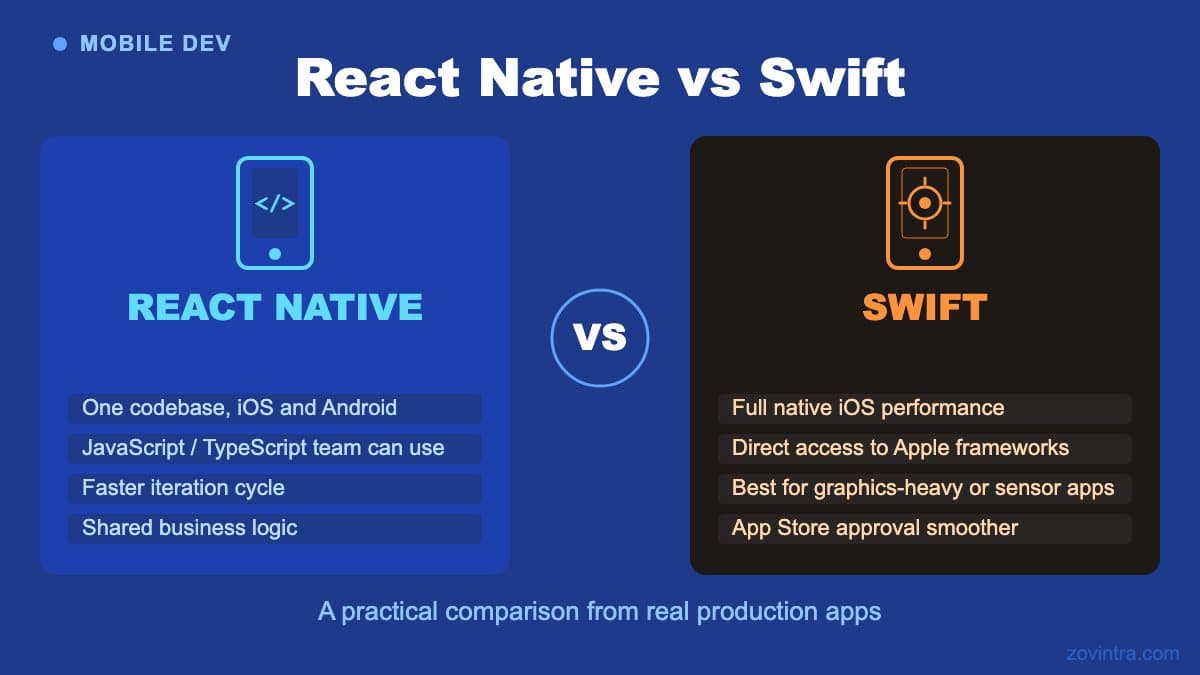
The choice between native and cross-platform development matters here too: Foundation Models is a Swift API, and accessing it from a cross-platform framework adds an abstraction layer that may not expose all capabilities at launch. Check the specific documentation for your framework before committing to on-device AI as a feature requirement.
If you are working through the architecture of a mobile app that includes AI features and want to talk through the trade-offs for your specific case, get in touch with the mobile team.
Common questions
Which iPhones support Apple's on-device Foundation Models?
The framework depends on Apple Intelligence, which Apple lists as available on iPhone 15 Pro, iPhone 15 Pro Max, iPhone 16 models and later, iPads with M1 or later, and the iPad mini (A17 Pro). Older devices cannot use the on-device model.
Should my mobile app use on-device AI or cloud AI?
Design for cloud AI as the default, add on-device as a progressive enhancement where hardware supports it, and use on-device where privacy is a hard requirement. On-device suits short, low-latency tasks such as classification and summaries; cloud suits broader knowledge and longer context.
Can someone help me plan AI features in a mobile app?
The compatibility gap forces a choice: skip the feature on unsupported devices, fall back to cloud AI, or build two code paths that double the testing surface. Zovintra's mobile team can talk through these trade-offs for your specific case.
Sources
- Apple Intelligence gets even more powerful with new capabilities across Apple devices - Apple Newsroom, 2025-06-09
- Updates to Apple's On-Device and Server Foundation Language Models - Apple Machine Learning Research, 2025
- Apple Intelligence supported devices - Apple Support, accessed 19 Oct 2026
- Gemini Nano - Android Developers, accessed 19 Oct 2026
- ML Kit GenAI APIs - Google for Developers, accessed 19 Oct 2026