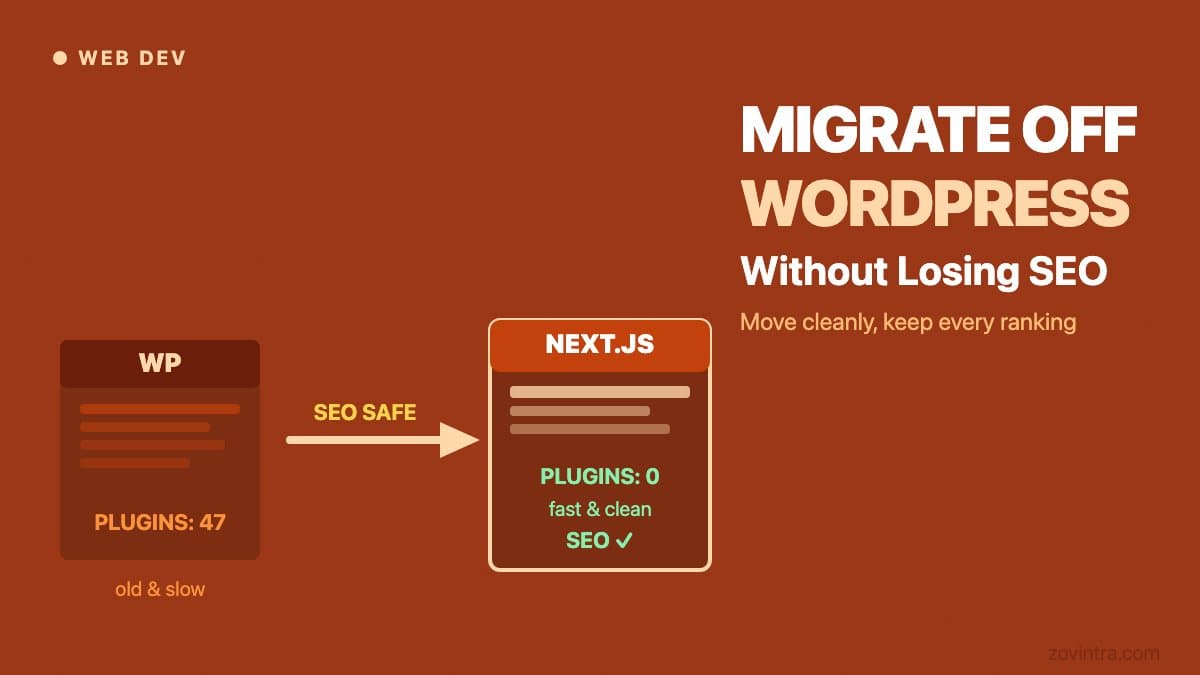
WordPress powers roughly 43% of the web, which means a lot of businesses are running sites that were set up years ago, accumulated plugins like barnacles, and now run slowly, break on updates, and cost more to maintain than they should. Moving off WordPress is the right call for a lot of these teams - but doing it wrong is one of the fastest ways to destroy search rankings that took years to build.
“A WordPress migration that drops 40% of your organic traffic is not a technical win, no matter how clean the new codebase is.”
The SEO cost most migration guides skipWhy Most Migrations Hurt SEO
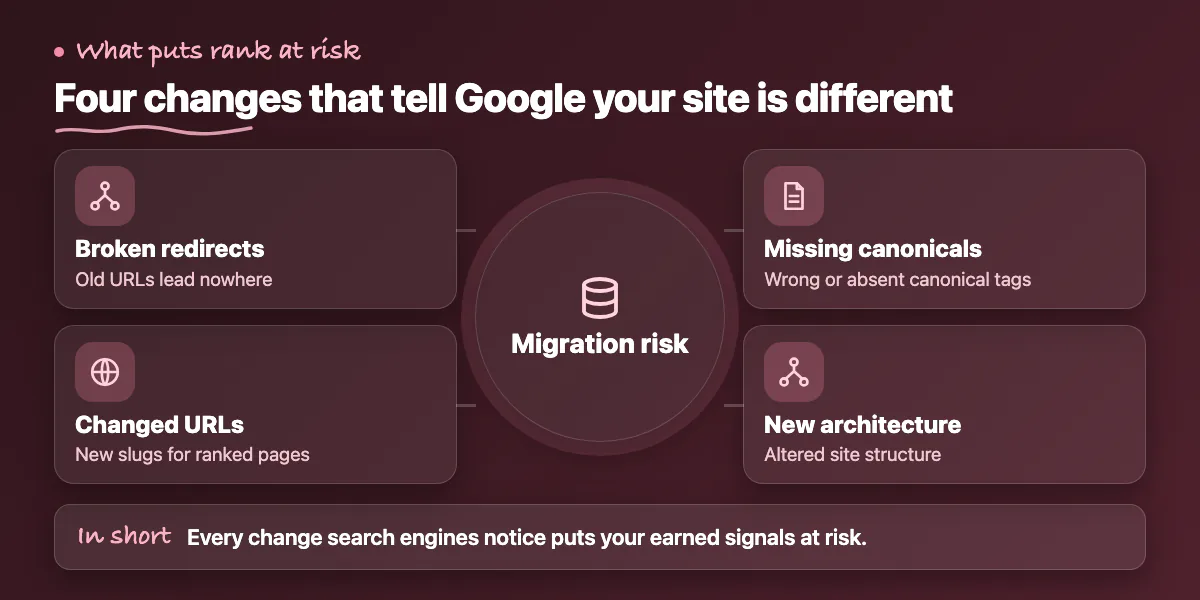
Search engines have indexed your current URLs, assigned authority to specific pages, and built a relationship between your domain and the keywords you rank for. When you migrate, every one of those signals is at risk. The mechanics are not complicated - broken redirects, changed URL structures, missing canonical tags, and altered site architecture all send signals that something has fundamentally changed.
Google's John Mueller has said publicly that a site migration is one of the most disruptive events from a crawling and indexing perspective. Even migrations handled by experienced teams see a temporary dip of 10% to 20% in rankings while Google re-evaluates. Poorly handled migrations - especially those with incomplete redirect maps or changed URL slugs - can see 40% to 70% traffic drops that take 6 to 12 months to recover from, if they recover at all.
Before You Write a Single Line of Code
The most important migration work happens before the new site is built. You need a complete crawl of your current WordPress site - every URL, every canonical tag, every internal link, every backlink pointing to your domain. Tools like Screaming Frog and Ahrefs give you this data. Without it, you are migrating blind.
From that crawl, identify which pages are actually earning rankings and traffic. In most WordPress sites, 10% to 15% of pages drive 80% to 90% of organic traffic. Those pages are sacred during a migration. Their URL slugs should be preserved exactly where possible. If you must change a URL, a 301 redirect from old to new is non-negotiable - not optional, not "we'll do it later."
The Redirect Map: Where Teams Get It Wrong
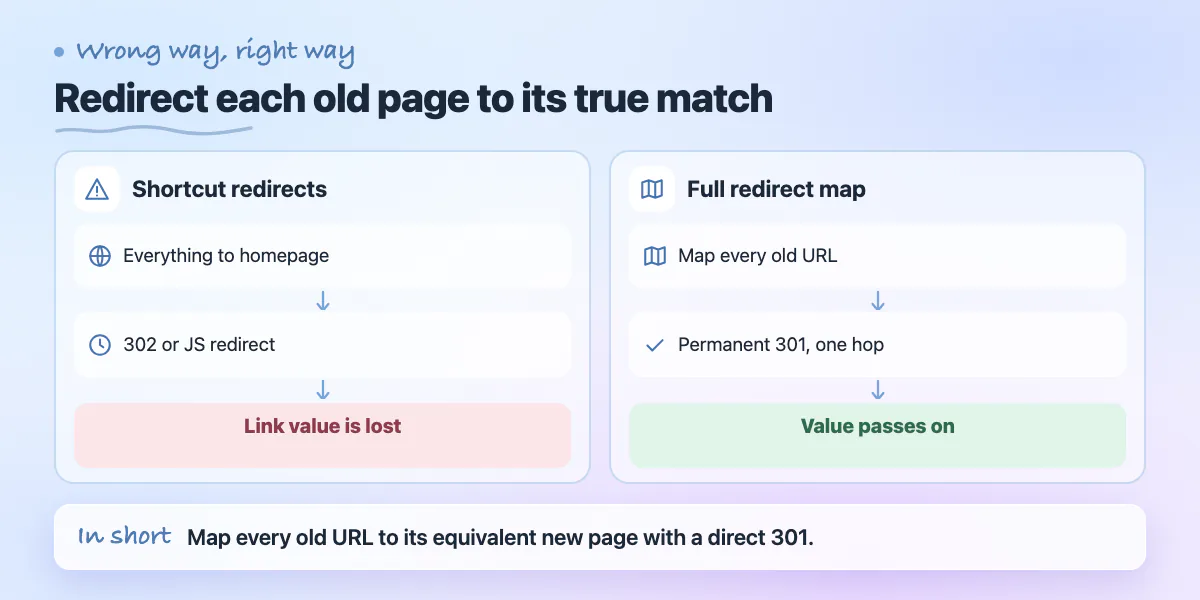
A redirect map is a spreadsheet that lists every old URL and the new URL it should point to. It sounds tedious because it is - and that is why it is skipped or done partially on most DIY migrations. A redirect that returns a 302 (temporary) instead of a 301 (permanent) does not pass link equity. A chain of two redirects (old URL goes to intermediate URL goes to new URL) loses 10% to 15% of link equity at each hop.
Common mistakes: redirecting every old URL to the homepage instead of the equivalent new page (this is nearly as bad as no redirect), using JavaScript redirects that Googlebot may not follow reliably, and forgetting to redirect old image URLs that have earned backlinks. Each of these looks invisible in the browser but registers clearly in how Google treats the migration.
Choosing the Right Platform to Migrate To
The choice of destination platform depends on what WordPress was actually failing at for your specific site. If the issue was performance, a headless setup with a CDN-delivered frontend - Next.js on Vercel, for example - will dramatically improve Core Web Vitals scores. If the issue was content editing complexity, a platform like Sanity or Contentful gives content teams a cleaner interface while keeping the frontend flexible.
If the issue was plugin bloat, moving to a lightweight CMS solves the symptom but you need to be honest about which plugin functionality you actually need to replicate. A lot of WordPress plugins exist to patch gaps that a purpose-built platform handles natively - contact forms, SEO meta management, image optimisation. Auditing your plugin list before migration tells you what you actually depend on versus what just accumulates over time.
Technical SEO Checklist for Migration Day
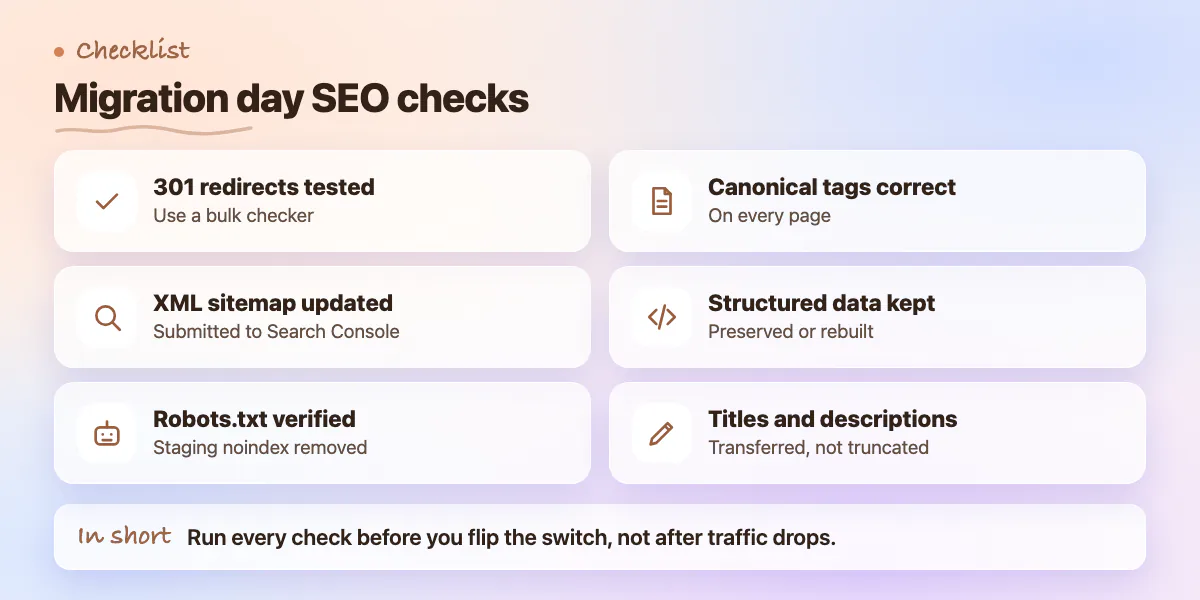
- All 301 redirects tested and returning correct HTTP status codes (use a bulk checker, not manual clicks)
- XML sitemap updated to reflect new URL structure and submitted to Google Search Console
- Robots.txt verified - staging noindex directive has been removed from production
- Canonical tags pointing to correct new URLs on every page
- Structured data (schema markup) preserved or rebuilt on key pages
- Page titles and meta descriptions transferred and not truncated by new platform
What to Watch in the First 30 Days
After migration, Google Search Console is your dashboard. Watch for a spike in 404 errors - these are pages Google is trying to crawl that no longer exist. Each 404 from a previously indexed URL should have a 301 redirect added immediately. Watch for coverage drops in the Index Coverage report, which will show pages being excluded or flagged.
Rankings will fluctuate in the first 2 to 4 weeks as Google re-crawls and re-evaluates. A temporary dip followed by a recovery to previous levels is normal. A sustained drop after 6 weeks signals something structural - either a redirect is missing, canonical tags are wrong, or the new site has a performance regression that is hurting Core Web Vitals scores.
The Cost of Getting It Wrong Twice
The business reality is that a botched migration can take 6 to 12 months to recover from in terms of organic traffic. For a site generating $20,000 per month from organic leads, a 40% traffic drop for 6 months is $48,000 in lost pipeline - many times the cost of doing the migration properly the first time.
Migrations are one of those projects where the risk is asymmetric. A well-executed migration costs more upfront but the downside of a poor one is enormous and slow to recover. If you are planning to move off WordPress and want to make sure your SEO survives the transition, it is worth getting a technical SEO review of the migration plan before you go live - not after something breaks.
Common questions
Why do 301 redirects matter when moving off WordPress?
A 302 temporary redirect does not pass link equity, and a chain of two redirects loses 10% to 15% of link equity at each hop. Sending every old URL to the homepage is nearly as bad as no redirect. Each changed URL needs a 301 to its equivalent new page.
How long do rankings take to recover after a website migration?
Rankings fluctuate for the first 2 to 4 weeks as Google re-crawls, and a temporary dip then recovery is normal. A sustained drop after 6 weeks signals something structural, such as a missing redirect or wrong canonicals. Badly handled migrations can take 6 to 12 months to recover.
Should I get an SEO review before migrating off WordPress?
The post recommends a technical SEO review of the migration plan before you go live, not after something breaks. The risk is asymmetric: a well-executed migration costs more upfront, but the downside of a poor one is enormous and slow to recover from.
Building something similar?
Talk to our engineering team about your architecture, roadmap, and delivery timeline.
Request a Technical Review →
We design, engineer, and deploy high-performance web platforms, mobile applications, and intelligent cloud systems.