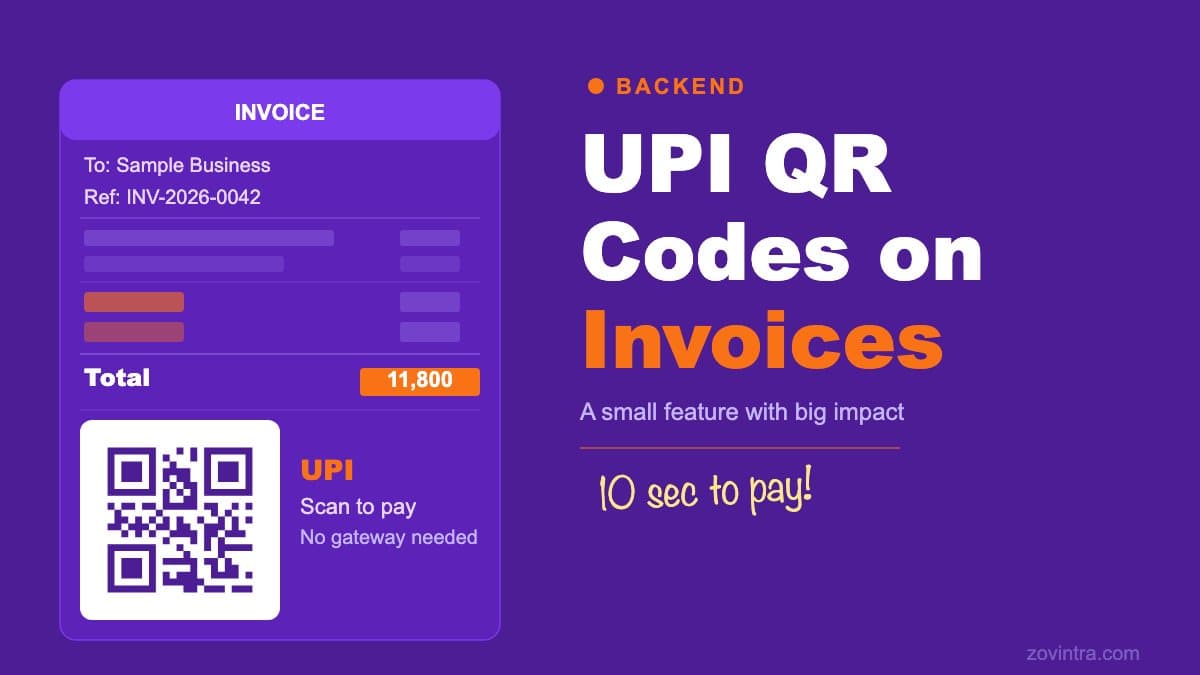
A UPI QR code on an invoice is a payment convenience feature, not a payment gateway. It generates a scannable code that pre-fills the payer's UPI app with the payee's VPA, the payee name and the invoice amount. The payer taps confirm. The money moves through the standard UPI rail. Nothing else changes: there is no webhook, no settlement confirmation and no automatic invoice status update. On Mandizo we added this feature to the invoice editor, and this post covers how it works and where its limits are.
What a UPI QR Code Actually Encodes
The UPI deep link format is defined in NPCI's UPI Linking Specifications. We read version 1.6 (November 2017, marked as a draft), as hosted by Labnol. NPCI's own copy and any newer version could not be retrieved from npci.org.in, so check NPCI for the current version before relying on the details below. A UPI payment QR code encodes a URI in the form:
`upi://pay?pa=business@upi&pn=Business%20Name&am=1500.00&cu=INR&tn=Invoice%20INV-0042`
The parameters are: `pa` (payee address, the VPA or UPI ID), `pn` (payee name), `am` (amount), `cu` (currency) and `tn` (transaction note). In that specification `pa` and `pn` are mandatory in both static and dynamic modes, `tn` is an optional short description, and `am` is a decimal amount that is optional in static mode and mandatory in dynamic mode; if `am` is absent, the amount field in the payer's app is editable. `cu` is optional and currently accepts only INR. The same specification adds a transaction reference (`tr`), mandatory for merchant transactions and dynamic URL generation, which a simple invoice QR does not use. It also says spaces must be encoded as `%20` and not left as `%` or written as `+`, and that all PSP apps must mandatorily listen for `upi://` links. Google's Pay documentation lists the same parameters (`pa`, `pn`, `mc`, `tr`, `tn`, `am`, `cu`) for its `upi://pay` URI and refers readers to the NPCI UPI Linking Specification for the request details. We have not tested every UPI app.
What It Does Not Do
This is worth stating clearly because the phrase 'UPI payments on invoices' can be misread as a payment integration:
- No payment gateway: there is no API call to a payment processor, no merchant account setup, no settlement delay and no transaction fee at the software level. The payment travels through whatever UPI app the payer uses.
- No confirmation: the software does not know whether the payment was made. The payer's UPI app sends a success notification to the payer; the payee receives a credit notification from their bank. Neither of these goes to the invoice software.
- No automatic status change: the supplier marks the invoice as paid manually. The QR makes it easier for the payer to pay; it does not close the loop automatically.
- No refund handling: a UPI refund goes through the payer's UPI app, not through the invoice software.
- Amount pre-fill is advisory: the payer can change the amount before confirming in their UPI app unless the app locks it. If the correct amount matters, the invoice total should still be stated clearly in text.
Why Small Businesses Find It Useful
For a small business sending invoices to customers in India, the typical collection problem is not the willingness to pay but the friction. A recipient has to find the account details, open their banking app and type in the right amount. A QR code removes the typing: the recipient scans, the payee and amount are pre-filled, and they confirm.
The practical benefit is fewer 'which account do I send to' and 'how much do I pay' questions from clients. The QR code is not a payment product; it is a reduction in payment friction.
Implementation in a PDF
On Mandizo, the QR is generated in the browser by the invoice editor, so no payment detail is sent to a third-party QR service. The `qrcode` npm library draws the QR onto a canvas, with high error correction so a small logo can sit in the centre, and the result is a PNG data URI that each invoice template displays as an image. Invoices are exported through the browser's print-to-PDF flow, so the QR on screen is the QR in the PDF.
The generation flow is:
- The user enters their UPI ID in the payment details section of the invoice form.
- The app checks the ID looks like a valid VPA (name@bank) before doing anything else.
- It builds the UPI URI from the VPA, the business name and the invoice total, with the currency set to INR.
- The qrcode library renders that URI to a canvas and a PNG data URI.
- The invoice templates show the image next to the payment details, and the user downloads or prints the invoice as a PDF.
The QR is only generated if the user has entered a UPI ID that passes the format check. If the field is empty or malformed, no QR is shown and no empty placeholder is rendered.
Design Decisions Worth Noting
QR size and placement
We render the QR at 320 pixels internally and display it at roughly 124 pixels on the invoice, with a white margin and thin border. We did not test a minimum scannable size across UPI apps, so treat any specific minimum as something to test on your own devices. The QR sits in the payment section near the total, not in the footer, so it is naturally associated with the amount.
Amount in the QR
We pre-fill the invoice total in the QR, which is the most convenient behaviour. The trade-off is that if the invoice is partially paid or the amount is negotiated after sending, the QR becomes misleading. Mandizo shows the total amount from the invoice; it does not dynamically adjust for partial payments.
Currency
UPI only supports INR, and the QR always carries `cu=INR`. Mandizo does not currently hide the QR when an invoice is in another currency, and it passes the invoice total as the amount, so a foreign-currency invoice with a UPI ID set would show a QR whose amount is in the wrong currency. If you build something similar, gate the QR on an INR invoice.
When You Want Full Payment Integration Instead
If you need automatic confirmation, webhook-driven status updates, or support for card payments and international transfers, you need a payment gateway integration rather than a UPI QR code. Gateways such as Razorpay offer payment links that accept UPI alongside cards and netbanking, with webhook events for notifications. These require a merchant account with the gateway and usually a per-transaction fee, so check the gateway's current pricing.
The choice depends on volume and process. For a business with a modest number of invoices where the supplier checks payment in their own UPI app, the QR approach is usually sufficient. For higher volumes or for businesses that need automated reconciliation, gateway integration is worth the setup cost.
Common Questions About UPI QR on Invoices
Does the payer need a specific UPI app?
Any UPI app that registers the `upi://pay` scheme can handle a standard UPI QR, and the NPCI linking specification we read says all PSP apps must listen for these links. We have not tested every app, so test with the apps your clients actually use.
What if the invoice amount changes after sending?
The QR code encodes the amount at the time it is generated. If the invoice is revised - a line item is corrected, a discount is applied - the QR in the editor updates, but any PDF already sent still carries the old amount. Regenerate and resend the invoice if the amount changes.
Is this different from a UPI payment link?
A payment link from a gateway creates a transaction record on the gateway's side and can notify you of payment through webhooks. The QR code approach described here creates no record anywhere until the payer's bank confirms the credit to the payee's account. They serve different purposes: the QR is a convenience feature; the payment link is a tracked transaction.
Building Your Own Invoicing Product
Mandizo is a custom invoicing product built by Zovintra. The UPI QR feature was a small addition once the invoice templates existed; the larger investment was in GST-correct tax computation and invoice numbering. If you need a custom invoicing product for your business, we can help you scope and build it.
Common questions
What does a UPI QR code on an invoice actually do?
It generates a scannable code that pre-fills the payer's UPI app with the payee's VPA, the payee name and the invoice amount, and the payer taps confirm. It is a convenience feature, not a payment gateway: there is no webhook, no settlement confirmation and no automatic invoice status update.
Does a UPI QR code work on foreign-currency invoices?
No. UPI only supports INR and the QR always carries cu=INR. Mandizo does not currently hide the QR on invoices in other currencies, so a foreign-currency invoice with a UPI ID set would show a QR with the amount in the wrong currency. Gate the QR on INR invoices.
When do I need a payment gateway instead of a UPI QR?
If you need automatic confirmation, webhook-driven status updates, or card and international payments, you need a gateway integration. For modest volumes where you check payment in your own UPI app, the QR is usually sufficient. If you need a custom invoicing product, Zovintra can help you scope and build it.
Sources
- NPCI UPI Linking Specifications v1.6 (draft, Nov 2017) - NPCI document, copy hosted by Labnol (NPCI's own copy not retrievable), accessed 19 Oct 2026
- Google Pay for India: in-app payments - Google, accessed 19 Oct 2026
- Razorpay Payment Links - Razorpay docs, accessed 19 Oct 2026
- qrcode npm package - npm, accessed 19 Oct 2026