“You cannot manage what you cannot see. And most founders cannot see their software projects clearly enough to act on what they see.”
The visibility problemOne of the most challenging aspects of running a software project as a non-technical founder is knowing whether the project is actually on track. Status updates are often optimistic. Timelines slip quietly before they slip obviously. Problems are surfaced late rather than early because teams are often hoping to resolve them before they need to escalate.
This guide gives you a set of concrete, observable signals - things you can check without understanding code - that tell you whether your project is progressing as it should.
The Most Reliable Indicator: Working Software Every Two Weeks
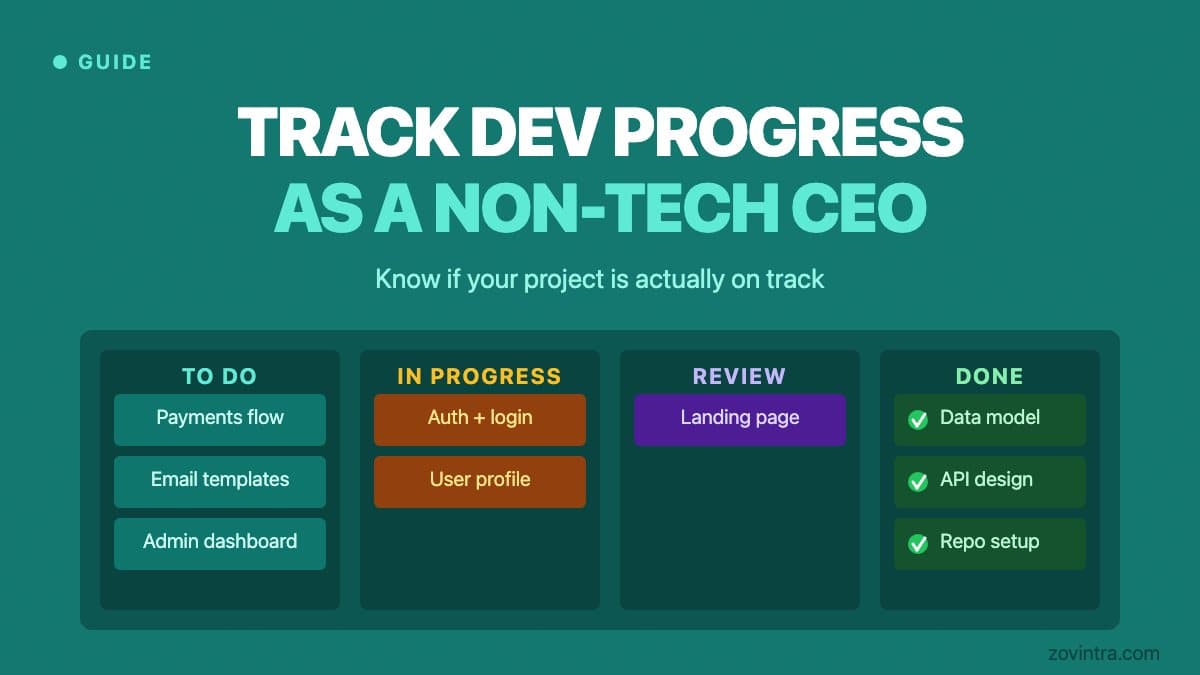
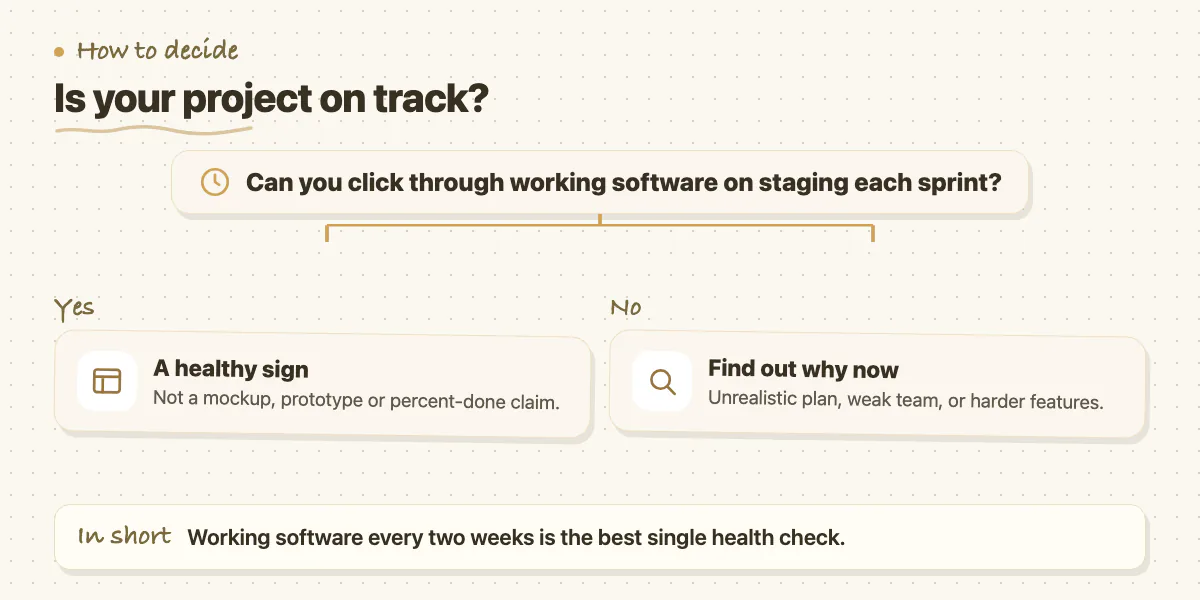
The single most reliable indicator of project health is whether you can see working software on a staging environment at the end of every two-week sprint. Not a mockup. Not a Figma prototype. Not a status update saying the features are 80% done. Actual, deployed software that you can click through, create data in, and test against the acceptance criteria that were agreed for that sprint.
If a team cannot consistently show you working software every two weeks, one of three things is true: the sprint planning was unrealistic, the team is underperforming, or the features are harder than anticipated and the timeline needs to be adjusted. All three are manageable if you find out in week two. None of them is manageable if you find out in week twelve.
The Second Indicator: Sprint Velocity Is Stable or Improving
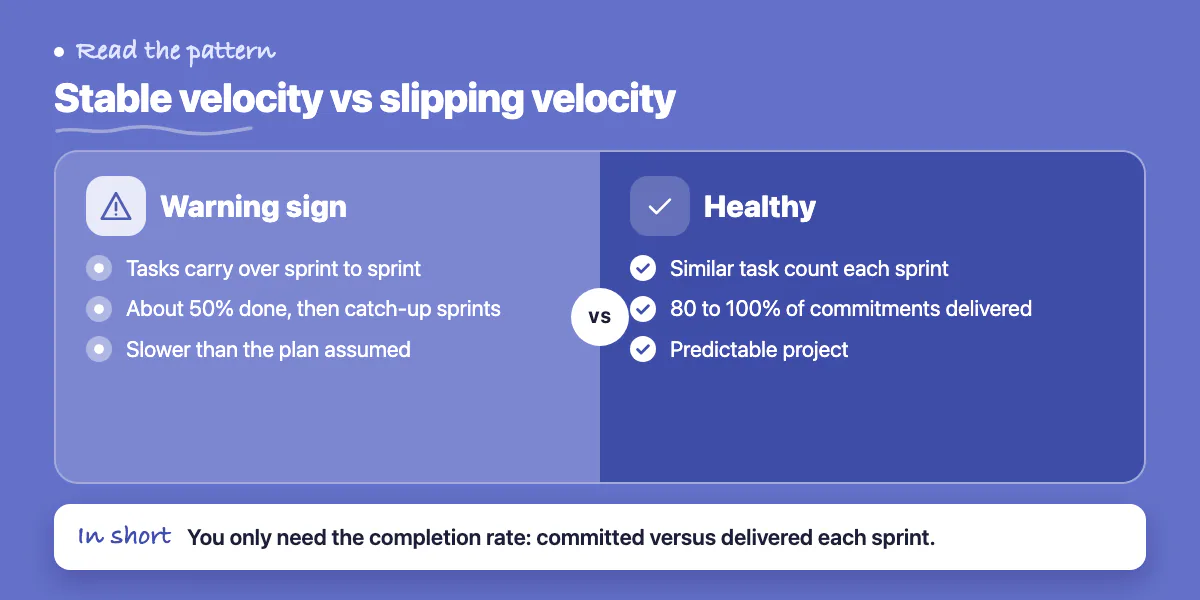
Velocity is the amount of work a team completes in a sprint. You do not need to understand the technical definition - what matters is the pattern. If the team consistently completes roughly the same number of tasks per sprint, velocity is stable and the project is predictable. If tasks are consistently carrying over from one sprint to the next, velocity is degrading and the project is slower than the plan assumed.
Ask for a simple chart or table showing what was committed to each sprint and what was delivered. This does not require technical knowledge to interpret - it is a completion rate. A consistent completion rate of 80 to 100% is healthy. A pattern of 50% completion followed by catch-up sprints is a warning sign.
The Practical Progress Review Meeting
Establish a biweekly review with your development team that covers three things only: what was delivered in the last sprint (demonstrated, not narrated), what is committed for the next sprint (with acceptance criteria), and what blockers exist that require your input or decision. This meeting should take 45 to 60 minutes. If it routinely takes longer, the sprint scope is too large or the communication process needs restructuring.
The Signals That Require Immediate Action
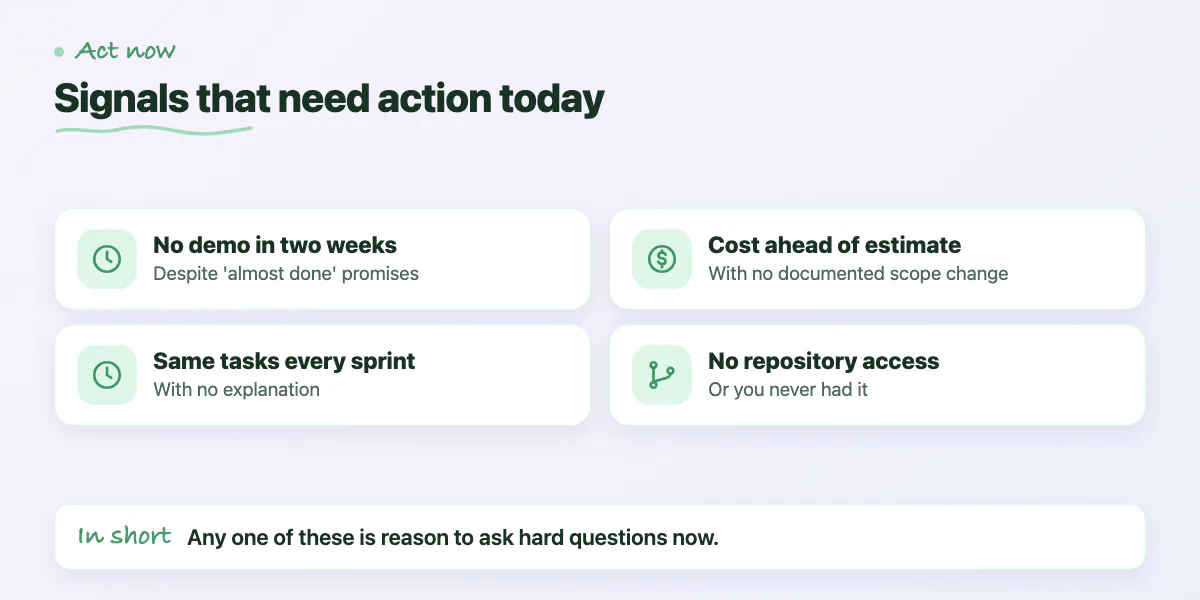
- You have not seen a working demo in more than two weeks despite assurances that features are 'almost done'
- The same tasks appear on consecutive sprint boards without completion or explanation
- Your point of contact has changed and you have not been formally introduced to the new one
- Cost is tracking ahead of estimate without a documented scope change to explain it
- You cannot access the repository when you try - or have never been given access
How to Read a Project Status Report
A good project status report contains: what was committed, what was delivered, what the variance is and why, what is committed for the next period, and what requires your input. A bad project status report contains: a narrative about progress being made, references to complexity without specifics, assurances that the timeline will be recovered, and no concrete deliverables to point to.
Train yourself to look for the specifics. 'We completed user authentication, profile editing, and the notification system this sprint' is a status update. 'Good progress was made on the backend this week' is not. The difference between these two sentences is the difference between a team that is accountable and a team that is managing your expectations.
Common questions
What sprint completion rate is healthy?
A consistent completion rate of 80 to 100% is healthy, while a pattern of 50% completion followed by catch-up sprints is a warning sign. Ask for a simple table showing what was committed each sprint and what was delivered.
How long should a biweekly progress review with my dev team take?
The post says 45 to 60 minutes, covering only what was delivered (demonstrated, not narrated), what is committed for the next sprint with acceptance criteria, and blockers needing your decision. If it routinely runs longer, sprint scope is too large or communication needs restructuring.
When should I bring in outside help on a struggling software project?
When signals need immediate action: no working demo in over two weeks, the same tasks on consecutive sprint boards, cost ahead of estimate without a documented scope change, or no repository access. The post says to bring Zovintra in if the signals are concerning.
Building something similar?
Talk to our engineering team about your architecture, roadmap, and delivery timeline.
Request a Technical Review →
We design, engineer, and deploy high-performance web platforms, mobile applications, and intelligent cloud systems.