A backup that has never been restored is not a backup - it is a file you have not tested yet. For an AI-built app on Supabase, Vercel, or a similar managed platform, backups depend on your plan and settings, and nothing proves they work until you restore one. The PocketOS incident in April 2026 - in which an AI coding agent deleted a production database and its backups, causing a roughly 30-hour outage according to the OECD AI Incidents record - is an extreme case, but it illustrates a pattern: the assumption that backups exist and the reality of whether they would survive an incident are often different things.
Why AI-built apps have a specific backup problem
AI coding tools create functional apps quickly. They do not build backup strategies. Tools such as Lovable and Bolt can connect an app to a Supabase project, tables are generated, and data starts flowing. What is rarely generated: a documented backup policy, an off-platform backup destination, or any scheduled restore test.
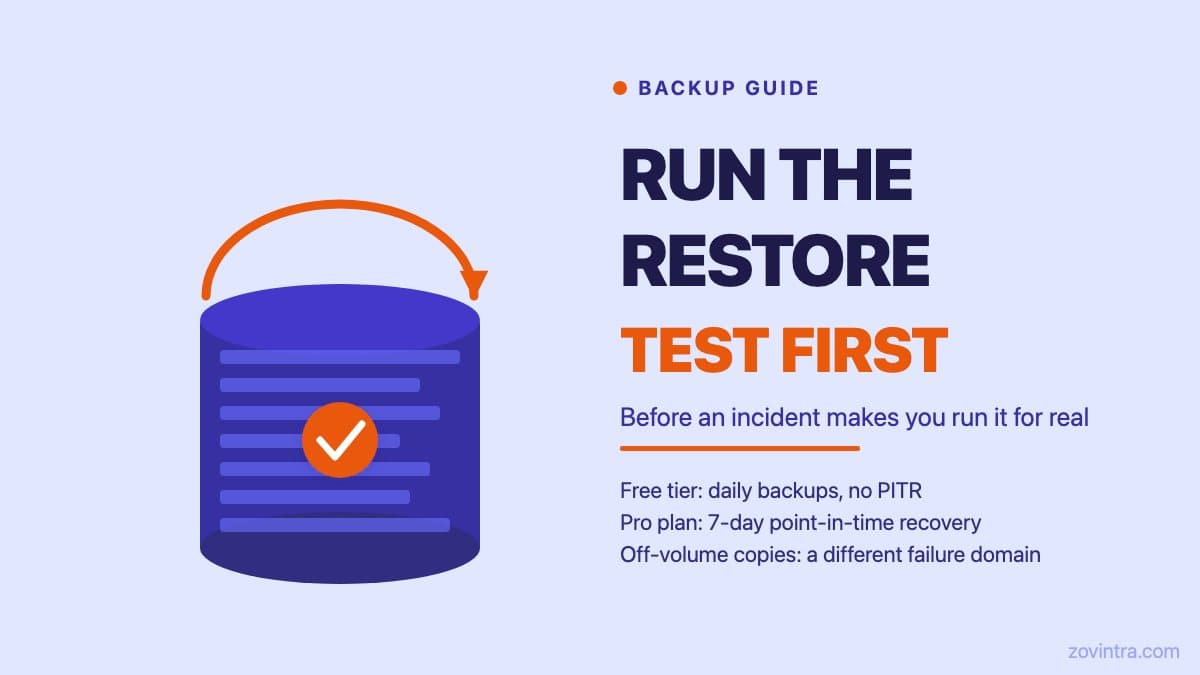
Supabase's pricing page lists no automatic backups and no point-in-time recovery (PITR) on the Free plan, and its backup documentation recommends that Free projects regularly export their data with the CLI. PITR is a paid add-on for Pro, Team and Enterprise. It lets you restore a database to a chosen moment within a retention window - useful when the problem is not 'the database was deleted' but 'someone ran a bad migration at 2:14 pm and we need the state from 2:13 pm.' Without PITR, a daily backup means you can at best recover to the last daily snapshot, losing everything since.
The other gap is backup location. A backup stored on the same infrastructure as your production data does not protect you from the class of failure where the underlying infrastructure or account is the problem. According to press coverage of the founder's account, the PocketOS agent's single call removed the production volume and the backups stored inside it. If your only backups live inside the same Supabase project, an accidental `supabase db reset` or a destructive migration can affect the same scope. Off-project backups, pointed at a separate storage bucket or a different cloud account, survive that category of error.
What Supabase actually provides per plan
As of 19 October 2026, Supabase documents the following. Free plan: no automatic backups, so export your data yourself. Pro: daily backups kept for 7 days. Team: 14 days. Enterprise: up to 30 days. PITR is a paid add-on for Pro, Team and Enterprise, sold in 7, 14 or 28 day retention options, and needs at least a Small compute add-on; the pricing page lists it at $100 per month per 7 days of retention. Restores can be started from the Dashboard, the project is unavailable while it restores, and downtime grows with database size. Verify your current plan in the documentation before you need it.
What Supabase database backups cover: your database. What they do not cover: per the documentation, objects stored through the Storage API are not included, custom role passwords are not stored in daily backups, and Realtime subscriptions and replication slots need to be re-created after a restore. If your app stores user-uploaded files in Supabase Storage, those files need a separate backup strategy. Edge Function code should live in your git repository.
The restore drill: what to actually run
A restore drill does not have to involve your production database. The goal is to confirm that a backup exists, that you can access it, that the restoration process works end-to-end, and that the restored database is usable by your app. You can do this against a staging Supabase project without touching production.
- Create a separate staging Supabase project if you do not have one (free tier is fine for this purpose)
- Export a recent backup from your production project - use the Supabase CLI (`supabase db dump`, which dumps the contents of a remote database and needs `--data-only` to include data) or restore a Dashboard backup into a new project
- Import the dump into the staging project with a direct `psql` import and confirm it completes without errors
- Point a local or staging build of your app at the restored database and confirm the core flows work: user login, data reads, a sample write
- Note how long the full process took from starting the export to confirming the app was functional - this is your recovery time estimate
- Document the exact steps, commands, and access credentials needed - write them down somewhere your team can reach without accessing the database
That last point - documenting the steps in a place accessible without database access - is one teams consistently overlook. If your runbook is stored only in a document linked from your Supabase project notes, it may not be reachable if the project itself is the problem.
Off-volume backups: what they are and when they matter
An off-volume backup means the backup copy exists in a different system from the source. For a Supabase database, this means exporting a dump to your own S3 bucket, an R2 bucket, or another storage service outside the Supabase account. This protects against the scenario where the Supabase project itself is compromised, accidentally deleted, or where a billing issue locks you out. It also limits the damage of a PocketOS-style scenario where an automated process with broad credentials affects the same account.
Setting up an off-volume backup for Supabase typically involves a cron job or a Vercel cron function that runs `pg_dump` on a schedule and pushes the output to external storage. The Supabase CLI's `db dump` command covers the dump step, but note it excludes Supabase-managed schemas by default and omits data unless you ask for it. The storage destination needs to be in a separate account from both your production Supabase project and your Vercel deployment - the goal is a failure domain that does not overlap.
Off-volume backup is one of the checks worth adding to any AI-built app with real users and production data. If you have not set it up, it belongs on your next sprint before the next feature.
What the PocketOS incident teaches about backup assumptions
The PocketOS incident was not primarily a backup failure - it was an agent permission failure. But the OECD record reports a 30-hour outage and that backups were deleted along with the database, which is the point: when backups share a failure domain with production, a permission mistake becomes an extended outage. The lesson is not that Supabase backups are unreliable. The lesson is that assumptions about backup coverage need to be tested explicitly, and that 'on the same volume' is a real risk category.
An AI agent that has admin-level database credentials and no action budget can do a great deal of damage quickly. A backup reachable by the same credentials is reachable by the same mistake. An off-volume backup with separate access credentials is not. This is the failure mode that can turn a recoverable incident into an extended outage.
A quick backup readiness check
- Do you know which Supabase plan you are on and what backup features it includes?
- Have you confirmed that daily backups are enabled and that at least one has completed successfully?
- Have you run a restore into a staging project in the last 90 days?
- Is your restore runbook written down and accessible without database access?
- Are user-uploaded files in Supabase Storage backed up separately?
- Do you have at least one backup copy that is off-volume (in a separate account or storage service)?
- Does your team know who has the access needed to initiate a restore?
If you answered no to more than two of these, your backup posture has meaningful gaps. The prototype to production checklist covers backup configuration alongside the other launch-readiness checks that AI-built apps commonly skip.
If you want a faster read of where your app stands, the free app health check scans for common configuration issues. For a full backup and disaster-recovery review alongside the security and code checks, request a technical review from the same page.
Common questions
Does the Supabase free plan include automatic backups?
No. As of 19 October 2026, Supabase documents no automatic backups on the Free plan, so you export your data yourself. Pro keeps daily backups for 7 days, Team 14 days, and Enterprise up to 30 days. Verify your current plan in the documentation.
How do I test that my database backup actually restores?
Run a restore drill against a separate staging project, not production. Export a recent backup, import the dump into staging, and confirm the restored database is usable by your app. Document the steps somewhere reachable without database access.
Should I get my backup and disaster recovery setup reviewed?
If you answer no to more than two readiness questions, such as whether you have restored a backup into staging in the last 90 days, your backup posture has meaningful gaps. Zovintra's technical review can cover backup and disaster recovery alongside the security and code checks.
Sources
- Database Backups - Supabase Docs, accessed 19 Oct 2026
- Pricing - Supabase, accessed 19 Oct 2026
- supabase db dump - Supabase CLI reference, accessed 19 Oct 2026
- AI Coding Agent Deletes PocketOS Production Database and Backups in 9 Seconds - OECD AI Incidents Monitor, 2026-04-27