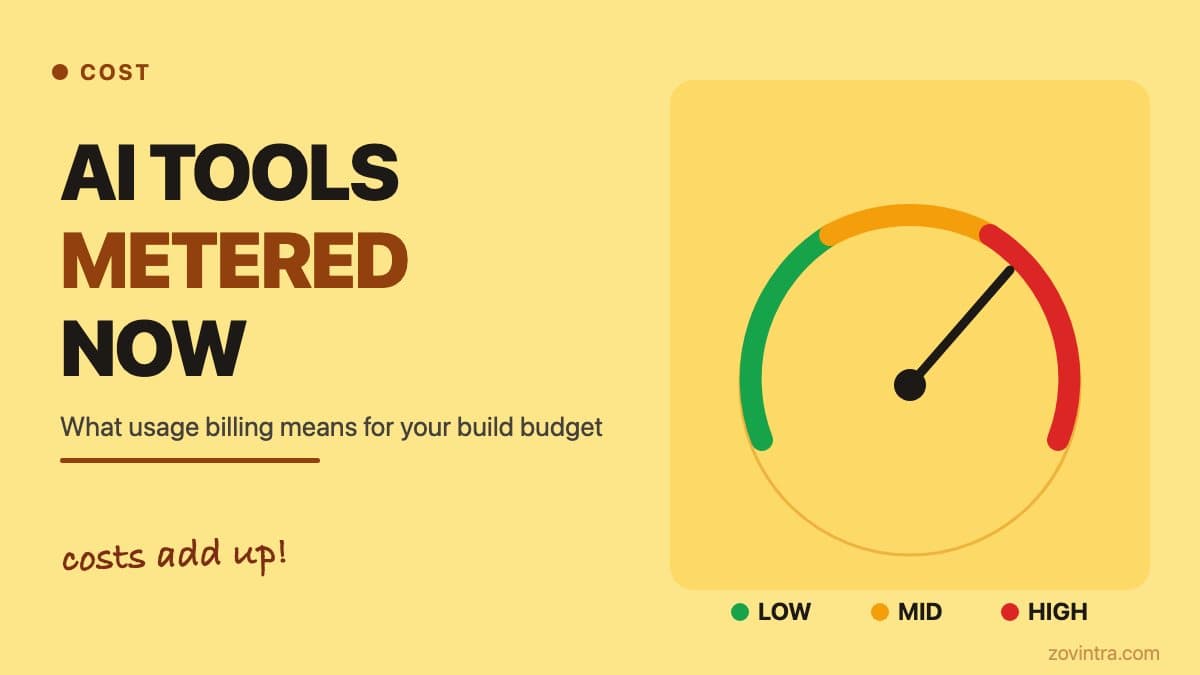
Several AI coding tools are moving from flat per-seat plans to usage-based billing (GitHub moved all Copilot plans to usage-based billing on 1 June 2026, and Cursor bills additional usage per model once its included pool runs out; check each vendor's pricing page for the current model). For founders, this matters because your monthly cost now scales with how intensively your developers use AI completions, inline chat and autonomous background agents - not just how many seats you have licensed. The direction is clear even if the exact rates change regularly: heavier AI use means a higher bill, and the ceiling is harder to predict than a fixed subscription.
From flat fee to metered: why the model changed
The original AI coding tool pitch was a single monthly fee per developer seat in exchange for unlimited code completions. That model worked during the early phase when autocomplete was occasional and the underlying model calls were cheap. As these tools evolved into agentic workflows that run background tasks, refactor entire modules and scan large codebases for context, the token costs became too variable for vendors to absorb at a flat rate.
The shift is structural. Vendors moved their most capable models onto per-request pricing alongside a base usage allowance. Some plans bundle a generous monthly credit; others reserve the highest-capability models for a premium tier that bills per interaction. Check the current pricing page for any specific tool before quoting a number to your finance team - rates change, and anything written here could be out of date by the time you read it.
What has not changed is the direction: flat pricing is retreating, metered pricing is growing, and the variance in a monthly bill can be significant for a team that uses these tools heavily.
What actually drives a high bill
Not all AI coding actions cost the same. A single-line autocomplete consumes very few tokens. An inline chat asking "refactor this entire service" uses far more. A background agent that reads your whole codebase to generate a pull request description or suggest architectural changes can consume more tokens in one run than a day of routine completions.
Three patterns tend to produce unexpectedly large bills on metered plans:
- Large-context operations. Background agents or features that scan many files to answer a question multiply the token count quickly. The more context included, the higher the cost.
- Premium model defaults. If your team defaults to the most capable model for every task - including trivial ones like renaming a variable - costs accumulate at premium rates. Most tools allow you to set a default model tier per project.
- Agentic tasks left running. Some tools allow autonomous tasks to run in the background. A task that continues longer than intended, or is triggered repeatedly by a CI hook, can rack up significant usage before anyone notices.
Without a spending cap or threshold alert configured, a small team can exceed their intended monthly budget in days, not weeks. This is a real risk, which is why it is worth setting a cap before the first invoice.
How to keep costs predictable
Before your developers add any usage-billed tool to the workflow, it is worth running through a short checklist with them. Look for:
- Hard spending limits. Controls differ by vendor: GitHub lets admins set budgets and choose whether to cap spend once included credits run out, and Cursor has a monthly additional-usage limit and a single team-wide cap on Teams. Turn the cap on from day one.
- Model-tier defaults. The fastest, cheapest model is sufficient for completions and simple refactors. Reserve premium models for tasks that genuinely require them - complex reasoning, long-context analysis, multi-step agent tasks.
- Usage dashboards. Enterprise tiers usually expose a breakdown by user and feature. If your plan does not include this, you are managing costs blind.
- Alert thresholds. Even without hard caps, an alert at 70% of budget gives you time to respond before the ceiling is hit.
- Workspace ownership. Know who owns the billing workspace and who can see the invoices. Developer tools linked to personal accounts can make cost visibility difficult for project owners.
A five-minute conversation with your developer before any tool is added costs nothing. The alternative is a surprise invoice that is hard to explain retroactively.
What to ask if you are funding a build
If you are a non-technical founder hiring a team or agency to build your product, AI coding tool costs may appear as a line item in your quote or on a monthly invoice. Understanding what you are paying for is reasonable.
Questions worth raising before work starts:
- Is the AI tool subscription included in the quoted rate or billed separately?
- Who owns the workspace and monitors usage?
- Is there a hard cap configured? What happens if usage exceeds the estimate?
- Which model tier is the default, and can it be lowered for routine tasks?
- Will you receive a monthly usage summary alongside the invoice?
An agency that uses AI tools professionally should be able to answer these questions without hesitation. If the response is vague, that is a gap worth closing before the first sprint begins. For a broader view of what AI-assisted development actually changes in a project quote, see our piece on what AI-assisted development changes in a quote.
The broader build budget picture
AI coding tools typically represent a small fraction of total development cost. For most projects the hosting, database, third-party API subscriptions and developer time are each individually larger. But they are a fraction that can drift upward silently if not monitored, and the drift can be hard to detect on a consolidated invoice.
Treating AI tool costs the same way you treat cloud hosting - with a budget, a cap and a monthly review - is the right mental model. A usage spike on a coding tool is exactly like a usage spike on AWS: normal until it is not, and painful if you only notice at month-end.
For a practical look at running costs across the full stack of a small SaaS product (hosting, database, AI APIs), see running costs for Vercel and Supabase-based apps. For a direct assessment of how AI tools affect your specific build, request a technical review and we can walk through cost structure alongside the build plan.
What changed and what to watch in 2026
The pricing shift is ongoing. Vendors are still adjusting their plans as agentic workflows become mainstream, and the rate cards available today may look different in six months. The practical advice - configure caps, set model defaults, check who owns the billing - holds regardless of where the rates land.
One thing worth watching specifically: agentic features that run without a developer actively sitting at the keyboard. Scheduled tasks, CI-triggered AI reviews and background indexing all consume tokens on metered plans. If your developers are enabling these features, make sure the cost profile is understood before they are switched on in production workflows.
For a wider look at how AI tools fit into the early development decisions founders face, see AI coding tools for founders. If your team is already running an AI-assisted build and you want a second pair of eyes on cost structure and technical decisions, get in touch.
Common questions
Why are AI coding tools moving to usage-based pricing?
As tools evolved into agentic workflows that run background tasks and scan large codebases, token costs became too variable for vendors to absorb at a flat rate. GitHub moved all Copilot plans to usage-based billing on 1 June 2026. Check each vendor's pricing page for current rates.
How do I stop AI coding tool costs from spiralling?
Turn on hard spending limits or budgets from day one, set a cheaper model tier as the default for routine tasks, and watch usage dashboards. Large-context operations and agentic tasks left running are the patterns most likely to cause unexpectedly large bills.
What should I ask my agency about AI tool costs in my quote?
Ask whether the AI tool subscription is in the quoted rate or billed separately, who owns the workspace and monitors usage, whether a hard cap is configured, and which model tier is the default. Zovintra can walk through cost structure alongside the build plan in a technical review.
Sources
- GitHub Copilot is moving to usage-based billing - GitHub Blog, 27 Apr 2026
- Cursor pricing docs - Cursor, accessed 19 Oct 2026