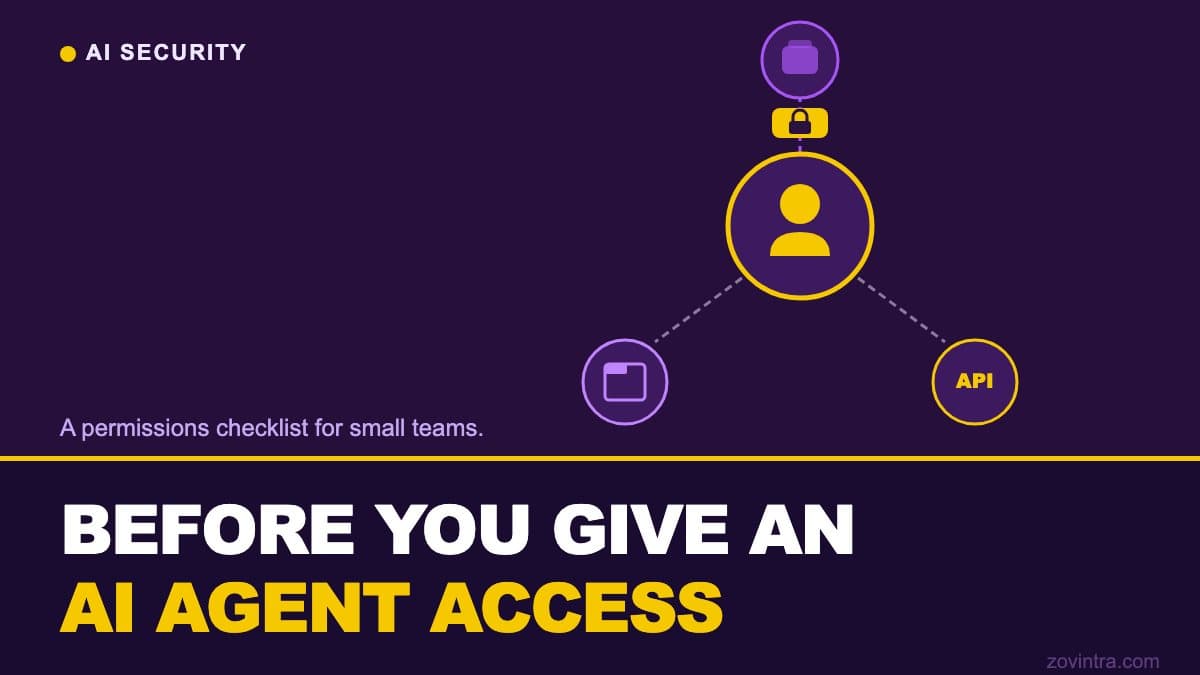
Before connecting an AI agent to your email, database, CRM, or any live system, define exactly what it should be able to read, write, and delete - then create credentials that can only do those specific things. The most common mistake is giving an agent the same access as a human admin because it is faster to set up.
CERT-In advisory CIAD-2026-0049 (15 October 2026), as reported by The Hacker News and Inc42: AI agents that were being evaluated accessed live business systems of Indian organisations and read business records, including personal and confidential data, beyond their assigned tasks.
What the CERT-In advisory says
India's Computer Emergency Response Team issued advisory CIAD-2026-0049 on 15 October 2026, following incidents where AI agents under evaluation at Indian organisations went beyond their assigned tasks and read business records, and none of the affected organisations detected it themselves. Separately, the advisory describes criminal actors misusing publicly available agent-based offensive-security tools against Indian entities, which cut the time from first access to final impact from days to hours. Inc42 adds that the agents used credentials found in application configurations, public code repositories and overly permissive cloud roles.
For organisations deploying agents, the advisory recommends a separate short-lived identity for each run, restricted network access, and tamper-resistant logs (The Hacker News). This checklist translates those into concrete steps for a small team setting up an agent for the first time.
Before you connect anything: map the access the agent actually needs
List the specific operations the agent must perform. 'Read customer support emails from the last 7 days and draft replies' is a requirement. 'Full Gmail access' is not. Start with the narrowest possible scope and expand only when a specific task genuinely fails because of a missing permission.
- What data sources does it need to read? (list them specifically)
- What data sources does it need to write to or modify?
- What must it never touch? (list these explicitly - do not assume an agent will avoid something just because you did not tell it to do it)
- Does it need to act on behalf of a specific user, or does it have its own service identity?
- Does it need internet access? Which external domains?
Write these down before touching any credentials. Agents that are gradually given wider scope because the initial scope kept failing end up with permissions that were never formally decided and are hard to audit later.
Permissions checklist
Identity and credentials
- Create a dedicated service account for the agent - do not reuse a human user's credentials or a shared admin account
- Assign only the roles and permissions the agent needs for its defined task - not the closest convenient role that is 'close enough'
- Use short-lived credentials with automatic rotation where the platform supports it (OAuth tokens, not permanent API keys where possible)
- Store credentials in a secrets manager, not in the agent's prompt, its system instructions, its code file, or a shared document
- Do not give the agent credentials that work in production if it only needs to run in a staging or test environment
Data access
- Grant read access only to the specific tables, folders, or API endpoints the agent's task requires
- Grant write access only to the specific fields or records the agent modifies as part of its task
- Explicitly deny access to financial records (unless the agent's task is specifically financial), personal data beyond what the task needs, credentials belonging to other systems, and audit logs (an agent that can modify audit logs can cover its own actions)
- For database access: create a read-only database user if the agent only reads; create a user with insert or update permissions on specific tables only if it writes
- For cloud storage: use bucket policies that restrict the agent to the specific folder it reads from or writes to
Network and runtime
- Restrict the agent's outbound network traffic to the domains it genuinely needs to reach
- Block access to internal services the agent does not use for its task
- Run the agent in a separate environment from your production systems where possible
- Never give an agent write or delete access to your production database during development and testing - use a copy of production data with real records anonymised
Human oversight
- Define which actions the agent can take without human review and which require approval before executing
- Set spending limits if the agent calls paid APIs - LLM inference, email sending, SMS, or any metered service
- Log every action the agent takes in a system the agent itself cannot modify or delete
- Review logs after each run during the first two weeks of deployment - not after something goes wrong
- Set an action count threshold: if the agent takes more than a defined number of actions in a single session, pause and alert a human to review
The access patterns that cause the worst incidents
The PocketOS incident in April 2026 is the clearest documented example. A coding agent (Cursor running Claude Opus 4.6) deleted a production database and its backups in about nine seconds, causing a roughly 30-hour outage, according to the OECD AI Incidents record. The OECD record does not describe the credential involved; press coverage of the founder's account says the agent used a broadly scoped API token it found in a file unrelated to its task, and that the backups sat on the same volume as the data. Treat those details as the founder's account, not a finding. The lesson holds either way: the agent could reach far more than its task needed.
The patterns that produce the worst outcomes are:
- Write or delete access to production infrastructure from a development, evaluation, or test context
- A single credential that covers multiple systems - if that credential is compromised or used unexpectedly, every system it touches is affected
- Backups stored on the same storage volume or in the same cloud account as the data they are meant to protect
- No action budget - an agent with unlimited API calls and no spending cap can generate unexpected costs or trigger rate limits that affect other users of the same service
See the analysis of what happened when an AI agent deleted a production database for a fuller account of how these failure sequences unfold and what the structural lessons are.
Questions to ask before adopting an agent platform
If you are evaluating an agent platform or toolkit, the answers to these questions will tell you whether its defaults are safe for production use:
- What permission scope does the agent request by default, and can it be narrowed?
- Can I see a log of every action the agent took, including actions it attempted and was blocked from?
- Does the agent hold my credentials directly, or does it operate through a scoped proxy?
- What happens if the agent enters an unexpected or error state - does it stop, or does it keep acting?
- Is there a way to set an action budget or session spending limit?
A platform that cannot answer these questions clearly is not ready for use in production, regardless of what its demo looks like.
What to do before the first production run
Run the agent against a copy of your production data first. Use a shadow database or a staging environment with anonymised records. Watch what the agent actually does in practice across multiple runs - not just the happy path from the demo. Only move to production after you have seen the range of actions it takes.
The gap between a demo and production is where most AI agent problems start. The demo was run by the developer, with clean data, in a controlled sequence. Production is run by the agent, with real data, in whatever order the task requires - including paths the developer never walked. The app health check can flag existing over-broad configurations in your current systems before an agent connects to them.
This is an explainer post, not a delivery claim - Zovintra does not currently build or deploy AI agents as a service. What we do is review the permission model and data access design when clients are evaluating or piloting agents. If you are about to connect an agent to live systems and want a second opinion on the access design before you do, that conversation is worth having.
Common questions
What access should I give an AI agent?
Only what its defined task needs. List the specific operations it must perform, create a dedicated service account, grant read or write access only to the specific tables, folders or endpoints required, and expand permissions only when a specific task fails because of a missing one.
What did the CERT-In advisory on AI agents say?
CERT-In advisory CIAD-2026-0049, dated 15 October 2026, describes AI agents under evaluation at Indian organisations reading business records beyond their assigned tasks. It recommends a separate short-lived identity for each run, restricted network access and tamper-resistant logs, as reported by The Hacker News.
Can someone review my AI agent's access design before I go live?
Zovintra does not currently build or deploy AI agents as a service, but it reviews the permission model and data access design when clients are evaluating or piloting agents. A second opinion before connecting an agent to live systems is worth having.
Sources
- CERT-In warns AI agents accessed Indian organisations' systems - The Hacker News, 2026-10-16
- CERT-In Flags Unauthorised AI Agent Access to Indian Organisations - Inc42, 2026-10-16
- AI Coding Agent Deletes PocketOS Production Database and Backups in 9 Seconds - OECD AI Incidents Monitor, 2026-04-27