Switching authentication providers on a live app typically surfaces three categories of failure at the same time: the new provider issues identifiers in a different format than the old one, your database schema was built for the old format, and every RLS policy and RPC that checks ownership crashes silently or throws a type error. We documented all three on the Mandizo project after moving authentication to Firebase Auth mid-build, and this post describes what happened and how we approached each fix.
Why Auth Migrations Look Deceptively Simple
Auth provider documentation focuses on sign-in flows. Swap the SDK, update the sign-in calls, configure the new provider in your backend - that is roughly how migration guides read. What the guides do not cover is what happens to every row in your database that carries the old user identifier, or every server function that was written to validate that identifier's exact format.
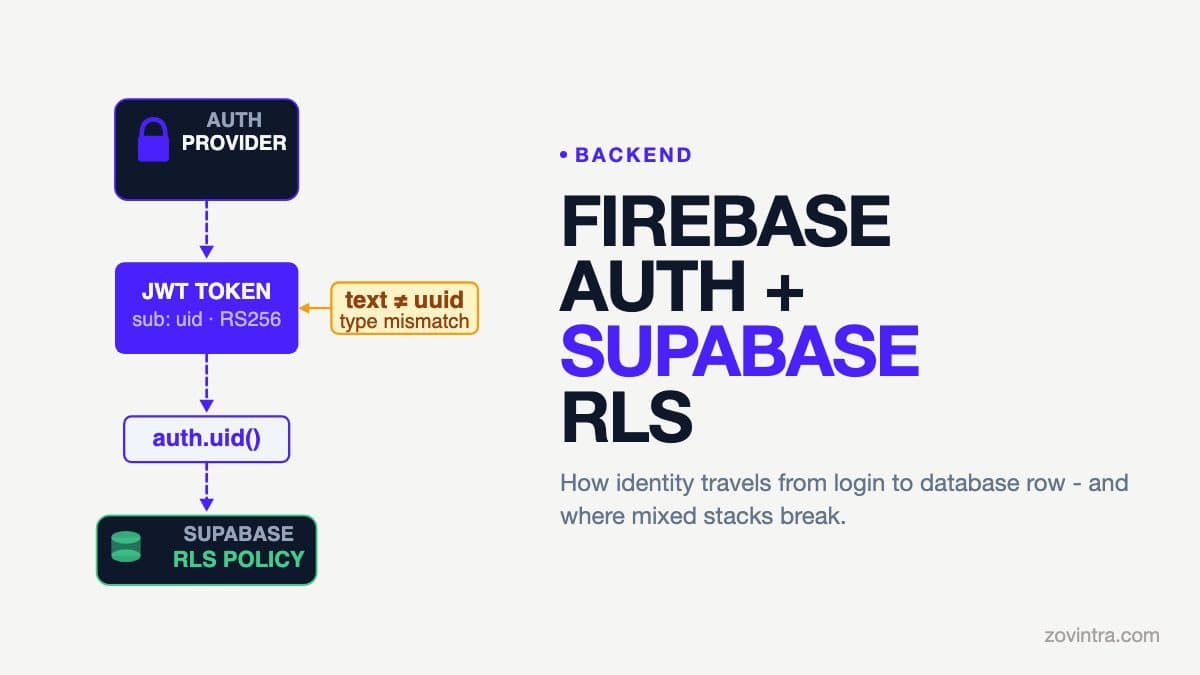
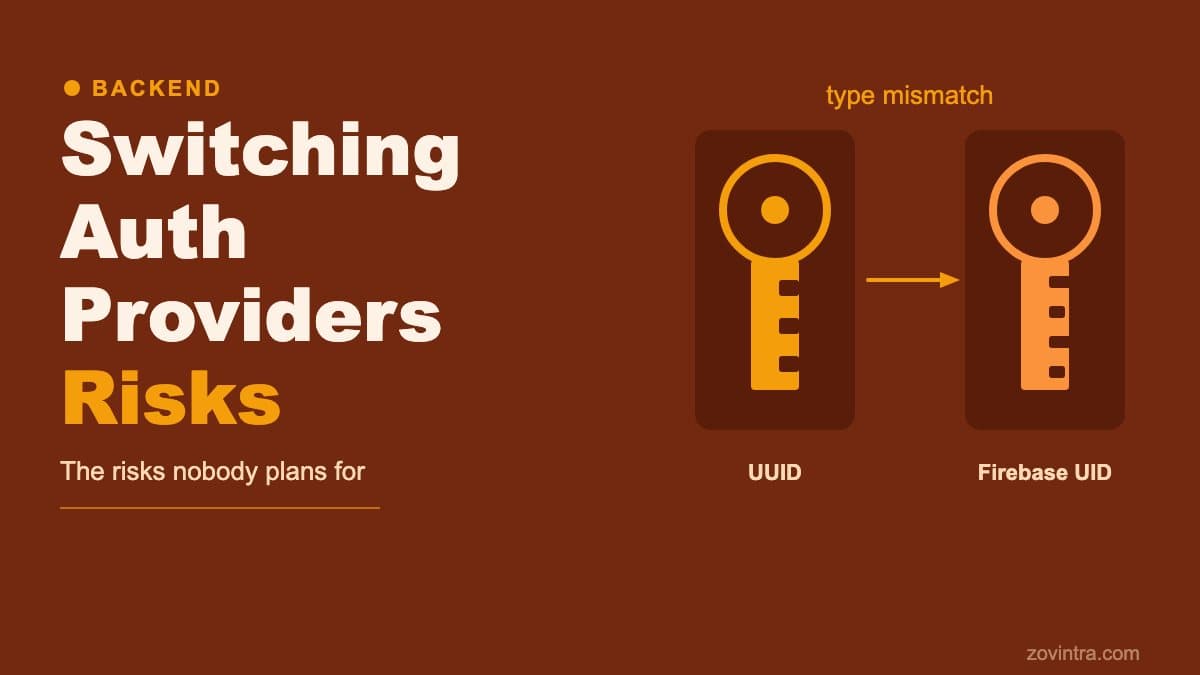
Supabase Auth issues UUIDs (for example, `550e8400-e29b-41d4-a716-446655440000`), and Supabase documents the JWT `sub` claim as the user ID (UUID). Firebase Auth issues string UIDs instead: the Firebase Admin docs allow any string of 1-128 characters, and ours were 28-character alphanumeric strings (for example, `GRlb2qXoiHaBvw7hKjZxABCDEFGH`). If your schema columns were typed `uuid`, inserting or querying with a Firebase UID causes PostgreSQL to throw a type error. That error cascades through every table that stores a user identifier, which in a typical invoicing or SaaS product is most of your tables.
Three Failure Modes to Plan For
1. Column type mismatch breaks inserts and lookups
In September 2026 the Mandizo application began failing when existing users tried to load their data. The root cause was that `profiles.id`, `invoices.user_id` and `clients.user_id` were all typed `uuid`. When the app passed a Firebase UID to the `link_or_create_firebase_user` RPC, PostgreSQL returned error code 42804 (`column is of type uuid but expression is of type text`). The RPC aborted. The user's old records stayed in the database under their original Supabase UUID, and new queries filtered by their Firebase UID returned no rows.
The fix was schema widening: `ALTER COLUMN ... TYPE text USING ...::text` on every column that stored a user identifier. PostgreSQL lets you do this without losing data as long as the existing UUID values cast cleanly to text, which they do. We also defined `ON UPDATE CASCADE` on the foreign keys so that updating a profile's primary key from the old UUID to the new Firebase UID would atomically carry the update forward to all child rows.
2. Supabase's auth.uid() crashes on Firebase tokens
Supabase's built-in `auth.uid()` helper is designed around the UUID `sub` claim that Supabase Auth issues. A Firebase `sub` is an arbitrary string, so any ownership check that routes through `auth.uid()` cannot be trusted to evaluate cleanly against a text user ID column. We stopped relying on it. Because RLS policies typically call `auth.uid()` to enforce ownership, this affects every policy on every table that stores an owner. Supabase's own RLS guide also points to `auth.jwt()` for reading claims directly.
The solution is a helper function that reads the claim directly as text:
```sql CREATE OR REPLACE FUNCTION public.current_user_id() RETURNS text LANGUAGE sql STABLE AS $$ SELECT auth.jwt() ->> 'sub' $$; ```
Every RLS policy and every RPC that previously called `auth.uid()` must be rewritten to call `current_user_id()` instead. This is not optional and is not caught by any linter. You have to audit every policy and function definition by hand, or write SQL tests that verify each one.
3. PostgREST rejects Firebase JWTs until Third-Party Auth is configured
Supabase serves its REST API through PostgREST, and PostgREST must be able to verify the token it receives. Firebase ID tokens are signed with RS256 keys published by Google, so Supabase has to be told to trust your Firebase project. Until you register Firebase as a Third-Party Auth integration in the Supabase dashboard, a request with a Firebase Bearer token fails with HTTP 401 and code PGRST301, which PostgREST describes as a JWT that could not be decoded or is invalid. There is a second step: Supabase reads the `role` claim to pick a Postgres role, and Firebase tokens do not carry one by default, so you must add `role: authenticated` to your users or requests fall back to the `anon` role.
This means that even after you fix the schema and the RLS helper, no authenticated API request works until the Supabase project is pointed at the correct Firebase project and the role claim is set. The configuration is quick, but it is easy to miss if you are working through failures one at a time.
The Hidden Risks: Duplicate Accounts and Email Backfill
Two further risks emerged during testing on Mandizo that are worth planning for in any live migration.
- Duplicate account rows: if any user logged in for testing after Firebase was added but before the schema migration ran, a new profile row was created under their Firebase UID with no linked data. The fix is a merging function that detects an existing legacy row by verified email, reassigns child records to the new UID and removes the orphaned row.
- Email backfill: if your public.profiles table does not include an email column (it was in auth.users under the Supabase model), you have no reliable way to match old UUID rows to incoming Firebase users. We added an email column to profiles and backfilled it from auth.users before running the migration so the merge function could operate correctly.
- Unverified email risk: the merge function must check that the JWT email_verified claim is true before it reassigns any records. An unverified email should create a new profile only, leaving the legacy row untouched. If you skip this check, an attacker with a Firebase account can claim ownership of another user's data by using the victim's email before they verify it.
What to Audit Before You Begin
If you are planning to switch auth providers on a live product, these are the checks that are most likely to save you from a production incident:
- Column types: list every column in every table that stores a user identifier. If any are typed uuid, plan the ALTER COLUMN migration and its foreign key cascade.
- auth.uid() calls: search your entire migration file history and your current RLS policies and functions for auth.uid(). Every occurrence needs to become a text-safe helper.
- Third-Party Auth setup: register the Firebase project in Supabase, add the `authenticated` role claim to every user, and test a real Firebase token against the API before cutting over traffic.
- RPC parameter types: any RPC that accepts a user_id must accept text, not uuid, after the migration.
- Duplicate account path: write and test the account-linking function before the migration, not during it.
- Test as an existing user: after running the migration script in a staging environment, log in with a pre-existing account and verify that historical records are visible and new records can be saved.
Testing the Fix
On Mandizo, we wrote SQL ownership tests that run in CI against a test database. These tests cover both the "should work" cases (a verified owner can read and write their own data) and the "should fail" cases (an attacker calling an RPC with another user's ID must be rejected). The tests also verify that an unverified email does not trigger the merge path.
The most useful test to add before a migration is a simple anonymous check: call the API with only the public key and no user token, then attempt to read or write each table. Supabase's RLS guide notes that until the policies are tested you do not know whether they do what you intended, and any table that returns data to an unauthenticated request has an RLS problem that the migration will not fix.
What We Prepared but Did Not Confirm as Complete
The migration script and the account-linking function for this work are prepared and tested against a test database in CI. Whether and when any of it has been applied to a production database is not something this post claims.
When You Should Ask for Help
Auth migrations are high-stakes because a mistake affects every signed-in user simultaneously. The failure modes are not always obvious from reading the new provider's documentation, because the problems are in your existing schema and RLS policies, not in the new provider's code. If you are planning a migration and are not confident you have covered every place user IDs are stored and validated, a pre-migration review is likely to be cheaper than a post-incident fix.
We offer a launch and rescue review that covers schema and RLS audits for Supabase-based applications. You can also run the free code review tool to check your repository for common configuration problems before you start.
Common questions
What breaks when you switch from Supabase Auth to Firebase Auth?
Three things tend to fail together: uuid-typed user ID columns reject Firebase's text UIDs (error 42804), auth.uid() cannot be trusted with Firebase tokens, and PostgREST returns 401 (PGRST301) until Firebase is registered as a Third-Party Auth provider with a role claim set.
What should I audit before changing auth providers on a live app?
List every column storing a user identifier and plan the ALTER COLUMN migration, find every auth.uid() call, set up Third-Party Auth with the authenticated role claim, change RPC parameters to text, and plan a path for duplicate accounts.
When should I ask for help with an auth migration?
When you are not confident you have covered every place user IDs are stored and validated. A mistake affects every signed-in user at once, so a pre-migration review is likely cheaper than a post-incident fix. Zovintra offers a launch and rescue review covering schema and RLS audits.
Sources
- Supabase: Firebase Auth as a third-party provider - Supabase docs, accessed 19 Oct 2026
- Supabase: JWT fields - Supabase docs, accessed 19 Oct 2026
- Supabase: Row Level Security - Supabase docs, accessed 19 Oct 2026
- PostgREST error reference - PostgREST docs, accessed 19 Oct 2026
- Firebase: Verify ID tokens - Google Firebase docs, accessed 19 Oct 2026
- Firebase: Manage users (uid format) - Google Firebase docs, accessed 19 Oct 2026