“No-code tools have never been better. The question isn't whether they work - it's whether they work for your specific situation.”
The honest answer founders need before they chooseDo You Need a Developer, or Can No-Code Handle It?
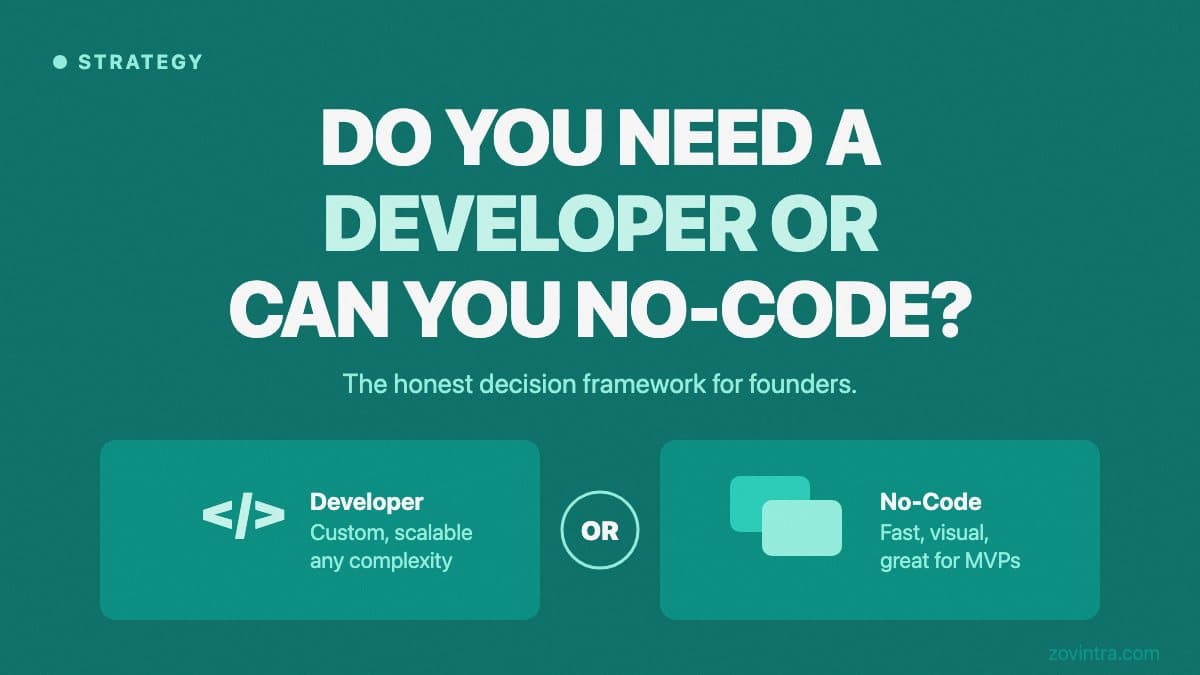
The no-code category has matured significantly. Tools like Bubble, Webflow, Glide, and Softr let non-technical founders build functional apps, websites, and internal tools without writing code - and in many cases, they build them faster than a developer would. The question "do I need a developer or can I use no-code?" is legitimate and the answer isn't always obvious.
The short answer: no-code is the right choice for a lot of situations, and a developer is the right choice for a different set of situations. The mistake is assuming one is universally better than the other. Both have real ceilings and real advantages. This post helps you figure out which side of the line your project falls on.
We'll cover what no-code tools genuinely handle well, where they create problems that only become visible later, and the specific signals that tell you whether custom development is the smarter path for your situation.
What No-Code Tools Are Actually Good At
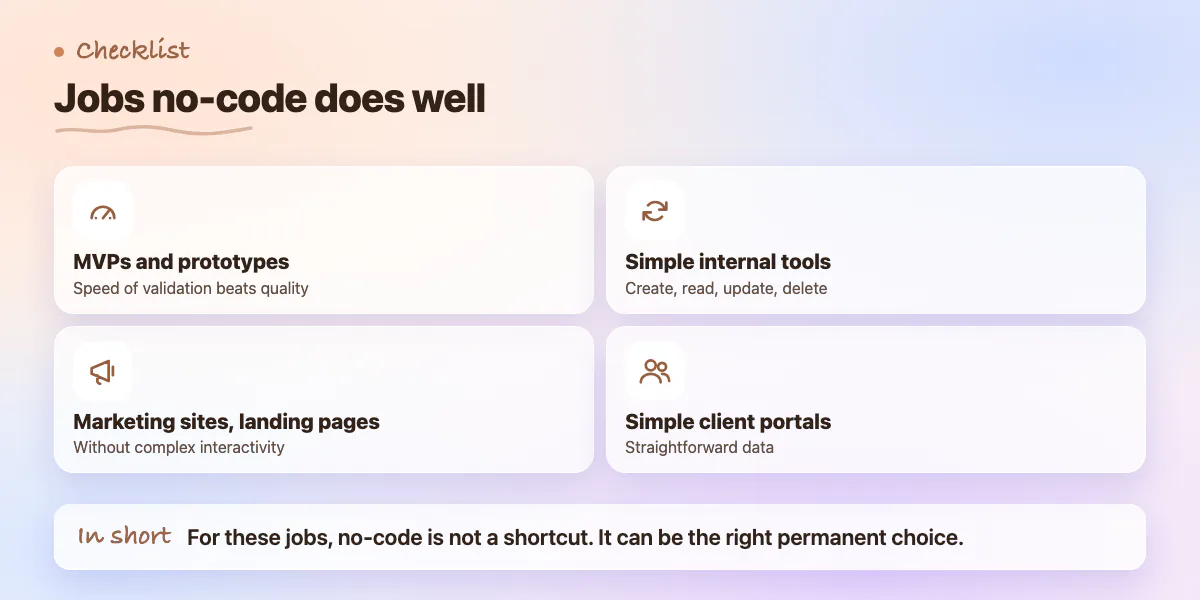
No-code tools are genuinely strong for internal tools, landing pages, simple client portals, and early-stage MVPs where validating the idea matters more than the quality of the technical foundation. If you need to test whether users will sign up for a thing, whether a workflow makes operational sense, or whether a specific feature actually gets used - no-code lets you find out in days rather than months.
For certain product categories, no-code isn't just a shortcut - it's the right permanent choice. A Webflow site for a marketing agency. An Airtable-based CRM for a 5-person consultancy. A Glide app for a field team to log data. These are problems that no-code tools were designed to solve and solve well. There's no advantage to custom development for them.
- MVPs and prototypes where speed of validation beats technical quality
- Internal tools with simple CRUD operations - create, read, update, delete records
- Marketing sites and landing pages without complex interactivity
- Simple client portals or customer-facing dashboards with straightforward data
- Automating repetitive workflows between existing tools (Zapier, Make)
Where No-Code Creates Problems
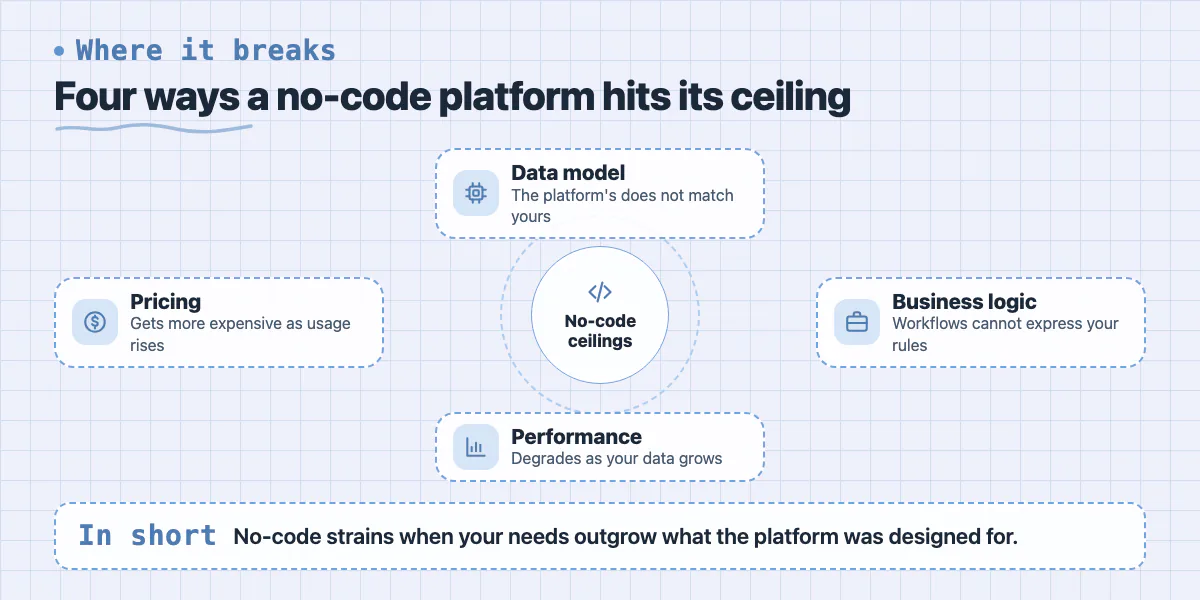
No-code tools create problems when your requirements push past the boundaries the platform was designed for. The platform's data model doesn't match your data model. The available workflows can't express your business logic. Performance degrades as your data grows. Pricing scales in a way that makes the platform increasingly expensive as your usage increases.
The Bubble scaling wall is the most documented version of this. Bubble apps frequently hit performance ceilings around 500 to 1,000 active users - not because Bubble is bad software, but because its architecture trades flexibility for ease of use. What feels like a reasonable design decision at 50 users becomes a bottleneck at 5,000.
Security and compliance are another category. No-code platforms run on shared infrastructure. If you need data residency controls, custom audit logging, SOC 2 compliance, or the ability to deploy to a specific cloud environment - most no-code tools cannot give you that. Enterprise buyers know this and will ask about it. If enterprise is on your roadmap, no-code may not be able to stay on yours.
The Rise of AI-Assisted Development
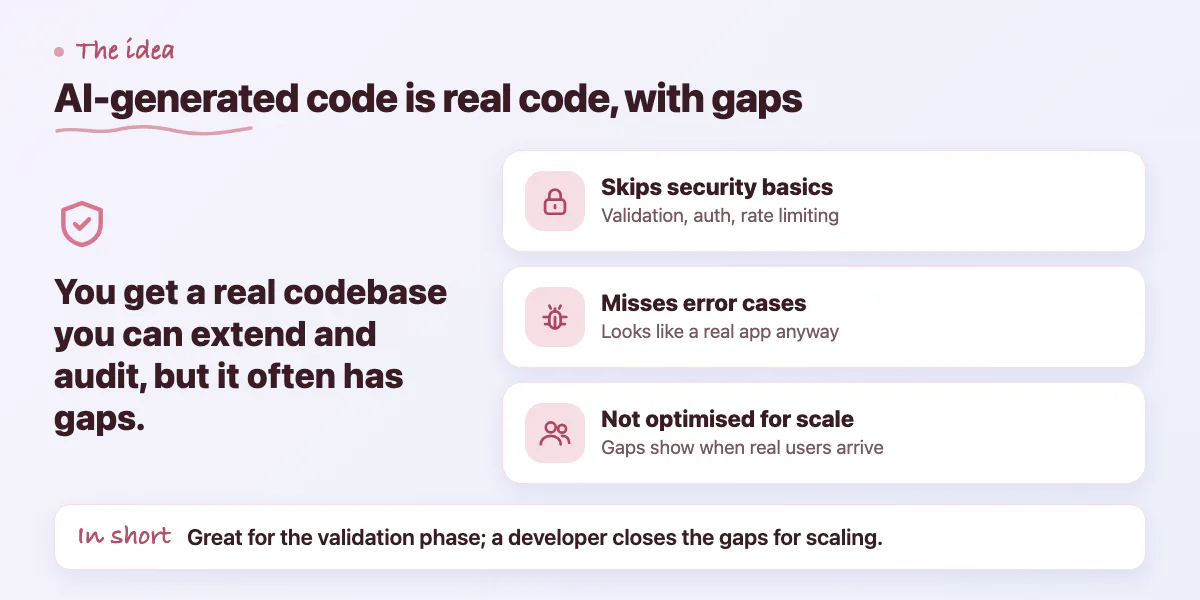
The conversation has gotten more complicated with AI coding tools. Lovable, v0, Cursor, Bolt, and Replit all let you generate working code through natural language prompts. This isn't no-code - it's code generated by AI. The distinction matters because you end up with a real codebase that you can extend, audit, and deploy to any infrastructure.
AI coding tools are genuinely useful for getting to a working prototype quickly. The risks are specific: the generated code often skips security fundamentals (input validation, proper authentication setup, API rate limiting), doesn't handle error cases, and isn't optimized for scale. The result is a codebase that looks and behaves like a real app but has gaps that only surface when real users - or a security researcher - start interacting with it.
This is the space Zovintra's Launch & Rescue service is built for. A founder ships something with Lovable or Bolt, gets early traction, and then needs a developer to audit the codebase, close the security gaps, and make it production-ready. The AI tool did the right job for the validation phase - a developer does the right job for the scaling phase.
How to Decide: Four Questions
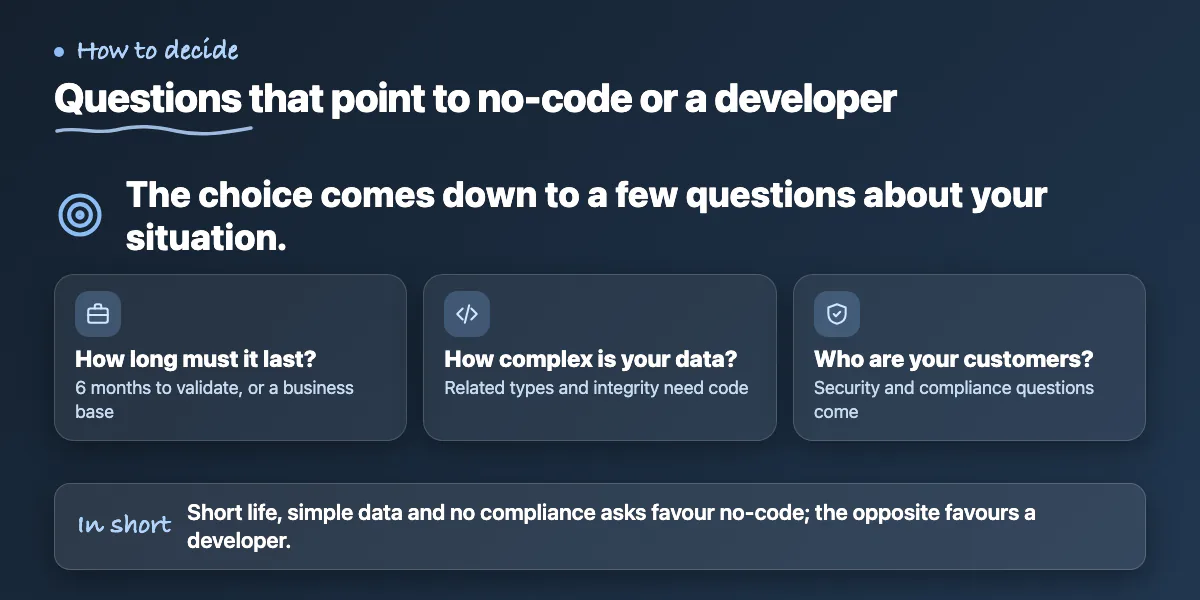
The decision between no-code and a developer comes down to four questions. First: how long do you need this to last? A tool you'll use for 6 months to validate an idea can tolerate technical debt. A platform you're building a business on cannot.
Second: what's your data complexity? If you have multiple related data types, complex queries, or requirements for data integrity across tables, no-code tools will either struggle or force you into workarounds. Custom development handles complex data models cleanly.
Third: who are your future customers? If any of them will ask about security practices, data handling, compliance certifications, or custom integrations - no-code may not be able to satisfy them. Assess your target market before committing to a platform that can't grow with your sales process.
The Hybrid Path Most Founders Take
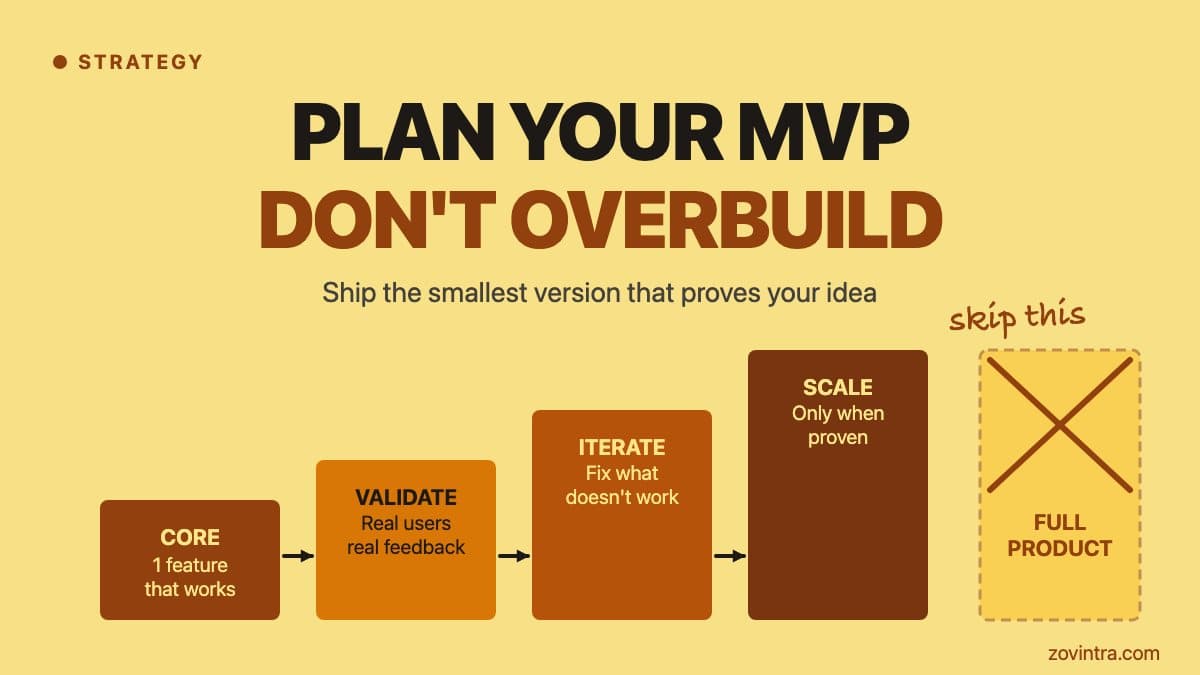
In practice, most founders end up on a path that uses both. They build an MVP in Bubble or with an AI tool to validate the concept, get early customers, and understand what the product actually needs to be. Then they commission a custom build once the requirements are clear and the business case justifies the investment.
The risk with this path is assuming the transition will be easy. Migrating from Bubble to a custom app requires exporting and transforming your data, rebuilding your workflows in code, and managing a cutover without disrupting active users. It's manageable, but it's not trivial. Founders who plan for this transition from the start - choosing no-code tools that make data export easy, keeping business logic documented, avoiding deep platform-specific customizations - have much smoother migrations than those who don't.
The honest answer to "do I need a developer?" is: probably not to start, but almost certainly to finish. No-code tools are excellent at getting you to early validation. A developer is what gets you from validated idea to production-grade product. The question is when to make that transition - and the answer is usually earlier than most founders expect.
Common questions
At what point do no-code apps start hitting performance limits?
The post says Bubble apps frequently hit performance ceilings around 500 to 1,000 active users, because the architecture trades flexibility for ease of use. A design that feels fine at 50 users can become a bottleneck at 5,000.
Is AI-generated code from tools like Lovable or Bolt safe to launch with?
Not without review. The post says generated code often skips security fundamentals such as input validation, proper authentication, and rate limiting, and may not handle error cases. It is useful for prototypes, but gaps can surface once real users arrive.
When should I hire a developer for my no-code or AI-built app?
The post says no-code is probably enough to start but almost certainly not to finish, and the transition usually comes earlier than founders expect. If you have early traction and need security gaps closed, Zovintra's Launch and Rescue service covers that.
Building something similar?
Talk to our engineering team about your architecture, roadmap, and delivery timeline.
Request a Technical Review →
We design, engineer, and deploy high-performance web platforms, mobile applications, and intelligent cloud systems.